
NEWS

Nike Introduced The Limited Edition of Apple Watch NikeLab

04/27/2017

3041

Last week Nike unveiled its latest collaboration with Apple: Apple Watch NikeLab. Now the limited edition Apple Watch Series 2 has been featured in a Highsnobiety hands-on shoot ahead of its upcoming release.


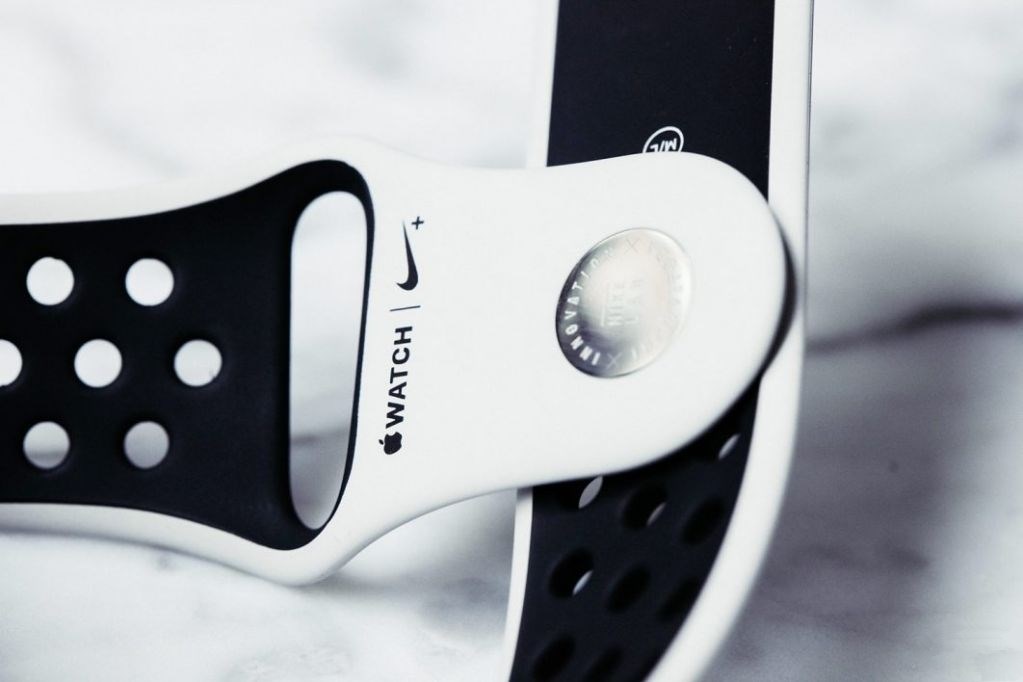
Just like Apple Watch Nike+, Apple Watch NikeLab is a co-branded Apple Watch Series 2 that includes the perforated Nike Sport band, special Nike watch faces, and has the Nike+ Run Club app pre-installed.


Apple Watch NikeLab stands out from the Apple Watch Nike+ collection because of its neutral-tone colored Nike Sport band paired with the space gray Apple Watch hardware. The limited edition NikeLab Sport band includes a custom engraving on the inner pin as well.


Apple Watch NikeLab officially launches on April 27 through NikeLab stores, Nike.com, and the Isetan Shinjuku Apple Watch Store in Japan. Highsnobiety appears to have received a model ahead of time to create these high quality hands-on photos:

Nike Introduced The Limited Edition of Apple Watch NikeLab


Pricing details have not been shared yet, but Apple Watch Nike+ goes for the same 38mm $369 and 42mm $399 cost as Apple Watch Series 2. And even though Apple and Nike recently launched standalone versions of the previously exclusive Nike Sport bands, it’s not likely that we’ll see this color option appear anytime soon.


Exactly for how long Apple Watch NikeLab will be available is also unknown at this point, although the limited edition nature of the color combination suggests it may be temporary.


Source: 9to5mac


Windows
Mac OS
iOS
Linux
3uTools
Win 64-bit For this device
V9.0 2025-11-11
Download
Win 32-bit For this device
V9.0 2025-11-11
Download
3uTools
Intel Chip How to Identify Chip Type
V9.0 2025-12-02
Download
Apple Silicon
V9.0 2025-12-02
Download
How to Identify Chip Type
1.  Click the Apple icon in the top-left corner of the screen and select About This Mac.
2.  Check the Processor or Chip field to determine if it is "Intel" or "Apple".
Please use the 3uTools PC client to install the iOS client:
1、 Install either the Windows or Mac version of 3uTools on your computer
2、 Open the PC client and connect your device to the computer via USB cable
3、 After the connection is successful, wait for the computer to automatically install the mobile app for the device, or locate “Install Mobile App” on the computer and manually click to install.
3uTools
deb file
V3.01 2025-11-20
Download
rpm file
V3.01 2025-11-20
Download
Windows
Windows
iOS
iOS
Android
Android
TV
TV
3uAirPlayer
Win 64-bit For this device
V6.0.2 2025-11-19
Download
Win 32-bit For this device
V6.0.2 2025-11-19
Download
iOS Device Mirroring (No App Required)
1、 Install 3uAirPlayer on the Windows PC
2、 Open Control Center and select Screen Mirroring
3、 From the list, choose your PC to start mirroring
4、 Or connect your iOS device to the PC via USB to begin mirroring
Scan to get "3uAirPlayer" App
3uAirPlayer TV V1.0.18
2025-11-28
TV System Requirements: Android 7.0 or later
Download the TV installation package, copy it to a USB drive, insert it into your TV or set-top box, then select the file from the home screen to install.




