
NEWS

Nike's New Shoes Support Siri Shortcuts and Apple Watch, Letting You Adjust Fit With Your Voice

08/30/2019

3632

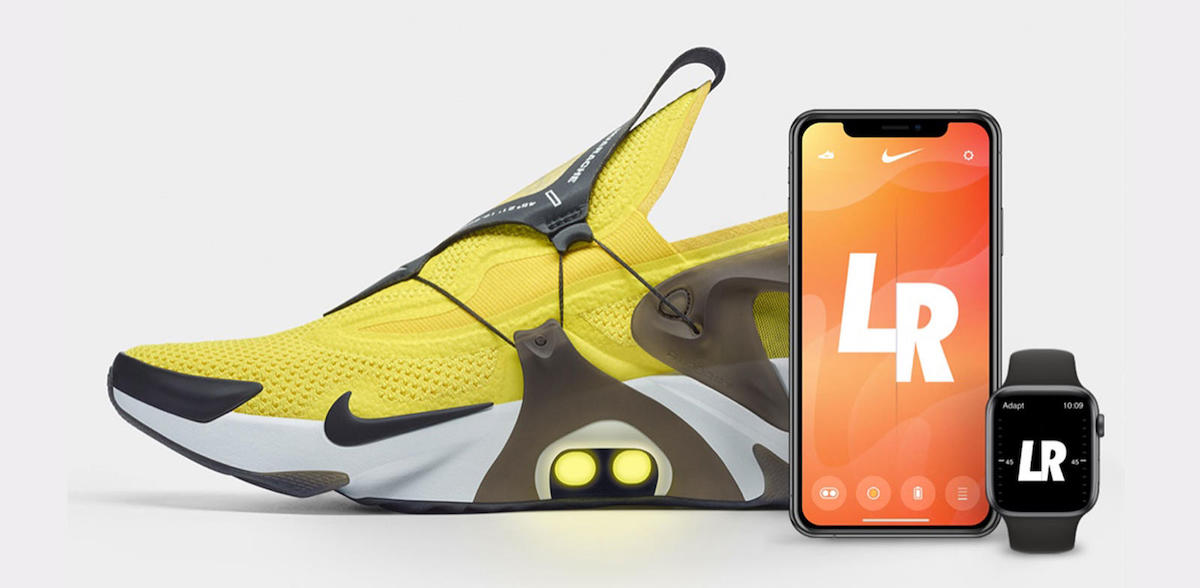
Nike today announced the Nike Adapt Huarache shoe, which features the company's "FitAdapt" technology that lets you adjust the fit of the shoe through Siri or your Apple Watch. 
Nike's New Shoes Support Siri Shortcuts and Apple Watch, Letting You Adjust Fit With Your Voice
Similar to the Nike Adapt BB shoes from earlier this year, the new Huarache shoe includes a FitAdapt lacing system. Run from a midfoot motor, the system is controlled by the connected Nike app and tightens or loosens the shoe based on user control. 

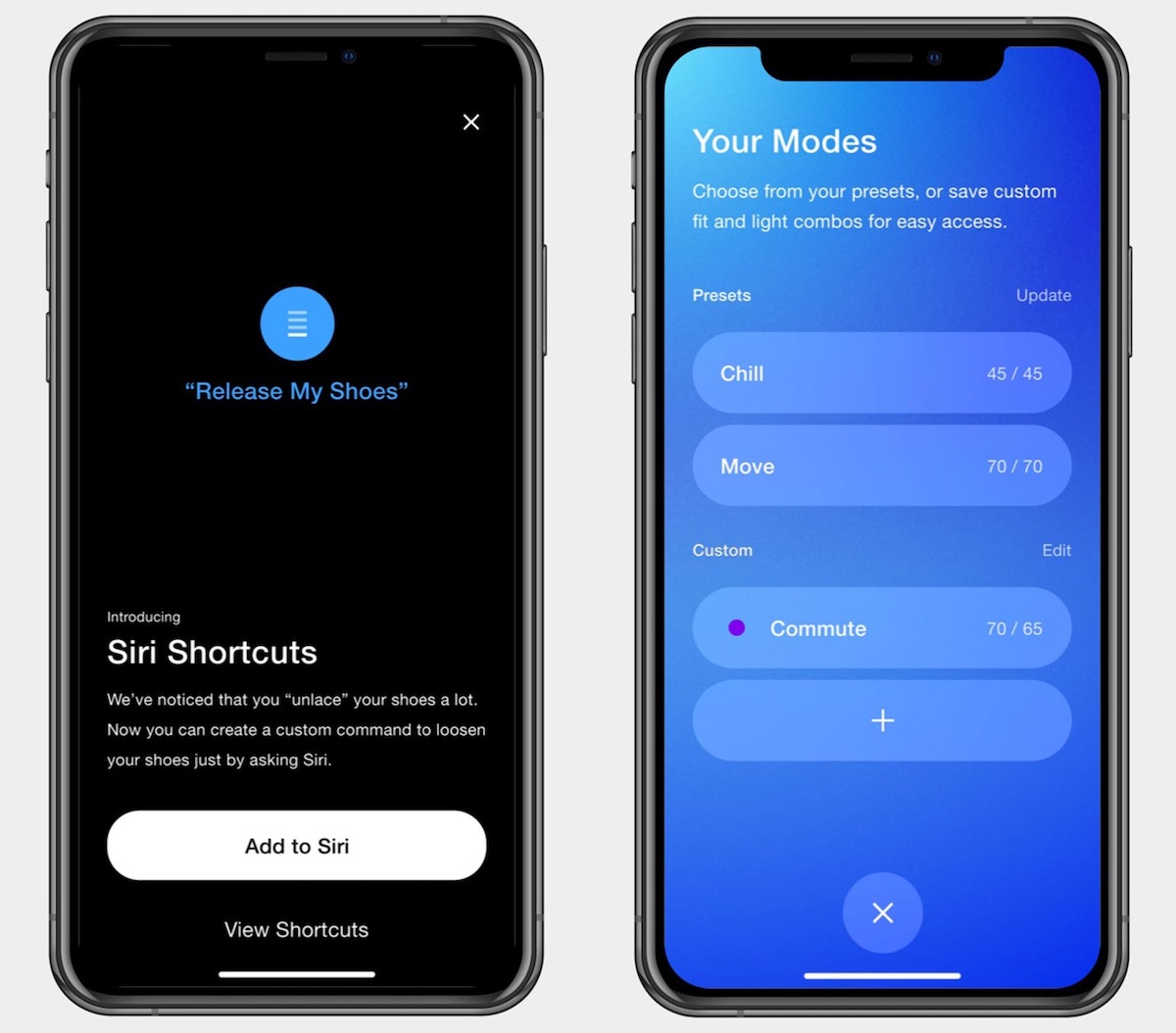
For the first time, these controls include speaking to Siri on your iPhone, or using the Apple Watch app. The shoe also offers preset modes for custom fits, and support for SiriShortcuts for even easier control over the laces. 
Nike's New Shoes Support Siri Shortcuts and Apple Watch, Letting You Adjust Fit With Your Voice
In a PR image of the Nike app, the company gives an example of a Siri Shortcut like "Hey Siri, release my shoes" as a way to loosen the fit of the Nike Adapt Huarache. 

The new Huarache shoes are a continuation of the original line that debuted in 1991. The new sneakers will go on sale on September 13 at select retailers.


Source: Macrumors

Windows
Mac OS
iOS
Linux
3uTools
Win 64-bit For this device
V9.0 2025-11-11
Download
Win 32-bit For this device
V9.0 2025-11-11
Download
3uTools
Intel Chip How to Identify Chip Type
V9.0 2025-12-02
Download
Apple Silicon
V9.0 2025-12-02
Download
How to Identify Chip Type
1.  Click the Apple icon in the top-left corner of the screen and select About This Mac.
2.  Check the Processor or Chip field to determine if it is "Intel" or "Apple".
Please use the 3uTools PC client to install the iOS client:
1、 Install either the Windows or Mac version of 3uTools on your computer
2、 Open the PC client and connect your device to the computer via USB cable
3、 After the connection is successful, wait for the computer to automatically install the mobile app for the device, or locate “Install Mobile App” on the computer and manually click to install.
3uTools
deb file
V3.01 2025-11-20
Download
rpm file
V3.01 2025-11-20
Download
Windows
Windows
iOS
iOS
Android
Android
TV
TV
3uAirPlayer
Win 64-bit For this device
V6.0.2 2025-11-19
Download
Win 32-bit For this device
V6.0.2 2025-11-19
Download
iOS Device Mirroring (No App Required)
1、 Install 3uAirPlayer on the Windows PC
2、 Open Control Center and select Screen Mirroring
3、 From the list, choose your PC to start mirroring
4、 Or connect your iOS device to the PC via USB to begin mirroring
Scan to get "3uAirPlayer" App
3uAirPlayer TV V1.0.18
2025-11-28
TV System Requirements: Android 7.0 or later
Download the TV installation package, copy it to a USB drive, insert it into your TV or set-top box, then select the file from the home screen to install.




