 NEWS
NEWS
iPhone 18 Said to Use Simpler Camera Control Button Design
 10/29/2025
 556
556
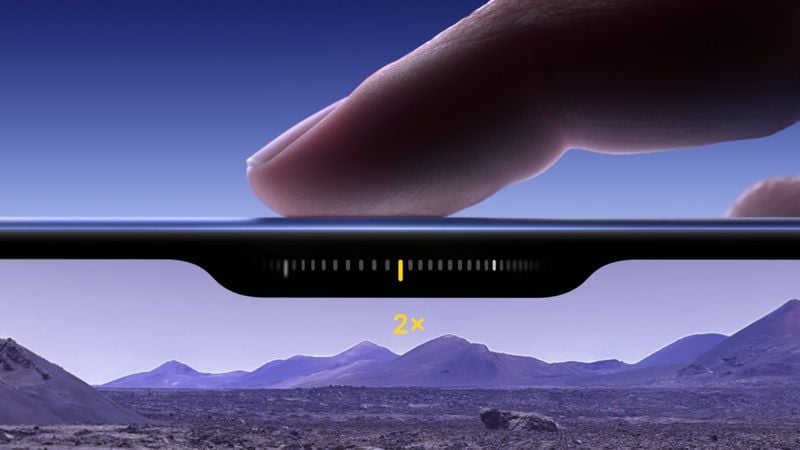
Apple is working to simplify the Camera Control button's design on the iPhone 18 in order to reduce costs, claims an established Chinese leaker.
The current Camera Control button on iPhone 17 models uses both capacitive and pressure sensors beneath a sapphire crystal surface. The capacitive layer detects touch gestures, while the force sensor recognizes different pressure levels for taps, presses, and swipes.
However, according to the Weibo-based account Instant Digital, Apple will remove the capacitive sensing layer and retain only pressure sensing recognition in the second iteration to achieve all Camera Control functions on the iPhone 18.
The single-sensor approach is similar to designs found in devices like the OPPO X8 Ultra and vivo X200 Ultra, where pressure sensors alone can recognize light taps, firm presses, and sliding gestures.
In later iterations, the leaker claims piezoelectric ceramics will be introduced to provide localized haptic feedback. While it's not entirely clear, this could be part of a wholesale switch to solid-state buttons that Apple is allegedly working on and which will debut in the 20th anniversary iPhone.
Instant Digital previously disputed rumors suggesting Apple plans to eliminate the Camera Control button from the iPhone 18. The simplified version is not about reducing functionality in the button, but about saving money. The current solution is said to be very expensive for Apple and is generating costly after-sales repairs.
The iPhone 18 Air, Pro, Pro Max, and foldable is expected to come in September 2026, while the iPhone 18 and iPhone 18e will launch in 2027.
Source: Macrumors









