
NEWS

LG Preparing to Supply OLED Panels for iPad by 2024

01/18/2022

2181

LG Display is preparing to supply Apple with OLED display panels destined for upcoming iPad models, ETNews reports.
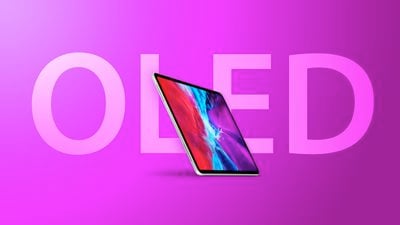
LG Preparing to Supply OLED Panels for iPad by 2024


LG's preparations to supply Apple with OLED displays for the ‌iPad‌ reportedly include the expansion of its plant in Paju, South Korea. The increased production capacity is said to take account of next-generation iPhone and ‌iPad‌ models.


The introduction of OLED panels to the ‌iPad‌ ostensibly presents a new opportunity for LG Display due to the size and aspect ratio of the device's display, which rival suppliers are currently not able to facilitate as easily. A separate recent report claimed that BOE is similarly gearing up to supply OLED panels for future ‌iPad‌ models.


Although an OLED display could come to the ‌iPad‌ for the first time next year, LG is planning to start mass production of these panels at the Paju facility in 2024. This timing broadly lines up with other recent reports, which has placed the launch of the OLED ‌iPad‌ between 2023 and 2024.


Early last year, LG was forced to halt LCD panel production for the ‌iPhone‌ and shut down its smartphone division. The company has since restructured its business toward OLED panels and is accelerating the expansion of its production capacity. Now, LG plans to aggressively increase its presence in Apple's display supply chain with an expansion investment strategy that will enable the Paju plant to make twice as many sixth-generation OLED panels by 2024.


Source: Macrumors

Windows
Mac OS
iOS
Linux
3uTools
Win 64-bit For this device
V9.0 2025-11-11
Download
Win 32-bit For this device
V9.0 2025-11-11
Download
3uTools
Intel Chip How to Identify Chip Type
V9.0 2025-12-02
Download
Apple Chip
V9.0 2025-12-02
Download
How to Identify Chip Type
1.  Click the Apple icon in the top-left corner of the screen and select About This Mac.
2.  Check the Processor or Chip field to determine if it is "Intel" or "Apple".
Please use the 3uTools PC client to install the iOS client:
1、 Install either the Windows or Mac version of 3uTools on your computer
2、 Open the PC client and connect your device to the computer via USB cable
3、 After the connection is successful, wait for the computer to automatically install the mobile app for the device, or locate “Install Mobile App” on the computer and manually click to install.
3uTools
deb file
V3.01 2025-11-20
Download
rpm file
V3.01 2025-11-20
Download
Windows
Windows
iOS
iOS
Android
Android
TV
TV
3uAirPlayer
Win 64-bit For this device
V6.0.2 2025-11-19
Download
Win 32-bit For this device
V6.0.2 2025-11-19
Download
iOS Device Mirroring (No App Required)
1、 Install 3uAirPlayer on the Windows PC
2、 Open Control Center and select Screen Mirroring
3、 From the list, choose your PC to start mirroring
4、 Or connect your iOS device to the PC via USB to begin mirroring
Scan to get "3uAirPlayer" App
3uAirPlayer TV V1.0.18
2025-11-28
TV System Requirements: Android 7.0 or later
Download the TV installation package, copy it to a USB drive, insert it into your TV or set-top box, then select the file from the home screen to install.




