NEWS

M1 16-inch MacBook Pro Mistakenly Listed by Apple Germany

07/19/2021

1955

M1 16-inch MacBook Pro Mistakenly Listed by Apple Germany


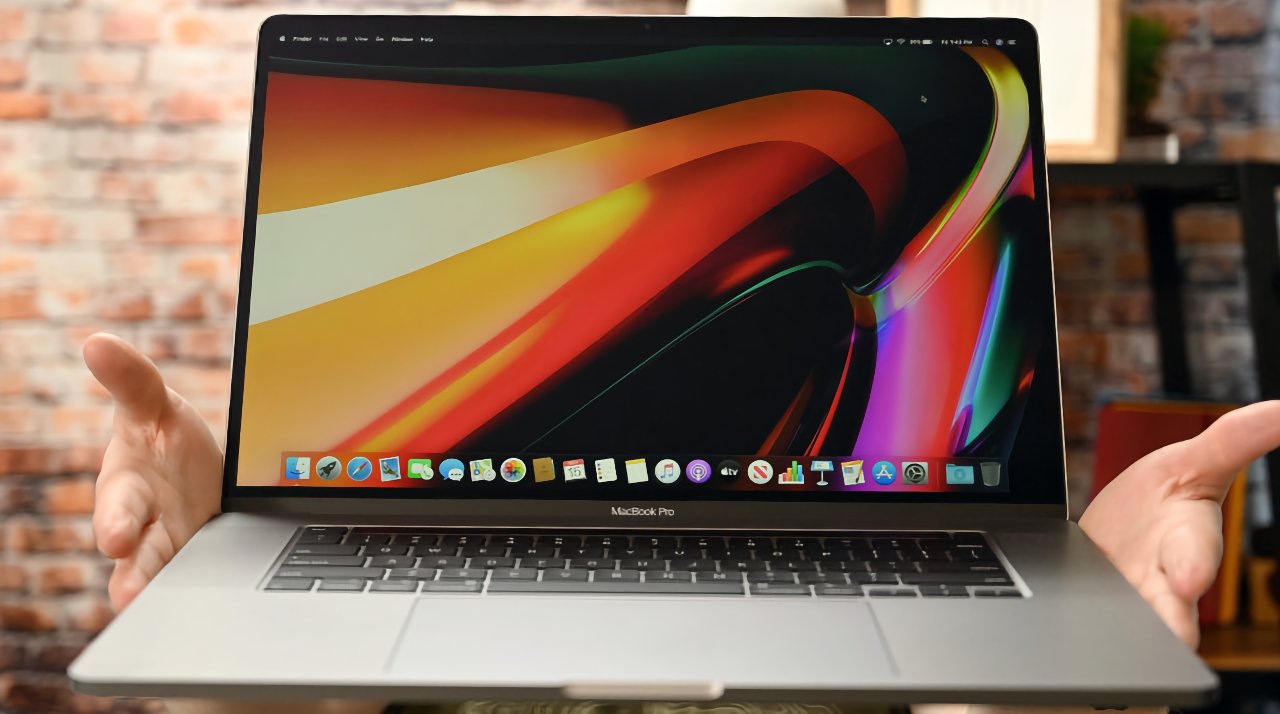
Apple Germany's online description for the current 16-inch MacBook Pro describes it as having an Apple Silicon M1 processor.


In a very specific set of circumstances, Apple can now be seen to be referring to an M1 version of the 16-inch MacBook Pro. It's describing the currently-available Intel-based model, so it is a labelling error rather than a reveal of a new product.


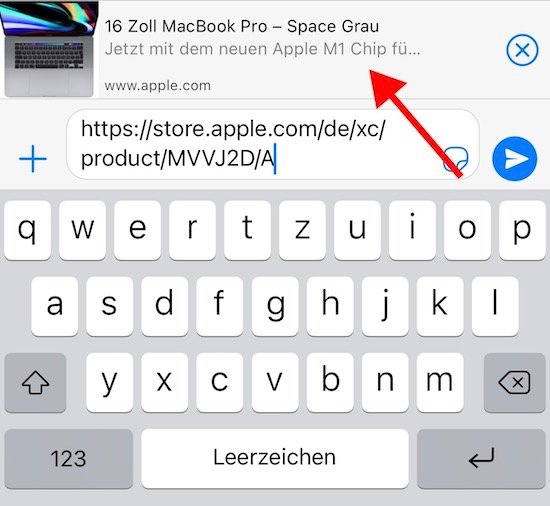
According to Flo's Weblog, a reader in Germany was using the Apple Store app and looking for the 16-inch MacBook Pro. Having found it, and chosen a configuration, he then used the app's share extension to send the link as a message to a friend.


Apple Messages resolves links so that recipients can see a preview of what is being sent to them. And in this case, the preview included the words, in German, "Now with the new Apple M1 chip...".


The same text does not appear when attempting to share MacBook Pro configurations from the Apple Store app in other territories.

M1 16-inch MacBook Pro Mistakenly Listed by Apple Germany

It translates as "Now with the new Apple M1 chip." Source: Flo's Blog


Apple has not indicated when the 16-inch MacBook Pro will be updated. However, Apple is into the second year of its two-year transition from Intel to Apple Silicon, and there are persistent rumors about when the 16-inch model will move to M1.


Source: Appleinsider

Windows
Mac OS
iOS
Linux
3uTools
Win 64-bit For this device
V9.0 2025-11-11
Download
Win 32-bit For this device
V9.0 2025-11-11
Download
3uTools
Intel Chip How to Identify Chip Type
V9.0 2025-12-02
Download
Apple Chip
V9.0 2025-12-02
Download
How to Identify Chip Type
1.  Click the Apple icon in the top-left corner of the screen and select About This Mac.
2.  Check the Processor or Chip field to determine if it is "Intel" or "Apple".
Please use the 3uTools PC client to install the iOS client:
1、 Install either the Windows or Mac version of 3uTools on your computer
2、 Open the PC client and connect your device to the computer via USB cable
3、 After the connection is successful, wait for the computer to automatically install the mobile app for the device, or locate “Install Mobile App” on the computer and manually click to install.
3uTools
deb file
V3.01 2025-11-20
Download
rpm file
V3.01 2025-11-20
Download
Windows
Windows
iOS
iOS
Android
Android
TV
TV
3uAirPlayer
Win 64-bit For this device
V6.0.2 2025-11-19
Download
Win 32-bit For this device
V6.0.2 2025-11-19
Download
iOS Device Mirroring (No App Required)
1、 Install 3uAirPlayer on the Windows PC
2、 Open Control Center and select Screen Mirroring
3、 From the list, choose your PC to start mirroring
4、 Or connect your iOS device to the PC via USB to begin mirroring
Scan to get "3uAirPlayer" App
3uAirPlayer TV V1.0.18
2025-11-28
TV System Requirements: Android 7.0 or later
Download the TV installation package, copy it to a USB drive, insert it into your TV or set-top box, then select the file from the home screen to install.