 NEWS
NEWS
Apple Debuts Colorful 24-inch iMac With M1, Upgraded Camera and Audio
 04/21/2021
 3402
3402
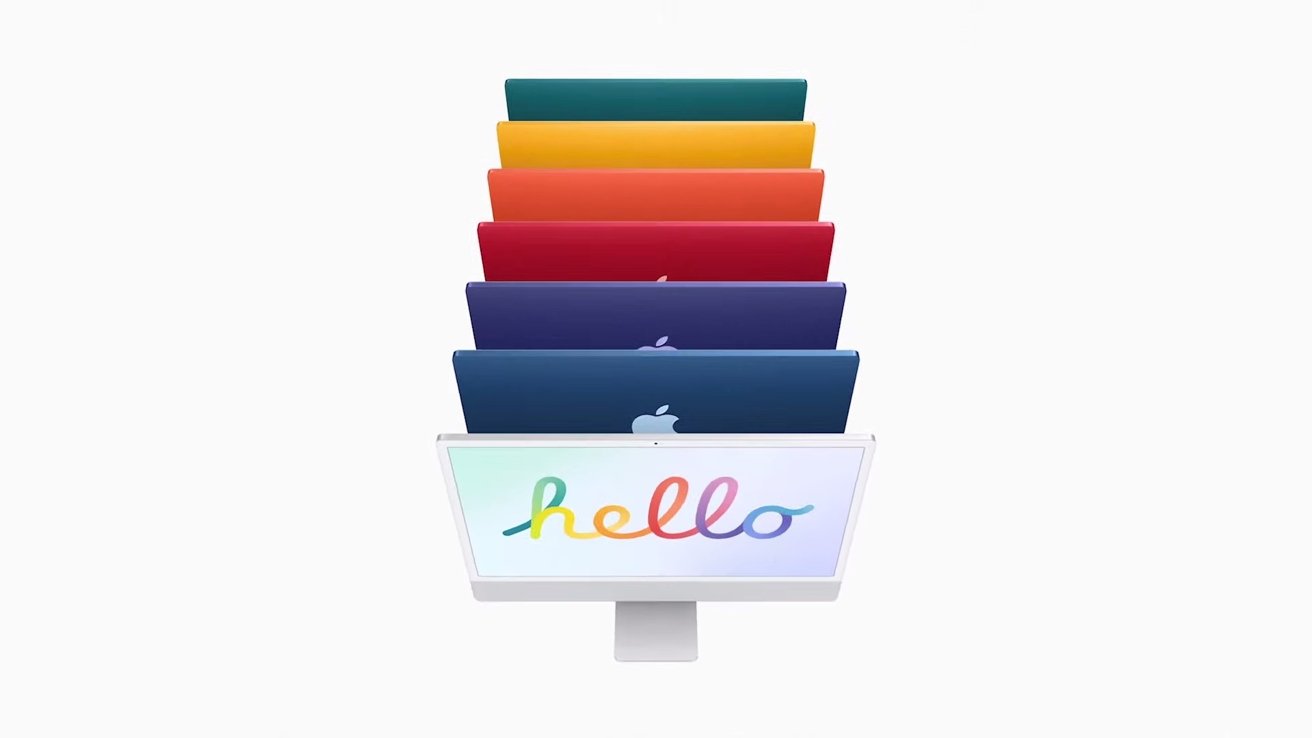
Apple's all-in-one desktop became the latest Mac to make the transition to Apple Silicon on Tuesday, with a new iMac sporting the M1 chip and an array of color options.
The redesigned 24-inch iMac sports an updated and sleeker design that's much more compact than its predecessors, thanks to the smaller footprint of the M1 system-on-chip design. It features softer edges and a front panel that's created from a single sheet of glass. On the display side, the new iMac sports a 24-inch Retina display with True Tone support.
Apple has also given the new iMac a major upgrade across its audio and video channels, including a three-mic array, a 1080p FaceTime camera, and increased speaker power. It also supports Dolby Audio and Spatial Audio.
Boasting Apple Silicon in the form of the M1 chip, Apple says it's the fastest iMac to date. Apple says the iMac is up to 85% faster than the previous models across apps like Xcode, Lightroom, and iMovie. It also sports graphics that are up to 2 times faster than past models.
In a move that recalls the original iMac G3 released in 1998, the new iMacs come in a range of new color options, including green, yellow, orange, pink, purple, blue, and silver. On the rear, it has up to 4 USB-C ports, of which two are Thunderbolt 3, as well as a new magnetic power connector. The device also features an updated Magic Keyboard with Touch ID.
It starts at $1,299 and becomes available for preorder on April 30, 2021. The device will start shipping out to customers in the second half of May.
The iMac becomes the fourth Mac to transition to Apple Silicon, following the debut of the 13-inch MacBook Pro, MacBook Air and Mac mini last fall.
Apple's all-in-one desktop became the latest Mac to make the transition to Apple Silicon on Tuesday, with a new iMac sporting the M1 chip and an array of color options.
Source: Appleinsider









