 NEWS
NEWS
Your Apple Watch is Going to Become Your Personal Physician
 01/18/2017
 3455
3455
Sensors. They aren’t just for entertainment any more – the ones inside of your Apple Watch are on course to replace a visit to the doctor, assuming the technology inside these devices continues to improve.
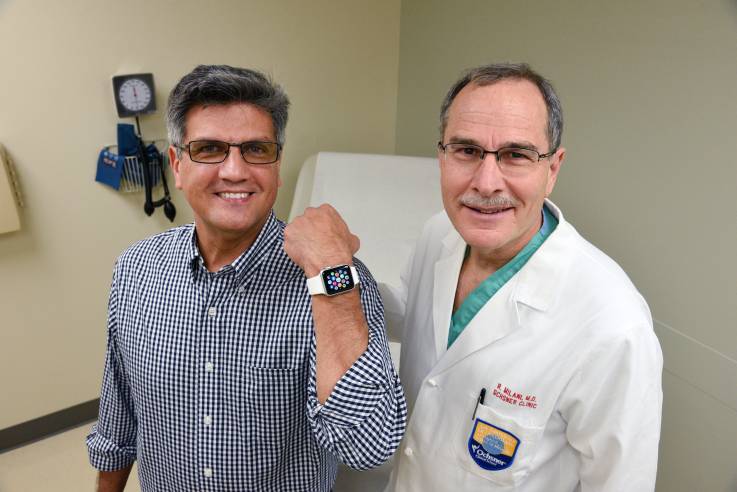
Apple Watch saves lives
Smartwatches like the Apple Watch and some health and fitness bands all gather rich selection of physiological data. This includes things like distance travelled and how far you walk each day, and extends through to heart rate and other key readings. And we know Apple is working to develop additional health sensors.
We’ve already seen one man’s life saved by an Apple Watch. He felt ill, checked his watch and saw a heart rate of 210. When he got to hospital a heart attack was diagnosed and doctors told him the decision to seek help likely saved his life.
Research data
It turns out he wasn’t alone.A recent Stanford University study of wearable technologies confirmed that wearable devices of this kind can indeed tell not just when you are sick, but when you are getting sick.
The team collected nearly 2 billion measurements from 60 people, including both continuous data from wearable biosensors devices and lab tests of blood chemistry, gene expression and other measures. They found definite correlations, and in one case one of the heads of the project was able to quickly diagnose and treat Lyme disease.
“The study demonstrated that, given a baseline range of values for each person, it is possible to monitor deviations from normal and associate those deviations with environmental conditions, illness or other factors that affect health. Distinctive patterns of deviation from normal seem to correlate with particular health problems. Algorithms designed to pick up on these patterns of change could potentially contribute to clinical diagnostics and research.”
How it could work
You may already wear an Apple Watch that gathers data about your health. You may even have a health insurance package that rewards you for good habits.
What if your Watch could share your data with a central data analytics system? Differential privacy means it could do so in such a way that your identity would never be connected to your data.
me your way if you begin to display diabetes symptoms.
Gradually inevitable
We know this is coming.In other words, it’s only a matter of time before this kind of health-related surveillance becomes part of everyday life. The latter will also inspire governments to support any moves in this direction, as they seek a healthier population and to reduce the cost impacts of illness and disease.
Source: applemust









