 NEWS
NEWS
Elon Musk Claims He Once Reached Out to Tim Cook About Tesla Purchase But Was Refused Meeting
 12/23/2020
 2255
2255
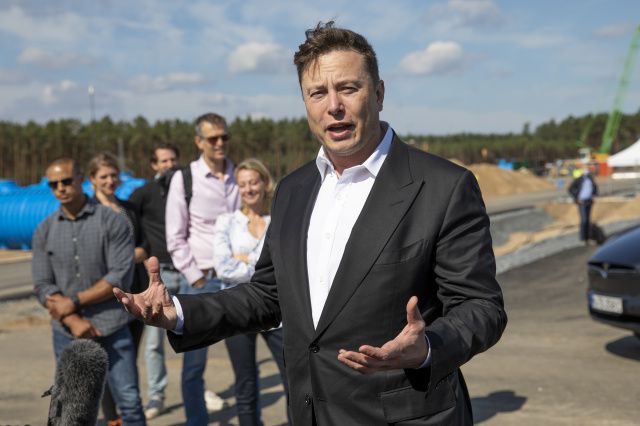
Elon Musk apparently once tried to sell Tesla to Apple. Replying to a tweet about yesterday’s Reuters report on the Apple’s electric car ambitions, Musk said, “During the darkest days of the Model 3 program, I reached out to Tim Cook to discuss the possibility of Apple acquiring Tesla (for 1/10 of our current value). He refused to take the meeting.” There had been rumors of a Tesla sale to Apple for years, but this is the first time we’ve heard anything definitive from Musk.
During the darkest days of the Model 3 program, I reached out to Tim Cook to discuss the possibility of Apple acquiring Tesla (for 1/10 of our current value). He refused to take the meeting.
— Elon Musk (@elonmusk) December 22, 2020
In the same thread, the executive also called into question the accuracy of yesterday’s report. According to Reuters, Apple is developing a “breakthrough” battery that utilizes a “monocell” design. The sources Reuters spoke to said the battery will give Apple’s potential car a greater range than most other EVs. One of the wire service’s sources described the design as “next level.” Reuters also said Apple has been exploring the possibility of utilizing an iron-phosphate chemistry to make manufacturing the power cells less expensive.
“Strange, if true,” Musk said of those suggestions. He went on to add Tesla already uses iron-phosphate batteries in vehicles it produces at its Shanghai Gigafactory, and said a monocell design is “electrochemically impossible” as the resulting battery couldn’t produce a high enough max voltage to be useable. “Maybe they meant cells bonded together, like our structural battery pack?” he said. The report also mentioned the possibility of Apple adding LiDAR sensors to the vehicle. If you’ve been following Musk for a while, you’ll also know he has called LiDAR a “fool’s errand.” In other words, it’s safe to say Musk is unimpressed by the rumors.
In any case, we’ve reached out to Apple for comment on Musk’s tweets. The company is unlikely to respond, but we’ll let you know if we hear back.
Source: Engadget









