NEWS

Customers Can Now Apply For The Apple Card on The Web

11/18/2020

2317

Customers Can Now Apply For The Apple Card on The Web


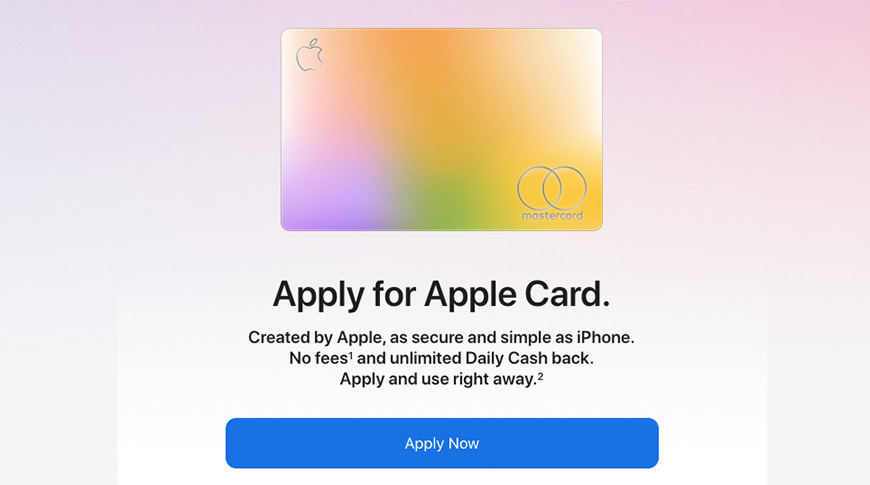
Eager to get the Apple Card into the hands of more customers, Apple is now allowing prospective Apple Card cardholders to apply online, rather than via the Wallet App.


The application process is the same as it is from within the Wallet app. It still requires a user to agree to a soft credit check — the kind that does not affect your credit score. However, if a customer accepts the Apple Card, they will be subjected to a hard inquiry, potentially impacting their credit score.


The Apple Card features variable APRs ranging from as low as 10.99% to 21.99% based on the applicant's credit history and credit score.


While you can now apply for an Apple Card via Apple's website, Apple still requires an iPhone or iPad to unlock all features of the Apple Card, including ordering a physical titanium card.


Launched in 2019, the Apple Card is a partner project between Apple and Goldman Sachs. While users have the option of ordering a physical card, it's designed to be used with Apple Pay.


The Apple Card has a special section in the iPhone's Wallet app, allowing users to view their spending habits, make payments, and keep track of their balance.


Additionally, Apple offers cashback on certain types of payments. All purchases made with the physical card will merit 1% cashback while using the Apple Card online or at a contactless, point-of-sale terminal will merit 2% cashback. At certain retailers, including Apple, Uber, Walgreens, and Nike, users could earn as much as 3% cashback.


Source: Appleinsider

Windows
Mac OS
iOS
Linux
3uTools
Win 64-bit For this device
V9.0 2025-11-11
Download
Win 32-bit For this device
V9.0 2025-11-11
Download
3uTools
Intel Chip How to Identify Chip Type
V9.0 2025-12-02
Download
Apple Chip
V9.0 2025-12-02
Download
How to Identify Chip Type
1.  Click the Apple icon in the top-left corner of the screen and select About This Mac.
2.  Check the Processor or Chip field to determine if it is "Intel" or "Apple".
Please use the 3uTools PC client to install the iOS client:
1、 Install either the Windows or Mac version of 3uTools on your computer
2、 Open the PC client and connect your device to the computer via USB cable
3、 After the connection is successful, wait for the computer to automatically install the mobile app for the device, or locate “Install Mobile App” on the computer and manually click to install.
3uTools
deb file
V3.01 2025-11-20
Download
rpm file
V3.01 2025-11-20
Download
Windows
Windows
iOS
iOS
Android
Android
TV
TV
3uAirPlayer
Win 64-bit For this device
V6.0.2 2025-11-19
Download
Win 32-bit For this device
V6.0.2 2025-11-19
Download
iOS Device Mirroring (No App Required)
1、 Install 3uAirPlayer on the Windows PC
2、 Open Control Center and select Screen Mirroring
3、 From the list, choose your PC to start mirroring
4、 Or connect your iOS device to the PC via USB to begin mirroring
Scan to get "3uAirPlayer" App
3uAirPlayer TV V1.0.18
2025-11-28
TV System Requirements: Android 7.0 or later
Download the TV installation package, copy it to a USB drive, insert it into your TV or set-top box, then select the file from the home screen to install.