 NEWS
NEWS
Apple Updates the 27-inch iMac With New Chips, Finally Makes SSDs Standard
 08/06/2020
 2720
2720
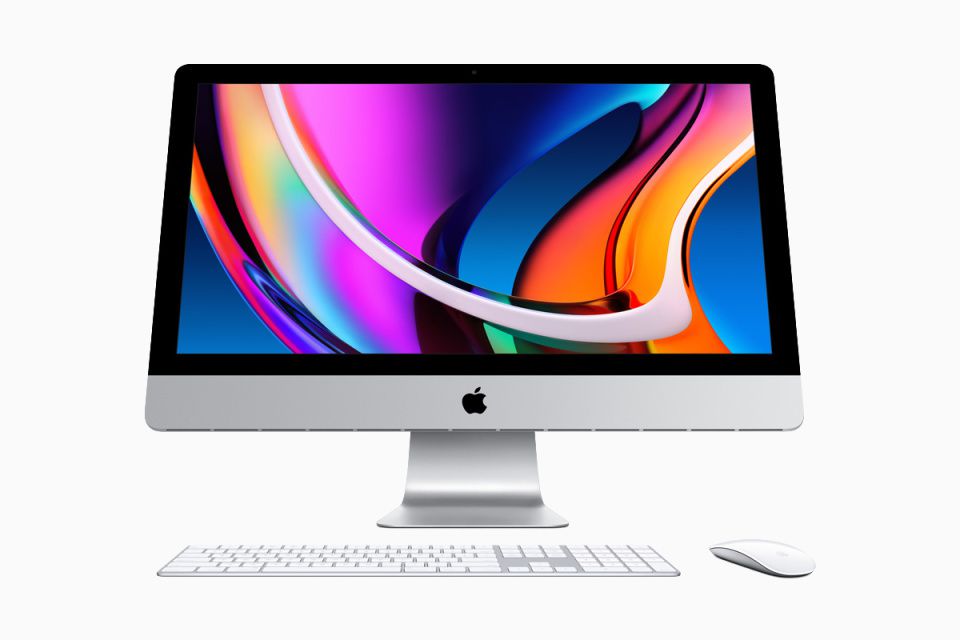
Apple today announced a new addition to its Mac line. No, it’s not one of those newfangled ARM machines you’ve heard so much about. It’s a refreshed 27-inch iMac, bringing slightly more than the usual CPU upgrades. No, the exterior design still hasn’t changed, but under the hood the company is touting new processors and graphics, a higher-res webcam with improved low-light performance and a new audio setup that borrows the “studio-quality” mic array already found on select MacBook Pros. Most importantly, perhaps, Apple is finally (finally) making SSDs standard across the line, for both the 27-inch and 21.5-inch iMacs.
Starting with those chips, we’re looking at 10th-generation Intel “Comet Lake” processors. Depending on which off-the-shelf configuration you buy it’ll be a six- or eight-core CPU, but there’s also a 10-core processor available as an upgrade option. As for graphics, the vanilla configurations have either an AMD Radeon Pro 5300 card or Radeon Pro 5500 XT, both 7-nanometer GPUs built on AMD’s RDNA architecture. From there, you can upgrade to the 5700 or 5700 XT. The 5700 XT will have 16GB of GDDR6 VRAM, making this the first time the 27-inch iMac line has maxed out with quite that much graphics memory.
Again, SSDs are standard here and again, this should have happened a long time ago. Depending on which configuration you choose, you’re starting with 256GB or 512GB, but from there you can go all the way up to 8TB. If that sounds like a lot, it is — previously, the 27-inch iMac topped out at 2TB. Interestingly, because of that shift from Fusion Drives to SSDs, the weight is a little lighter this time around (19.7 pounds), even though the machine is otherwise identical at a glance to its predecessor.
As for memory, we’re dialing it up to 11, by which I mean you can, if you so choose, build your machine with 128GB. (The previous limit for this machine was 64GB.) Of course, at the entry-level price you’re starting with much less: eight gigs.
It would be difficult to improve on the 27-inch iMac’s 5K, billion-color Retina display and indeed, the changes here are subtle. The first is the addition of Apple’s auto-adjusting True Tone technology, which is so ubiquitous on the company’s smaller-screen computers that I was surprised to be reminded that the biggest iMac didn’t yet have it. I suppose that’ll come in handy in this work-from-home era, particularly for folks whose desk sits near a window. Additionally, Apple is offering a nano texture finish for improved glare reduction, similar to what you’ll find on Apple’s pricey Pro Display XDR external monitor. That option will cost you an extra $500.
Also in the “didn’t the iMac already have this category?” is Apple’s T2 security chip, which allows for encrypted storage and “Hey Siri” commands. The chip also enables some camera improvements, including tone mapping, exposure control and face detection. Speaking of the camera, the webcam now has 1080p resolution, and its aperture has gone from f/2.0 to f/2.2. You’re also getting the same “studio quality” mic array currently found in certain recent MacBook Pros and a speaker setup that promises higher fidelity and deeper bass — in part thanks to that same T2 chip, incidentally.
The pricing tiers remain the same as before. To clarify what you get at each price point, the specs are:
$1,799: Six-core 3.1GHz Core i5 processor, 4GB AMD Radeon Pro 5300 GPU, 8GB of RAM and a 256GB SSD
$1,999: Six-core 3.3GHz Core i5 processor, 4GB AMD Radeon Pro 5300 GPU, 8GB of RAM and a 512GB SSD
$2,299: Eight-core 3.8GHz Core i7 processor, 8GB AMD Radeon Pro 5500 XT GPU, 8GB of RAM and a 512GB SSD
The new configurations are available to order today and will hit stores (or ship, I suppose) “later this week.” The 21.5-inch iMac is available too with SSDs, while the iMac Pro now comes standard with a 10-core Intel Xeon processor. Previously, the standard was an eight-core CPU with a 10-core chip available only as an upgrade option.
Source: Engadget









