NEWS

Apple Music App Bug Reportedly Causing Sporadic Battery Drain

07/09/2020

2302

Apple Music App Bug Reportedly Causing Sporadic Battery Drain


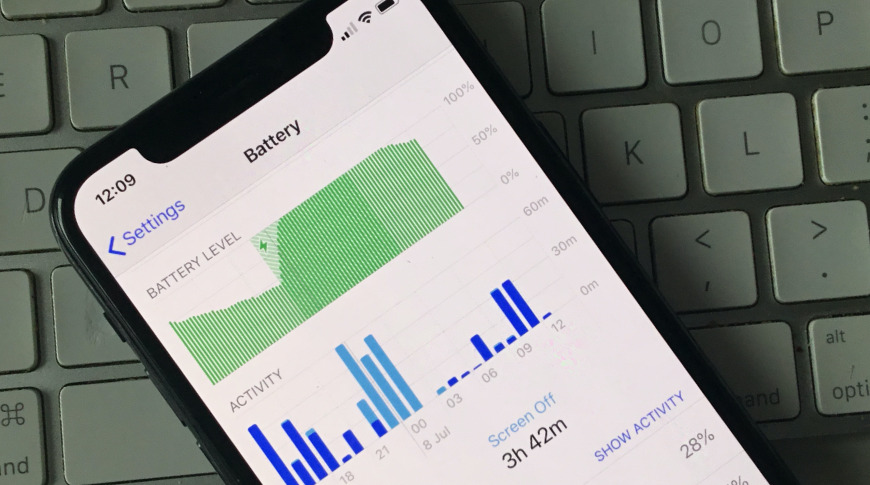
Some users of the Apple Music app in iOS 13.5.1 are reporting that their iPhone batteries are being significantly and rapidly drained, even when not playing music.


Following Apple's release of iOS 13.5.1 in early June, some users have begun reporting that the Apple Music app appears to be causing steep battery drain. Many of the reports claim that the drain is happening regardless of whether the Apple Music app has actually been used.


Apple has yet to comment, and there is no definitive figure for what proportion of users are being affected. However, a pair of current discussion threads about the issue on Apple's support forums show just over 2,000 people reporting that they have the same problem.


The only common factors are iOS 13.5.1, Apple Music, and apps working in the background. It does not appear to be confined to any one specific iPhone model, with users reporting problems across new and old iPhones, plus iPads. There are some reports that the issue isn't confined to Apple Music, either.


"The battery drain from background activity in iOS 13.5.1 is horrible," says user TexThomas in Apple's support community discussion. "Happens on several apps, currently Bloom berg and Teamsnap. Same problem on my iPad and my wife's iPhone Xs. Come on Apple, this needs to be fix[ed] now!"


Source: Appleinsider

Windows
Mac OS
iOS
Linux
3uTools
Win 64-bit For this device
V9.0 2025-11-11
Download
Win 32-bit For this device
V9.0 2025-11-11
Download
3uTools
Intel Chip How to Identify Chip Type
V9.0 2025-12-02
Download
Apple Chip
V9.0 2025-12-02
Download
How to Identify Chip Type
1.  Click the Apple icon in the top-left corner of the screen and select About This Mac.
2.  Check the Processor or Chip field to determine if it is "Intel" or "Apple".
Please use the 3uTools PC client to install the iOS client:
1、 Install either the Windows or Mac version of 3uTools on your computer
2、 Open the PC client and connect your device to the computer via USB cable
3、 After the connection is successful, wait for the computer to automatically install the mobile app for the device, or locate “Install Mobile App” on the computer and manually click to install.
3uTools
deb file
V3.01 2025-11-20
Download
rpm file
V3.01 2025-11-20
Download
Windows
Windows
iOS
iOS
Android
Android
TV
TV
3uAirPlayer
Win 64-bit For this device
V6.0.2 2025-11-19
Download
Win 32-bit For this device
V6.0.2 2025-11-19
Download
iOS Device Mirroring (No App Required)
1、 Install 3uAirPlayer on the Windows PC
2、 Open Control Center and select Screen Mirroring
3、 From the list, choose your PC to start mirroring
4、 Or connect your iOS device to the PC via USB to begin mirroring
Scan to get "3uAirPlayer" App
3uAirPlayer TV V1.0.18
2025-11-28
TV System Requirements: Android 7.0 or later
Download the TV installation package, copy it to a USB drive, insert it into your TV or set-top box, then select the file from the home screen to install.