
NEWS

New AirPods Allegedly Ready to Launch, Possibly Next Month

04/20/2020

2394

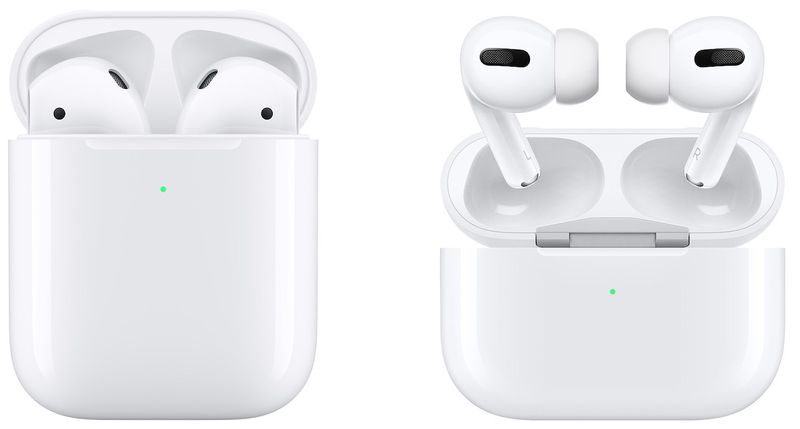
Next generation AirPods that were allegedly supposed to be announced at Apple's rumored March event are ready to launch, according to Jon Prosser of the YouTube channel Front Page Tech. Prosser believes the new ‌AirPods‌ could launch sometime next month, although he is not firm on timing yet.
New AirPods Allegedly Ready to Launch, Possibly Next Month
It is unclear at this time as to what new features Apple's next-generation ‌AirPods‌ will sport. One possibility is that the earphones will feature the same in-ear design as the AirPods Pro without Active Noise Cancellation.


In February, Taiwanese industry publication DigiTimes made a passing reference to upcoming "AirPod Pro Lite" earphones without offering any details on the product, leading to confusion about whether this would be a third-generation version of the regular ‌AirPods‌ or a new member of the ‌AirPods Pro‌ family.


Prosser believes the new ‌AirPods‌ could launch alongside the rumored 13-inch MacBook Pro refresh next month. He also recently claimed that Apple is targeting WWDC to launch new high-end over-ear headphones and September-October to launch BeatsX-like “‌AirPods‌ X.”


Source: Macrumors

Windows
Mac OS
iOS
Linux
3uTools
Win 64-bit For this device
V9.0 2025-11-11
Download
Win 32-bit For this device
V9.0 2025-11-11
Download
3uTools
Intel Chip How to Identify Chip Type
V9.0 2025-12-02
Download
Apple Chip
V9.0 2025-12-02
Download
How to Identify Chip Type
1.  Click the Apple icon in the top-left corner of the screen and select About This Mac.
2.  Check the Processor or Chip field to determine if it is "Intel" or "Apple".
Please use the 3uTools PC client to install the iOS client:
1、 Install either the Windows or Mac version of 3uTools on your computer
2、 Open the PC client and connect your device to the computer via USB cable
3、 After the connection is successful, wait for the computer to automatically install the mobile app for the device, or locate “Install Mobile App” on the computer and manually click to install.
3uTools
deb file
V3.01 2025-11-20
Download
rpm file
V3.01 2025-11-20
Download
Windows
Windows
iOS
iOS
Android
Android
TV
TV
3uAirPlayer
Win 64-bit For this device
V6.0.2 2025-11-19
Download
Win 32-bit For this device
V6.0.2 2025-11-19
Download
iOS Device Mirroring (No App Required)
1、 Install 3uAirPlayer on the Windows PC
2、 Open Control Center and select Screen Mirroring
3、 From the list, choose your PC to start mirroring
4、 Or connect your iOS device to the PC via USB to begin mirroring
Scan to get "3uAirPlayer" App
3uAirPlayer TV V1.0.18
2025-11-28
TV System Requirements: Android 7.0 or later
Download the TV installation package, copy it to a USB drive, insert it into your TV or set-top box, then select the file from the home screen to install.





