 NEWS
NEWS
KeenLab Teases Jailbroken iPhone XS Max on iOS 12.1
 11/07/2018
 4807
4807
Every time Apple releases a major new software update for its iOS device lineup, it seems like the talented security researchers over at KeenLab are the first to jailbreak it.
KeenLab was the first to demonstrate a proof-of-concept jailbreak on iOS 12.0 in June and iOS 11.3.1 in April, but now it seems the security firm has found a backdoor into Apple’s iOS 12.1update, which was only released last week.
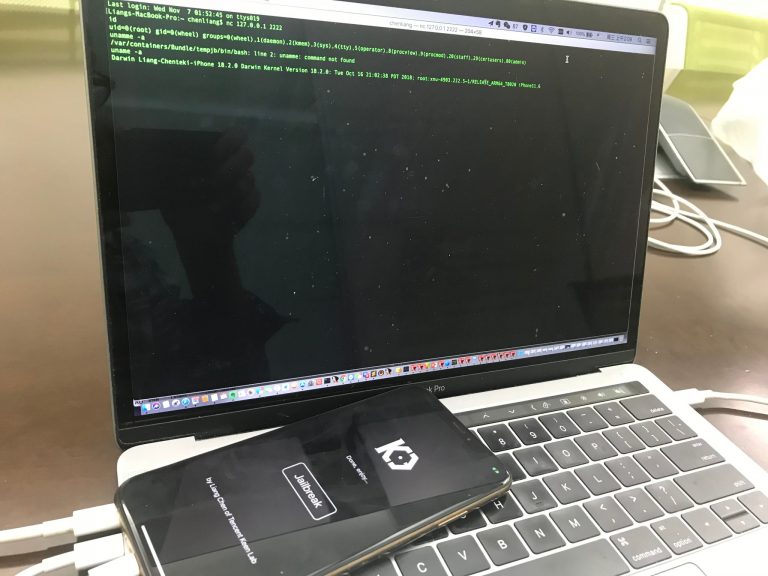
KeenLab security researcher Liang Chen first shared the news via his Twitter account Tuesday afternoon, teasing an image of a brand-new A12-powered iPhone XS Max with iOS 12.1 installed on it that had been pwned with proprietary exploits.
iOS 12.1 + A12 == the end of iOS war? I will be presenting at POC 2018 this Friday with latest iPhone XS Max pwn. @vangelis_at_POC @keen_lab https://t.co/lCtc1z3p4h pic.twitter.com/XWLDs24zIf
— Liang Chen (@chenliang0817) November 6, 2018
From the image, we can discern that the iPhone XS Max is running an in-house jailbreak app created by the KeenLab security researchers. It hasn’t been released to the public and given KeenLab’s reputation for previous proof-of-concept jailbreaks, it probably never will be.
Not much is known about the jailbreak at this time, such as whether it’s untethered, semi-untethered, or tethered, but what we do know that this is the first-known jailbreak to be validated on iOS 12.1. Citing Chen’s Tweet, KeenLab is poised to present details about its jailbreak at the upcoming POC 2018 event this Friday.
Notably, a post on /r/jailbreak surfaced just one day ago offered $10,000 for an iOS 12.1 jailbreak within the next 48 hours. It seems unlikely that KeenLab will sell its jailbreak to this particular buyer, as tech companies often pay significantly higher for exploits relevant to their systems. Still, the timing is rather uncanny.
While it’s true that this jailbreak will probably never see the light, it’s always great news because it confirms that even Apple’s latest and greatest mobile operating system can be jailbroken despite all the patched exploits and security improvements Apple implemented in recent memory.
Source: idb










