 NEWS
NEWS
Apple Granted a Patent for a Dual Display MacBook or Second Generation iPad Pro
 02/28/2018
 3135
3135
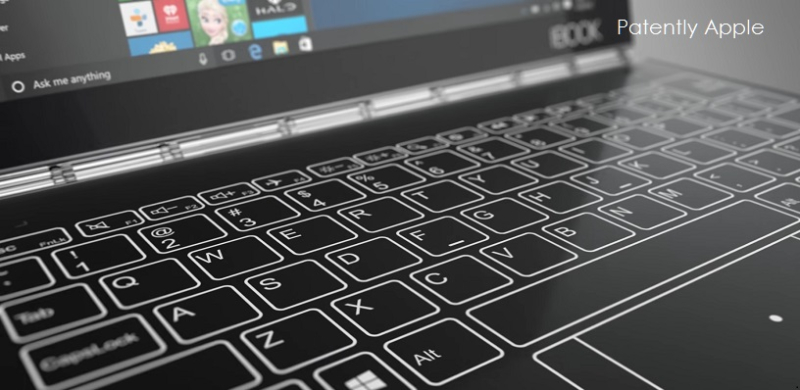
The U.S. Patent and Trademark Office officially published a series of 26 newly granted patents for Apple Inc. today. In this particular report we cover Apple's granted patent titled "Dual display equipment with enhanced visibility and suppressed reflections." The device presented in Apple's patent figure below illustrates a dual display notebook that eliminates a physical keyboard or Trackpad. This way the second display could also be used as a sketch pad, gaming controls and more as discussed in past patents.
Apple notes that in one version, a hinge is permanently holding the two displays together to form a new kind of MacBook.
In a second or alternative version, Apple notes that the hinge could be designed with magnetics so that it becomes a classic 2-in-1 device or second-gen iPad Pro so that the upper display could be detached and used as a standalone iPad.

As shown in patent FIG. 1 above we're able to see housing 12 may include a first portion such as upper housing (lid) 12A and a second portion such as lower housing (base) 12B that moves with respect to the first portion.
A hinge may allow upper housing 12A to rotate relative to lower housing 12B in directions 20 about axis #22. Housing 12A and housing 12B may be attached to each other using a permanent hinge arrangement (e.g., in a configuration in which device 10 is a laptop computer).
In an alternative mode housing 12A and housing 12B may be parts of separate components that can be attached using a magnetic hinge or other detachable hinge mechanism (e.g., when housing 12A is a tablet computer housing and housing 12B is a detachable tablet computer accessory such as a keyboard or a tablet computer cover with a keyboard).
Apple's granted patent 9,904,502 was originally filed in Q3 2015 and published today by the US Patent and Trademark Office.
Source: patently apple









