 NEWS
NEWS
The Apple Watch Can Detect Diabetes with an 85% Accuracy
 02/08/2018
 3086
3086
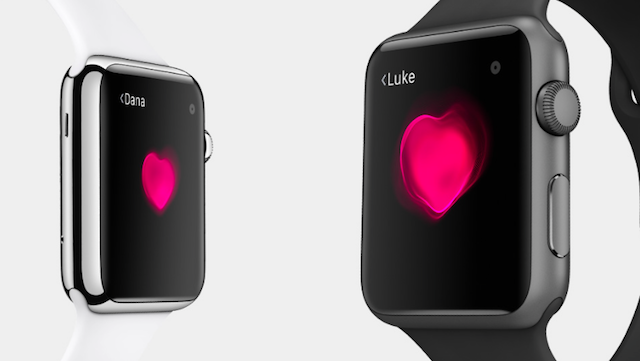
According to Cardiogram founder Brandon Ballinger’s latest clinical study, the Apple Watch can detect diabetes in those previously diagnosed with the disease with an 85 percent accuracy.
The study is part of the larger DeepHeart study with Cardiogram and UCSF. This particular study used data from 14,000 Apple Watch users and was able to detect that 462 of them had diabetes by using the Watch’s heart rate sensor, the same type of sensor other fitness bands using Android Wear also integrate into their systems.
In 2015, the Framingham Heart Study showed that resting heart rate and heart rate variability significantly predicted incident diabetes and hypertension. This led to the impetus to use the Watch’s heart rate sensor to see if it could accurately detect a diabetic patient.
Previously, Ballinger and his colleagues were able to use Apple’s Watch to detect an abnormal heart rhythm with up to a 97 percent accuracy, sleep apnea with a 90 percent accuracy and hypertension with an 82 percent accuracy when paired with Cardiogram’s AI-based algorithm. Most of these discoveries have been published in clinical journals or abstracts and Ballinger intends to publish the latest findings shortly after presenting at the AAAI 2018 conference this week.
Diabetes is a huge — and growing — problem in the U.S. More than 100 million U.S. adults are now living with pre-diabetes or diabetes and more than 1 in 4 of them go undiagnosed, according to the CDC. Part of the problem is the pain that goes into checking blood glucose levels. A patient must prick themselves after every meal and correctly take the right amount of insulin to keep themselves in balance.
Early detection could also help in cutting down on diabetes-related diseases before they get out of hand. While there have been other attempts to build special-purpose glucose-sensing hardware, this is the first large-scale study showing that ordinary heart rate sensors—when paired with an artificial intelligence-based algorithm—can identify diabetes with no extra hardware.
So what’s next? Ballinger and his colleague on the study Johnson Hsieh mentioned they could be looking at a number of diseases to detect through heart sensors, possibly even gestational diabetes. Hsieh also cautions that those tested were already known to have diabetes or pre-diabetes and that anyone who thinks they might have it should go to their doctor, not just rely on the Watch to tell them what’s going on.
But the results are promising. We’ll just have to wait and see what else the Apple Watch and other fitness monitors with a built-in heart rate sensor are able to tell us about ourselves next.
Source: techcrunch









