NEWS

Trump Thanks Tim Cook for Apple’s $350 Billion Bonanza

01/19/2018

2458

Trump Thanks Tim Cook for Apple’s $350 Billion Bonanza


Tim Cook finally earned some praise from long-time foe Donald Trump today, thanks to Apple’s plan to contribute $350 billion to the U.S. economy over the next five years.


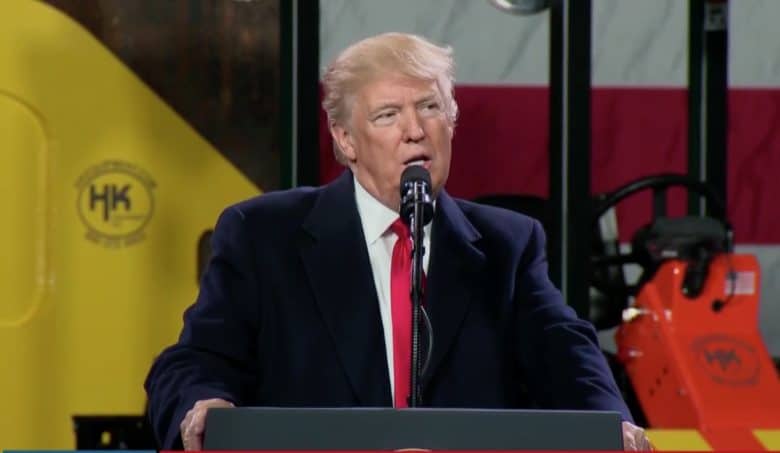
Trump went so far as to call Tim Cook “a great guy” during a speech at a factory in Pennsylvania today while talking about Apple’s investment into the U.S.


Cook and Trump have come at odds continuously ever since Trump rode his golden escalator into the U.S. political spotlight. As he campaigned for the presidency, Trump said people should boycott Apple for manufacturing iPhones in China. Now the two sides aren’t quite as hostile.


“When I heard the news yesterday — and Tim Cook is a great guy, the head of Apple — when I heard the news, I heard $350 billion and I said, ‘you mean $350 million, that is going to be a beautiful plant,’ and they said ‘no,’ they said ‘it is $350 billion,”’ Trump said in his speech. “I just called Tim Cook and thanked him, but I don’t imagine there has ever been an investment that big in our country by a company.”


Apple revealed its plan to put $350 billion into the U.S. economy yesterday. Part of the plan calls for a new campus to be built and along with the addition of 20,000 new employees.


The iPhone maker also told employees that it will be paying out a $2500 bonus in light of the recent tax plan overhaul. Apple will also bring its massive cash pile of nearly $260 billion back to the U.S., giving it enough money to acquire Telsa or Netflix, or both.


Source: cult of mac

Windows
Mac OS
iOS
Linux
3uTools
Win 64-bit For this device
V9.0 2025-11-11
Download
Win 32-bit For this device
V9.0 2025-11-11
Download
3uTools
Intel Chip How to Identify Chip Type
V9.0 2025-12-02
Download
Apple Silicon
V9.0 2025-12-02
Download
How to Identify Chip Type
1.  Click the Apple icon in the top-left corner of the screen and select About This Mac.
2.  Check the Processor or Chip field to determine if it is "Intel" or "Apple".
Please use the 3uTools PC client to install the iOS client:
1、 Install either the Windows or Mac version of 3uTools on your computer
2、 Open the PC client and connect your device to the computer via USB cable
3、 After the connection is successful, wait for the computer to automatically install the mobile app for the device, or locate “Install Mobile App” on the computer and manually click to install.
3uTools
deb file
V3.01 2025-11-20
Download
rpm file
V3.01 2025-11-20
Download
Windows
Windows
iOS
iOS
Android
Android
TV
TV
3uAirPlayer
Win 64-bit For this device
V6.0.2 2025-11-19
Download
Win 32-bit For this device
V6.0.2 2025-11-19
Download
iOS Device Mirroring (No App Required)
1、 Install 3uAirPlayer on the Windows PC
2、 Open Control Center and select Screen Mirroring
3、 From the list, choose your PC to start mirroring
4、 Or connect your iOS device to the PC via USB to begin mirroring
Scan to get "3uAirPlayer" App
3uAirPlayer TV V1.0.18
2025-11-28
TV System Requirements: Android 7.0 or later
Download the TV installation package, copy it to a USB drive, insert it into your TV or set-top box, then select the file from the home screen to install.