 NEWS
NEWS
Two Major Cydia Hosts Shut Down as Jailbreaking Fades in Popularity
 11/24/2017
 6134
6134
ModMy today announced it has archived its default ModMyi repository on Cydia, which is essentially an alternative App Store for downloading apps, themes, tweaks, and other files on jailbroken iPhone, iPad, and iPod touch devices. 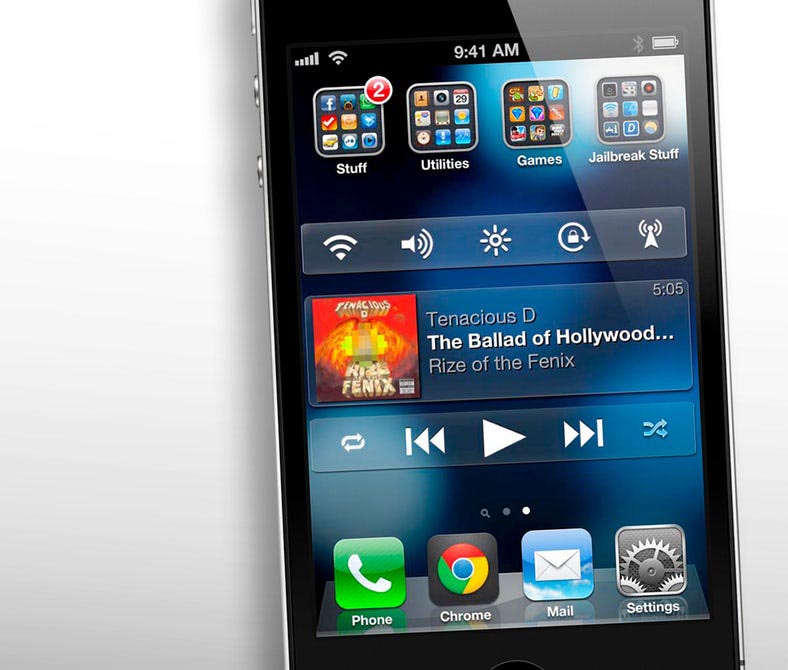
ZodTTD/MacCiti also shut down last week, meaning that two out of three of Cydia's major default repositories are no longer active as of this month. ModMy recommends developers in the jailbreaking community use the BigBoss repository, which is one of the last major Cydia sources that remains functional.
The closure of two major Cydia repositories is arguably the result of a declining interest in jailbreaking, which provides root filesystem access and allows users to modify iOS and install unapproved apps on an iPhone, iPad, or iPod touch.
When the iPhone and iPod touch were first released in 2007, jailbreaking quickly grew in popularity for both fun and practical reasons. Before the App Store, for example, it allowed users to install apps and games. Jailbreaking was even useful for something as simple as setting a wallpaper, not possible on early iOS versions.
Even in later years, jailbreaking remained popular for a number of popular tweaks that Apple has eventually implemented into iOS, such as system toggles, lock screen widgets, quick reply for text messages, screen recording, multitasking, picture-in-picture mode on iPad, and keyboard trackpad mode.
With many of those features now available out of the box, the allure of jailbreaking is considerably less for many people.
"What do you get in the end?" asked Cydia creator Jay Freeman, in an interview withMotherboard. "It used to be that you got killer features that almost were the reason you owned the phone. And now you get a small minor modification."
One downside to jailbreaking is that it has always been a violation of Apple's End User License Agreement that every iOS user agrees to. While not illegal in the United States, due to an exemption in the Digital Millenium Copyright Act, jailbreaking also technically voids your device's warranty coverage.
In a statement provided to Cult of Mac back in 2010, Apple said jailbreaking can "severely degrade the experience" of an iPhone.
Apple's goal has always been to insure that our customers have a great experience with their iPhone and we know that jailbreaking can severely degrade the experience. As we've said before, the vast majority of customers do not jailbreak their iPhones as this can violate the warranty and can cause the iPhone to become unstable and not work reliably.
Apple's cat-and-mouse game with jailbreaking has been ongoing for over a decade, and it may be finally winning the battle given advancements in iOS security and decreasing interest in jailbreaking.
iOS 11 is the first major version of Apple's mobile operating system that has not been publicly jailbroken. A few developers have claimed to exploit iOS 11 at various security conferences, but no Mac or PC tool like Pangu has been released for the public to download and jailbreak their own devices with.
The lack of a public jailbreak for the latest iOS version after several months has fueled a so-called "death spiral" for jailbreaking.
"When you get fewer people bothering to jailbreak, you get fewer developers targeting interesting things, which means there's less reasons for people to jailbreak," said Freeman. "Which means there's fewer people jailbreaking, which causes there to be less developers bothering to target it. And then you slowly die."
Source: macrumors










