
NEWS

Apple Stops Selling Pride Edition Apple Watch Band

09/18/2017

3896

Apple stops selling Pride Edition Apple Watch band, but here are some alternatives


Apple has recently stopped selling the Pride Edition Woven Nylon band for Apple Watch after originally releasing it to the public back in June. Apple said at the time that the Pride Edition band would have limited availability, but there are some solid alternatives on Amazon if you missed out on Apple’s official offering…
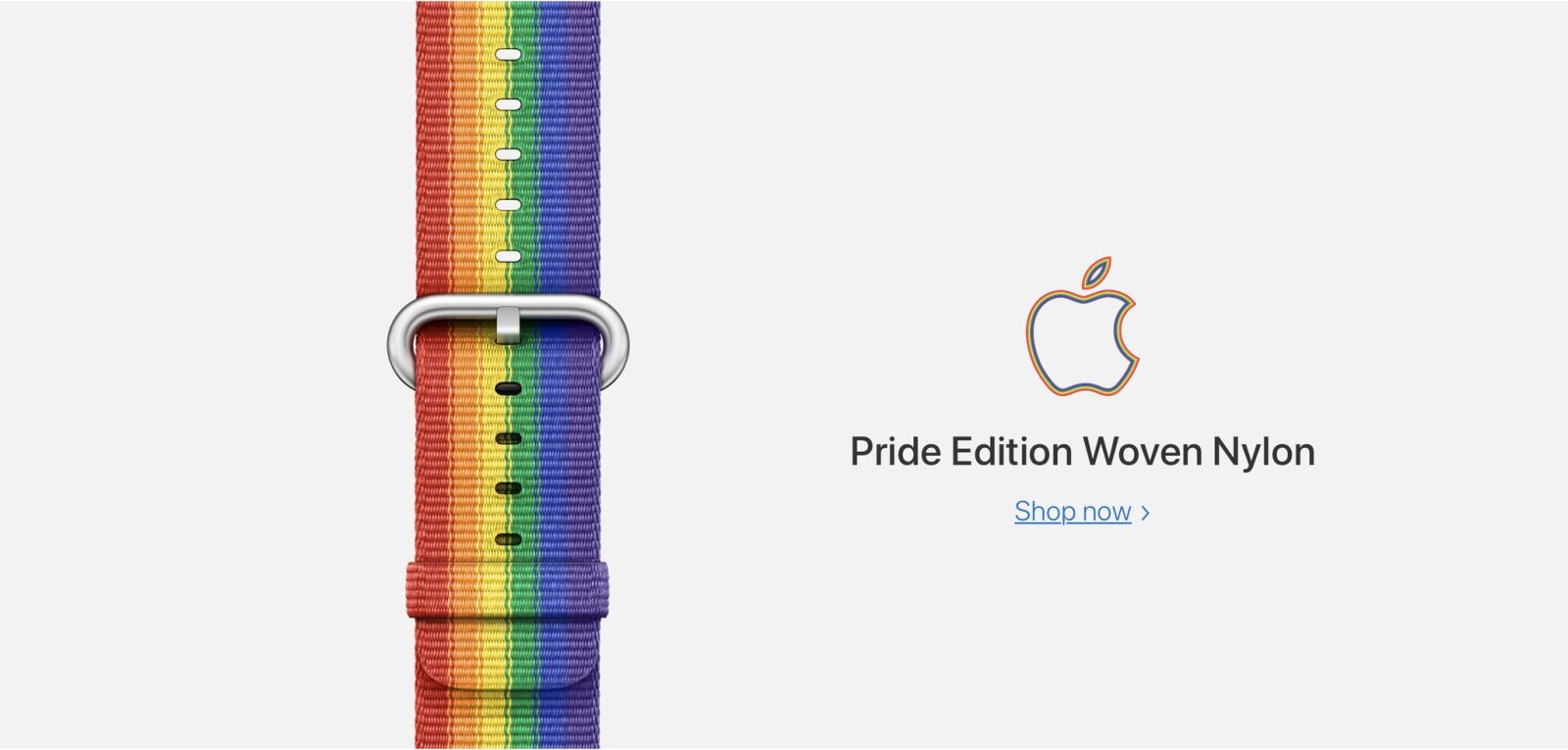
 

Apple Stops Selling Pride Edition Apple Watch Band


The Pride Edition Woven Nylon band first became popular last year when Apple gifted the band to employees participating in the San Francisco Pride parade. It wasn’t until June of this year that Apple released the band to the general public for $49. The bands carried a charitable component, with Apple donating a portion of proceeds from Pride Edition band sales to LGBTQ advocacy groups.


Apple has recently stopped sales of the Pride Edition Apple Watch band, likely due to it switching its focus to its new Fall Collection of Apple Watch bands


Source: 9to5mac

Windows
Mac OS
iOS
Linux
3uTools
Win 64-bit For this device
V9.0 2025-11-11
Download
Win 32-bit For this device
V9.0 2025-11-11
Download
3uTools V3.18
2025-09-18
Please use the 3uTools PC client to install the iOS client:
1、 Install either the Windows or Mac version of 3uTools on your computer
2、 Open the PC client and connect your device to the computer via USB cable
3、 After the connection is successful, wait for the computer to automatically install the mobile app for the device, or locate “Install Mobile App” on the computer and manually click to install.
3uTools
deb file
V3.01 2025-11-20
Download
rpm file
V3.01 2025-11-20
Download
Windows
Windows
iOS
iOS
Android
Android
TV
TV
3uAirPlayer
Win 64-bit For this device
V6.0.2 2025-11-19
Download
Win 32-bit For this device
V6.0.2 2025-11-19
Download
iOS Device Mirroring (No App Required)
1、 Install 3uAirPlayer on the Windows PC
2、 Open Control Center and select Screen Mirroring
3、 From the list, choose your PC to start mirroring
4、 Or connect your iOS device to the PC via USB to begin mirroring
Scan to get "3uAirPlayer" App
3uAirPlayer TV V1.0.18
2025-11-28
TV System Requirements: Android 7.0 or later
Download the TV installation package, copy it to a USB drive, insert it into your TV or set-top box, then select the file from the home screen to install.




