 NEWS
NEWS
How Apple Can Make the iPod Mighty Again
 07/18/2017
 4445
4445
For most of us, the iPod is a footnote in history. The original portable music player, its features have long been supplanted by the immense capabilities of the iPhone, and carrying a couple thousand songs in our pocket is hardly the novel concept it once was.
But Edgar Wright’s Baby Driver has shown us that the iPod hasn't lost any of its cool factor. And its spirit is still very much alive in Cupertino. While the iPod may have long ago lost its dedicated tab at the top of Apple.com, you’ll still find iPods on display at most Apple Stores, which is more than you can say for the Mac mini. And while Apple hasn’t updated its iPod line in nearly two years, two new products clearly take their inspiration from the minuscule music player: AirPods and HomePod.
It’s not just their surnames. Apple two newest products are built for music lovers and embody everything we once loved about the iPod: freedom, fun, and high-fidelity. And they could be the first step in a full-scale reboot of the iPod.
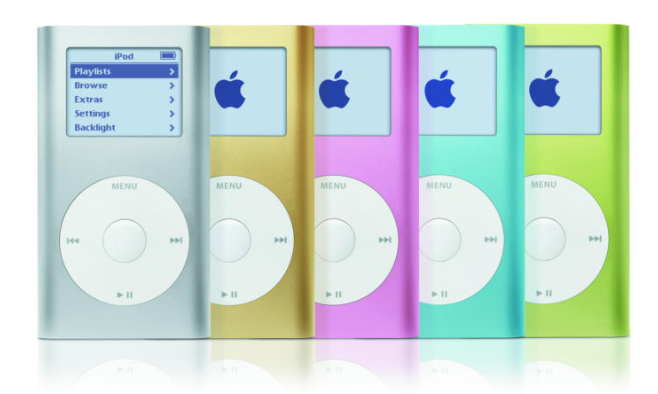
But the iPod isn’t nearly as magical as it once was. Neither offers Wi-Fi support, which means you also need to connect to iTunes over USB and even Apple Music subscribers can’t sync songs they don’t own. In today’s streaming, instant-on world, they’re practically dinosaurs. I can’t remember the last time I saw someone using one (Baby Driver aside), but it’s safe to assume that today’s iPod users aren’t updating their playlists nearly as often as Spotify or Apple Music subscribers are on their phones.
And with Apple Music and AirPods, it can be again. But I’m not talking about a Wi-Fi-enabled iPod shuffle that streams Apple Music to your ears (though that’s obviously a natural progression for the player). Apple’s wireless earbuds are too good to stay as limited as they are, and it’s only natural that they evolve into a full-on independent wearable, complete with deep Siri integration and fitness tracking.
Source: macword










