 NEWS
NEWS
This 82-Year-Old Woman Is WWDC’s Oldest Attendee
 06/05/2017
 4658
4658
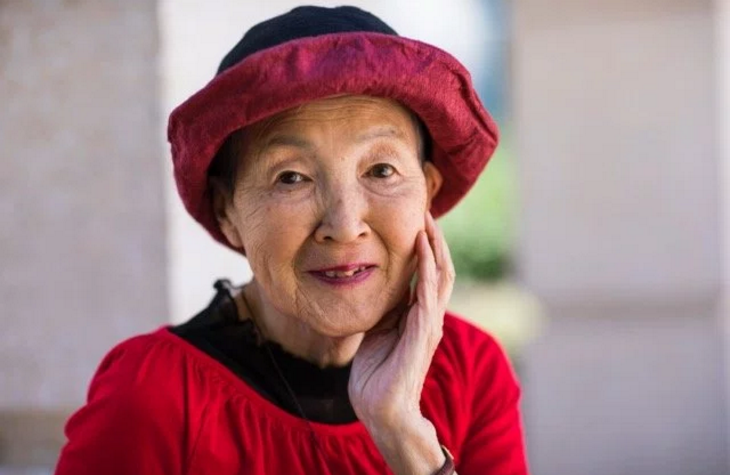
Retired banker Masako Wakamiya was frustrated by the lack of mobile games that catered to the elderly, who have a tougher time keeping up with the action-packed games that are popular with teens. So the 82-year-old from Japan started taking online tutorials to learn how to write software code.
Wakamiya, who first started using computers when she was 60-years-old, ultimately created a game in March that is based on the Japanese doll festival, Hinamatsuri, a holiday that celebrates the health and well-being of girls. And to appeal to older players, its pace is slow and its narrator speaks slowly.
Wakamiya will be the oldest developer attending WWDC, Apple's annual developer conference that starts Monday in San Jose, Calif. Like many of her fellow attendees, Wakamiya's free app, called Hinadan, is available in Apple's App Store, and she is eager to create more.
In contrast, the youngest attendee at this's year's WWDC is Yuma Soerianto, a 10-year old boy from Melbourne, Australia who started coding at age six by following online courses on Code.org and from Stanford University that he found on Apfortunrple iTunes U, which provides free college courses online. In four years, he has created four apps for Apple's App Store, including Weather Duck, a weather app for kids.
During his nearly 20-hour journey to San Francisco for the conference, Soerianto created another app that lets users easily calculate the sales tax on what they're thinking of buying.
Wakamiya and Soerianto are attending WWDC this year as part of an Apple scholarship program that gives hundreds of free tickets to developers worldwide who create apps for Apple devices. Apple has been making a big effort to increase diversity at WWDC, which like most tech conferences, has mostly attended by white and Asian males.
This year's WWDC is the most international yet, according to Apple, and has the most students from elementary, middle and high schools. But the company declined to provide any numbers around the increase in international attendees or students.
But it's not just youth that Apple is looking for. "We need developers from all different backgrounds," Hare added, which is why she's excited about Wakamiya's passion for creating apps.
Although she only debuted her first app a few months ago, Wakamiya says she already has other ideas for mobile apps. And she hopes to learn more about how to write the code for it during the coming week at WWDC.
Source: fortune










