 NEWS
NEWS
Apple Seen Upgrading Laptops Amid Microsoft Surface Threat
 05/19/2017
 5372
5372
Apple doesn't typically announce hardware at WWDC, but stiff competition might prompt the firm to upgrade its hardware more frequently -- and that's a good thing for users.
Just which models are due for an update? There are three new MacBooks in the works, all of which will likely feature updated 7th-generation Intel processors. It’s unclear, however, which particular MacBooks will be graced with much-needed updates.
Apple is working on an updated version of its 12-inch entry-level MacBook, and is even considering a refresh of the wildly popular, ultra-portable, and woefully outdated MacBook Air.
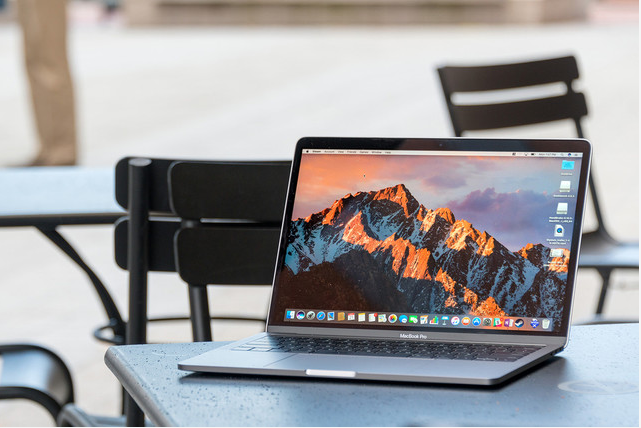
These two products might see a physical redesign, but if the MacBook Pro is set to receive some internal upgrades, it’s likely that’s all it will be — the external design was revamped just last year, so don’t get your hopes up that we’ll see any fancy new colors in the MacBook Pro lineup.
Still, Apple is facing increasing pressure from competitors like Microsoft, and a more aggressive laptop and desktop release schedule could help win back some Apple loyalists who have been disappointed with the company’s update schedule recently.
Microsoft’s new Surface Laptop is just one of many premium laptops taking aim at the now-ancient MacBook Air, which Apple hasn’t updated in over two years. Manufacturers like Dell, Asus, and Acer have all released premium, high-quality, high-portability laptops in direct competition with the MacBook Air, but according to Bloomberg, Apple still sells a fair number of the venerable ultrabooks.
That enduring popularity is definitely a good thing for customers hoping to see a modern take on the MacBook Air, which would not only benefit from an internal refresh but an external one as well. The old design is starting to look a little dated, and if brought in line with the MacBook and MacBook Pro, a brand-new Air could look pretty slick.
Source: digitaltrends










