
NEWS

The MacBook Pro’s Touch Bar Is Probably Coming To Apple’s iMac

04/05/2017

3618

The latest MacBook Pro laptops come with a very cool feature, the Touch Bar OLED touchscreen that sits above the keyboard and offers fast access to some of the most used features of each application. The Touch Bar also includes the same Touch ID fingerprint sensor found on the iPhone.


To take advantage of it, you need to buy a 2016 MacBook Pro that has a Touch Bar keyboard. So if you’re a desktop user you’re out of luck, for the time being. However, a new discovery suggests Apple’s iMac and even the Mac Pro might soon get the same feature.
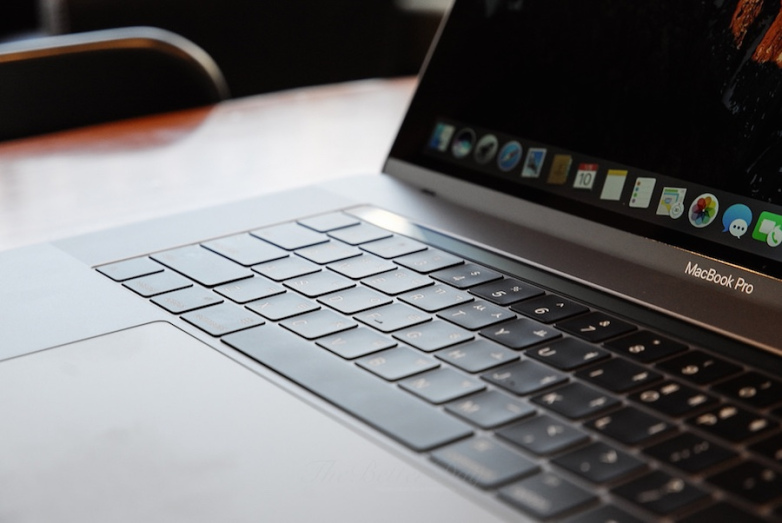

The MacBook Pro’s Touch Bar Is Probably Coming To Apple’s iMac


Images from the new patents indicate that Apple may be working on Magic Keyboards that would incorporate the same Touch Bar in a future version of Magic Keyboard. Such a product would bring Touch Bar functionality and fingerprint unlocking to the iMac and Mac Pro. Furthermore, the new Magic Keyboard could be paired with MacBook, MacBook Air, and older MacBook Pro models.


Apple has yet to announce a device like this, and it probably won’t unveil them until a new iMac ships, at the earliest. Apple on Tuesday confirmed that an iMac refresh is in the works for this year, while the Mac Pro update many fans expect will ship sometime in 2018.


It certainly makes sense to see a keyboard like this emerge in Apple’s patents, as this is the type of product Apple would need to offer the same type of Touch Bar functionality on various Mac models, not just its latest MacBook Pros.


Source: bgr

Windows
Mac OS
iOS
Linux
3uTools
Win 64-bit For this device
V9.0 2025-11-11
Download
Win 32-bit For this device
V9.0 2025-11-11
Download
3uTools
Intel Chip How to Identify Chip Type
V9.0 2025-12-02
Download
Apple Chip
V9.0 2025-12-02
Download
How to Identify Chip Type
1.  Click the Apple icon in the top-left corner of the screen and select About This Mac.
2.  Check the Processor or Chip field to determine if it is "Intel" or "Apple".
Please use the 3uTools PC client to install the iOS client:
1、 Install either the Windows or Mac version of 3uTools on your computer
2、 Open the PC client and connect your device to the computer via USB cable
3、 After the connection is successful, wait for the computer to automatically install the mobile app for the device, or locate “Install Mobile App” on the computer and manually click to install.
3uTools
deb file
V3.01 2025-11-20
Download
rpm file
V3.01 2025-11-20
Download
Windows
Windows
iOS
iOS
Android
Android
TV
TV
3uAirPlayer
Win 64-bit For this device
V6.0.2 2025-11-19
Download
Win 32-bit For this device
V6.0.2 2025-11-19
Download
iOS Device Mirroring (No App Required)
1、 Install 3uAirPlayer on the Windows PC
2、 Open Control Center and select Screen Mirroring
3、 From the list, choose your PC to start mirroring
4、 Or connect your iOS device to the PC via USB to begin mirroring
Scan to get "3uAirPlayer" App
3uAirPlayer TV V1.0.18
2025-11-28
TV System Requirements: Android 7.0 or later
Download the TV installation package, copy it to a USB drive, insert it into your TV or set-top box, then select the file from the home screen to install.




