
NEWS

MacBook Shipments to Reach 15 Million Units in 2017

01/18/2017

3234

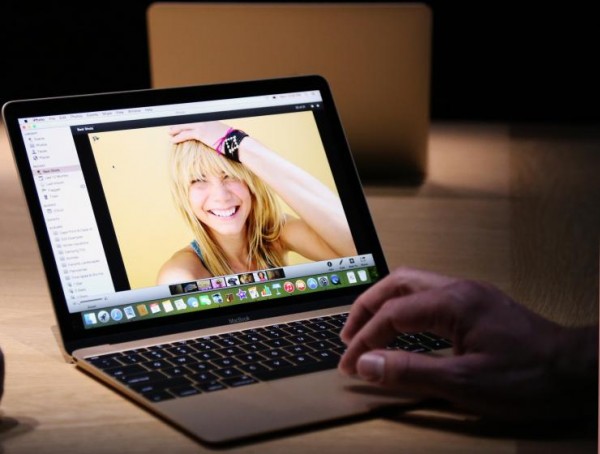
Apple's MacBook shipments are expected to grow 10% on year to reach 15 million units in 2017 due to new MacBook Pro products. Related supply chain players including Quanta Computer, Shin Zu Shing (SZS), Auras and Wistron are expected to benefit from increased orders, according to a Chinese-language Economic Daily News (EDN) report citing market watchers.


Although the new MacBook Pros with OLED Touch Bar have a high ASP, demand is still rather strong. MacBook Pros using the Kaby Lake platform are expected to be released sometime later in 2017, and the platform's low power consumption is expected to trigger a replacement trend among existing MacBook users, the market watchers noted.

MacBook Shipments to Reach 15 Million Units in 2017


Apple is likely to reduce the price for the 13-inch MacBook Pro without OLED Touch Bar to increase its overall shipments and will use the device to replace the 13-inch MacBook Air, the market watchers claimed.


Apple is expected to unveil a new 12-inch MacBook in early second quarter with an additional memory option of 16GB. The Kaby Lake-based 13- and 15-inch MacBook Pros are expected to begin production in early third quarter. A 15-inch MacBook Pro with 32GB memory will not start mass production until early in the fourth quarter, the paper added.


Source: digitimes


Windows
Mac OS
iOS
Linux
3uTools
Win 64-bit For this device
V9.0 2025-11-11
Download
Win 32-bit For this device
V9.0 2025-11-11
Download
3uTools
Intel Chip How to Identify Chip Type
V9.0 2025-12-02
Download
Apple Chip
V9.0 2025-12-02
Download
How to Identify Chip Type
1.  Click the Apple icon in the top-left corner of the screen and select About This Mac.
2.  Check the Processor or Chip field to determine if it is "Intel" or "Apple".
Please use the 3uTools PC client to install the iOS client:
1、 Install either the Windows or Mac version of 3uTools on your computer
2、 Open the PC client and connect your device to the computer via USB cable
3、 After the connection is successful, wait for the computer to automatically install the mobile app for the device, or locate “Install Mobile App” on the computer and manually click to install.
3uTools
deb file
V3.01 2025-11-20
Download
rpm file
V3.01 2025-11-20
Download
Windows
Windows
iOS
iOS
Android
Android
TV
TV
3uAirPlayer
Win 64-bit For this device
V6.0.2 2025-11-19
Download
Win 32-bit For this device
V6.0.2 2025-11-19
Download
iOS Device Mirroring (No App Required)
1、 Install 3uAirPlayer on the Windows PC
2、 Open Control Center and select Screen Mirroring
3、 From the list, choose your PC to start mirroring
4、 Or connect your iOS device to the PC via USB to begin mirroring
Scan to get "3uAirPlayer" App
3uAirPlayer TV V1.0.18
2025-11-28
TV System Requirements: Android 7.0 or later
Download the TV installation package, copy it to a USB drive, insert it into your TV or set-top box, then select the file from the home screen to install.




