
NEWS

iOS 10.3 Over The Air Update Pulled By Apple For iPhone 5, 5C

03/30/2017

4091

While users may still be able to download and update their iPhone 5 and 5C devices, the OTA updates for the latest version of iOS, iOS 10.3, has been pulled by Apple for the aforementioned devices.
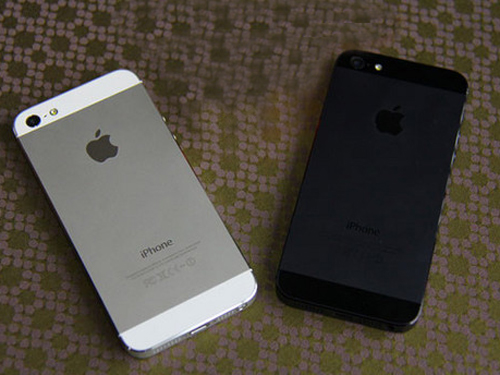

iOS 10.3 Over The Air Update Pulled By Apple For iPhone 5, 5C


Apple released iOS 10.3 for iPhone 5 and later on Monday and it includes a whole host of improvements and new features, among which Find My AirPods, Apple File System implementation, and updates for devs and App Store are the most prominent. It was recommended by a number of sources to download and install iOS 10.3 for the devices that support it due to the extra zip that it provides, but iPhone 5 and 5C users will not be able to do so using the Over the Air (OTA) method on their devices.


That is not to say that iOS 10.3 is completely beyond their reach, as the traditional iTunes method still works; the procedure also remains the same: connect your iPhone to Mac or PC using the lightning cable, wait for your device to be detected, and iTunes should automatically prompt you to download and install the latest version of iOS available for you device. Even if it doesn’t because automatic prompts are turned off, you could open iTunes, click on the small iPhone icon, and click on Check for Updates to do the same.


Source: techbrake


Windows
Mac OS
iOS
Linux
3uTools
Win 64-bit For this device
V9.0 2025-11-11
Download
Win 32-bit For this device
V9.0 2025-11-11
Download
3uTools
Intel Chip How to Identify Chip Type
V9.0 2025-12-02
Download
Apple Silicon
V9.0 2025-12-02
Download
How to Identify Chip Type
1.  Click the Apple icon in the top-left corner of the screen and select About This Mac.
2.  Check the Processor or Chip field to determine if it is "Intel" or "Apple".
Please use the 3uTools PC client to install the iOS client:
1、 Install either the Windows or Mac version of 3uTools on your computer
2、 Open the PC client and connect your device to the computer via USB cable
3、 After the connection is successful, wait for the computer to automatically install the mobile app for the device, or locate “Install Mobile App” on the computer and manually click to install.
3uTools
deb file
V3.01 2025-11-20
Download
rpm file
V3.01 2025-11-20
Download
Windows
Windows
iOS
iOS
Android
Android
TV
TV
3uAirPlayer
Win 64-bit For this device
V6.0.2 2025-11-19
Download
Win 32-bit For this device
V6.0.2 2025-11-19
Download
iOS Device Mirroring (No App Required)
1、 Install 3uAirPlayer on the Windows PC
2、 Open Control Center and select Screen Mirroring
3、 From the list, choose your PC to start mirroring
4、 Or connect your iOS device to the PC via USB to begin mirroring
Scan to get "3uAirPlayer" App
3uAirPlayer TV V1.0.18
2025-11-28
TV System Requirements: Android 7.0 or later
Download the TV installation package, copy it to a USB drive, insert it into your TV or set-top box, then select the file from the home screen to install.




