
NEWS

Refurbished Apple Watch Ultra 2 Begins Rolling Out Outside U.S.

04/19/2024

2001

Refurbished Apple Watch Ultra 2 units are now on sale in China – the first and only country in which the device is available refurbished directly from Apple.
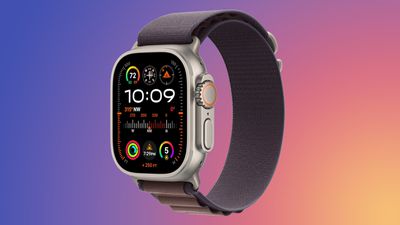
 

Refurbished Apple Watch Ultra 2 Begins Rolling Out Outside U.S.


The refurbished models are discounted by approximately 15 percent compared to equivalent brand new configurations. Apple tests, inspects, cleans, and repackages all refurbished devices to ensure they are fully functional and in good condition, and they are covered by a one-year limited warranty and eligible for AppleCare+ coverage.


The ‌Apple Watch Ultra 2‌ launched in September 2023, featuring the S9 chip, a brighter display, and the double-tap gesture. Apple is highly likely to soon begin selling refurbished ‌‌Apple Watch Ultra 2‌‌ models in other countries now that it has started to do so in China, but it is unclear if availability will expand to the U.S. due to Apple's ongoing legal battle with medical tech company Masimo over the Blood Oxygen app.


Source: Macrumors

Windows
Mac OS
iOS
Linux
3uTools
Win 64-bit For this device
V9.0 2025-11-11
Download
Win 32-bit For this device
V9.0 2025-11-11
Download
3uTools
Intel Chip How to Identify Chip Type
V9.0 2025-12-02
Download
Apple Chip
V9.0 2025-12-02
Download
How to Identify Chip Type
1.  Click the Apple icon in the top-left corner of the screen and select About This Mac.
2.  Check the Processor or Chip field to determine if it is "Intel" or "Apple".
Please use the 3uTools PC client to install the iOS client:
1、 Install either the Windows or Mac version of 3uTools on your computer
2、 Open the PC client and connect your device to the computer via USB cable
3、 After the connection is successful, wait for the computer to automatically install the mobile app for the device, or locate “Install Mobile App” on the computer and manually click to install.
3uTools
deb file
V3.01 2025-11-20
Download
rpm file
V3.01 2025-11-20
Download
Windows
Windows
iOS
iOS
Android
Android
TV
TV
3uAirPlayer
Win 64-bit For this device
V6.0.2 2025-11-19
Download
Win 32-bit For this device
V6.0.2 2025-11-19
Download
iOS Device Mirroring (No App Required)
1、 Install 3uAirPlayer on the Windows PC
2、 Open Control Center and select Screen Mirroring
3、 From the list, choose your PC to start mirroring
4、 Or connect your iOS device to the PC via USB to begin mirroring
Scan to get "3uAirPlayer" App
3uAirPlayer TV V1.0.18
2025-11-28
TV System Requirements: Android 7.0 or later
Download the TV installation package, copy it to a USB drive, insert it into your TV or set-top box, then select the file from the home screen to install.




