TUTORIALS

Fourth iOS 12.1 Now Available in 3uTools

10/16/2018

5438

iOS 12.1 beta 4 comes one week after Apple seeded the last beta build to developers. The company also released the fourth beta builds of watchOS 5.1 and tvOS 12.1 to developers today. If you want to upgrade to this version, just download and flash in 3uTools.


Please back up your iDevice regularly just in case. 


Step 1: Connect your iDevice to PC using the USB cable and launch 3uTools on your PC. 


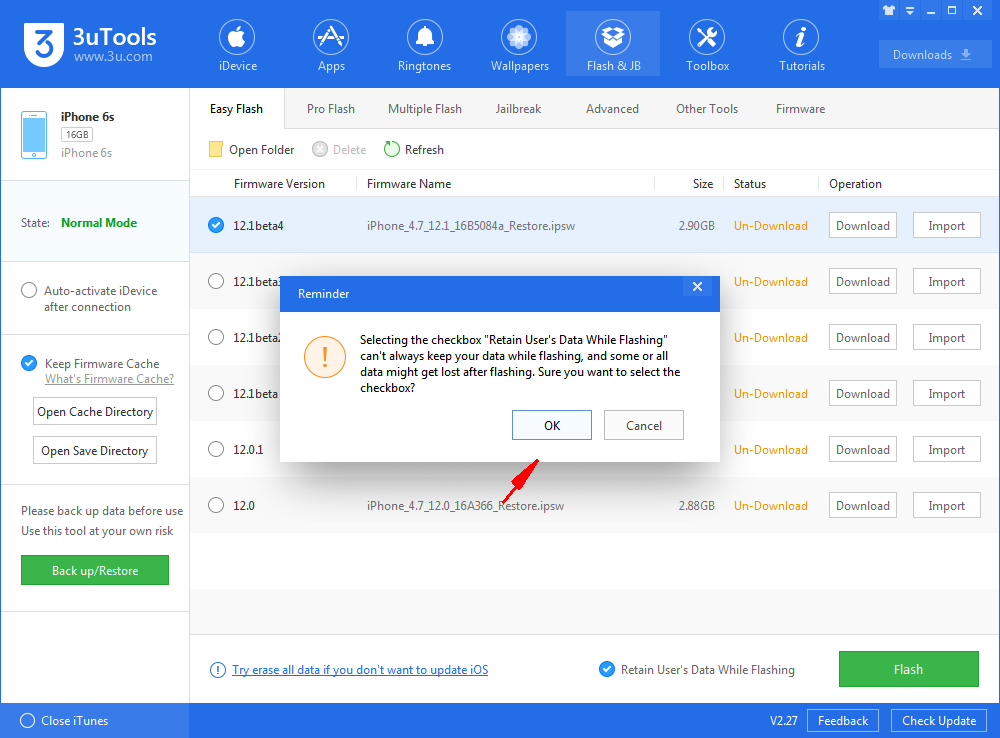
Step 2: Click "Flash & JB" -> "Easy Flash", then select the firmware iOS 12.1 beta 4 as the following picture, finally click "Flash"


Fourth iOS 12.1 Now Available in 3uTools


If you want to save iDevice's data, you need to select the checkbox that "Retain User's Data While Flashing"


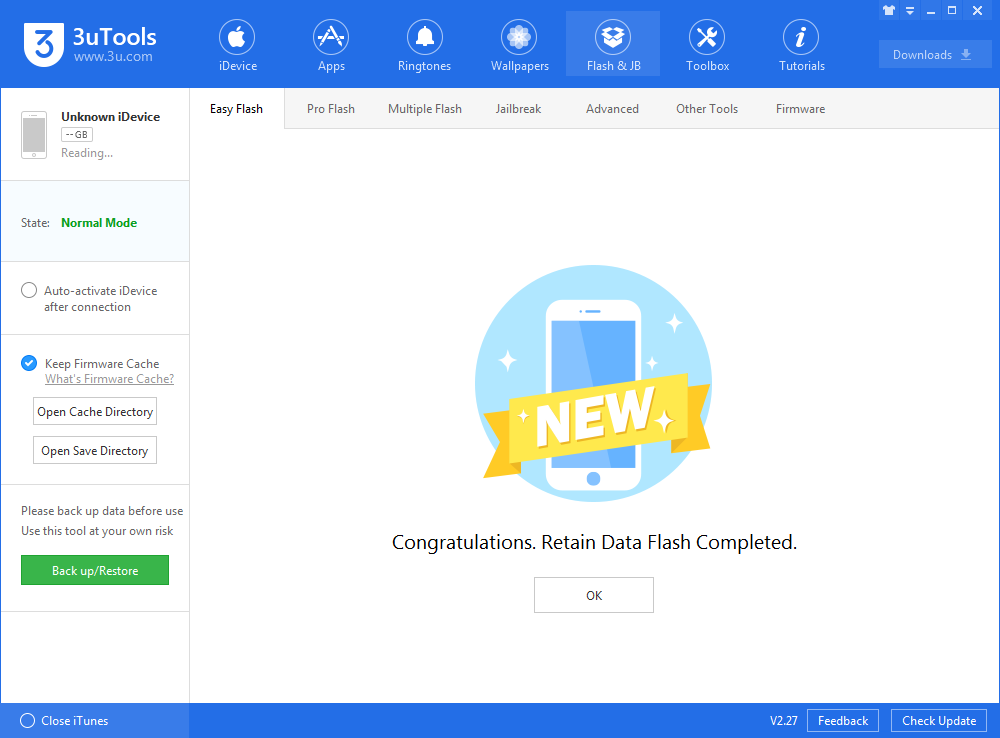
Step 3: Keep a good connection between iDevice and PC, and then just wait patiently till this process is finished. It would take 5~10 minutes in general. After that, you can feel free to experience iOS 12.1 Beta 4.


Fourth iOS 12.1 Now Available in 3uTools


Windows
Mac OS
iOS
Linux
3uTools
Win 64-bit For this device
V9.0 2025-11-11
Download
Win 32-bit For this device
V9.0 2025-11-11
Download
3uTools
Intel Chip How to Identify Chip Type
V9.0 2025-12-02
Download
Apple Chip
V9.0 2025-12-02
Download
How to Identify Chip Type
1.  Click the Apple icon in the top-left corner of the screen and select About This Mac.
2.  Check the Processor or Chip field to determine if it is "Intel" or "Apple".
Please use the 3uTools PC client to install the iOS client:
1、 Install either the Windows or Mac version of 3uTools on your computer
2、 Open the PC client and connect your device to the computer via USB cable
3、 After the connection is successful, wait for the computer to automatically install the mobile app for the device, or locate “Install Mobile App” on the computer and manually click to install.
3uTools
deb file
V3.01 2025-11-20
Download
rpm file
V3.01 2025-11-20
Download
Windows
Windows
iOS
iOS
Android
Android
TV
TV
3uAirPlayer
Win 64-bit For this device
V6.0.2 2025-11-19
Download
Win 32-bit For this device
V6.0.2 2025-11-19
Download
iOS Device Mirroring (No App Required)
1、 Install 3uAirPlayer on the Windows PC
2、 Open Control Center and select Screen Mirroring
3、 From the list, choose your PC to start mirroring
4、 Or connect your iOS device to the PC via USB to begin mirroring
Scan to get "3uAirPlayer" App
3uAirPlayer TV V1.0.18
2025-11-28
TV System Requirements: Android 7.0 or later
Download the TV installation package, copy it to a USB drive, insert it into your TV or set-top box, then select the file from the home screen to install.