TUTORIALS
CydiaImpactorLoader – Automate App Signing in Cydia Impactor
 02/08/2018
 13560
13560
Tired of signing your apps from scratch in Cydia Impactor? Here’s a new tool that automates signing on your iPhone, iPad, and iPod touch.
What is CydiaImpactorLoader?
Admit it, resigning your jailbreak app or sideloading your favorite apps in Cydia Impactor is quite a chore. Unfortunately, there’s no real working bypass or fix for that. This is where this new tool comes in.
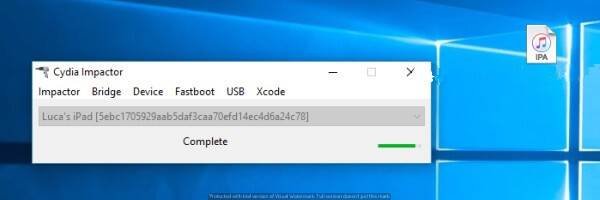
CydiaImpactorLoader utility autofills your Apple ID credentials (email and password) and automatically runs Cydia Impactor while sideloading. It is developed by nonymoosee.

This tool is developed in AutoIt automation language and is open-source. You can check out its source code on Github and suggest improvements and edits.
Remember, it is compatible only with Windows operating system. Linux and macOS are incompatible.
You can, however, use Keychain and Xcode to automate the sideload process to a certain extent. As far as Linux goes, I don’t think it has any tool or program that does this.
Here’s how you can install it on your computer.
Download
How to auotmate app signing with CydiaImpactorLoader?
Step 1 Download the ZIP package using the link above and open it.
Step 2 Unzip the following files from the package into the Cydia Impactor folder.
loader.exe
settingsforloader.ini
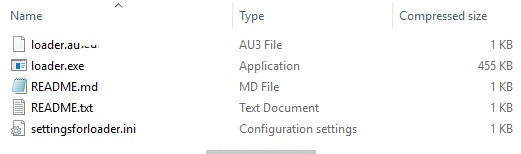
Step 3 Create a copy of this folder on the desktop. This folder should now look something like this.
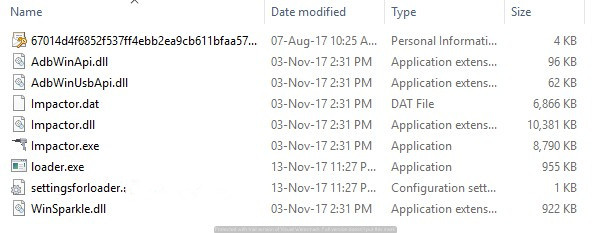
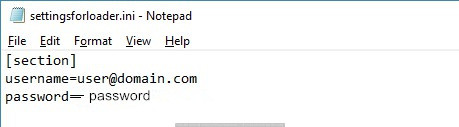
Step 4 You will now need to make necessary changes to the stock settingsforloaded.ini file. Open this file in a text editor such as Notepad, and enter your Apple ID credentials in the appropriate fields.
Step 5 Everything is now in place and your computer will now be ready to automatically sign applications. You can perform the following functions –
Drag an IPA file you wish to sideload onto loader.exe to automatically run Impactor. CydiaImpactorLoader will fill in your details and automatically run Impactor without any user intervention required.
You can also use this tool to revoke your certificates. To do this, simply run the program without dragging an IPA.