 NEWS
NEWS
Apple Crushed Wireless Headphones Sales in December
 01/14/2017
 4631
4631
It would seem negative consumer sentiment about the need for the traditional 3.5 mm headphone jack has changed. And Apple, Inc.’s mantra of "knowing what consumers need before they need them" prevails. In this case, it is what consumers didn’t need: cords.
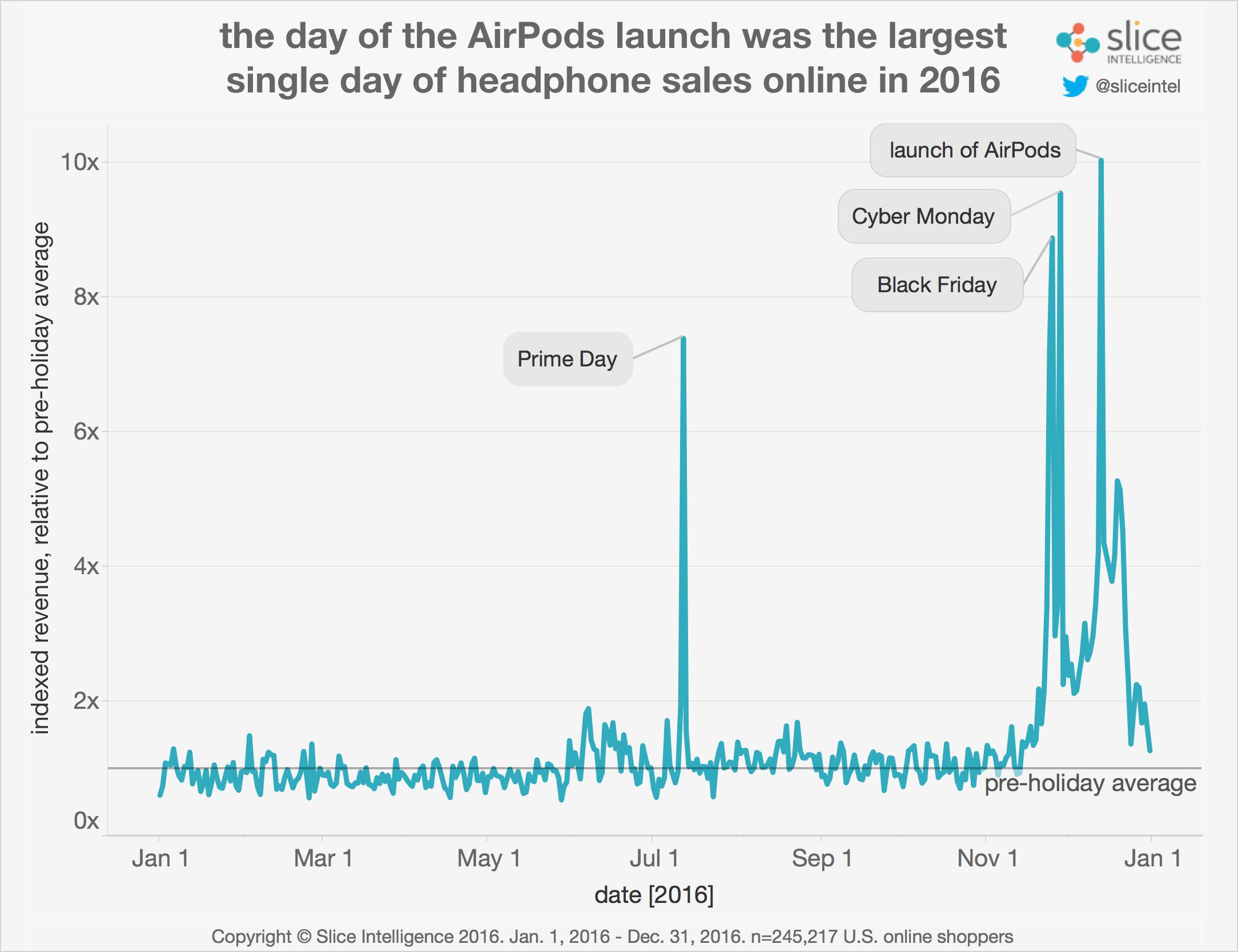
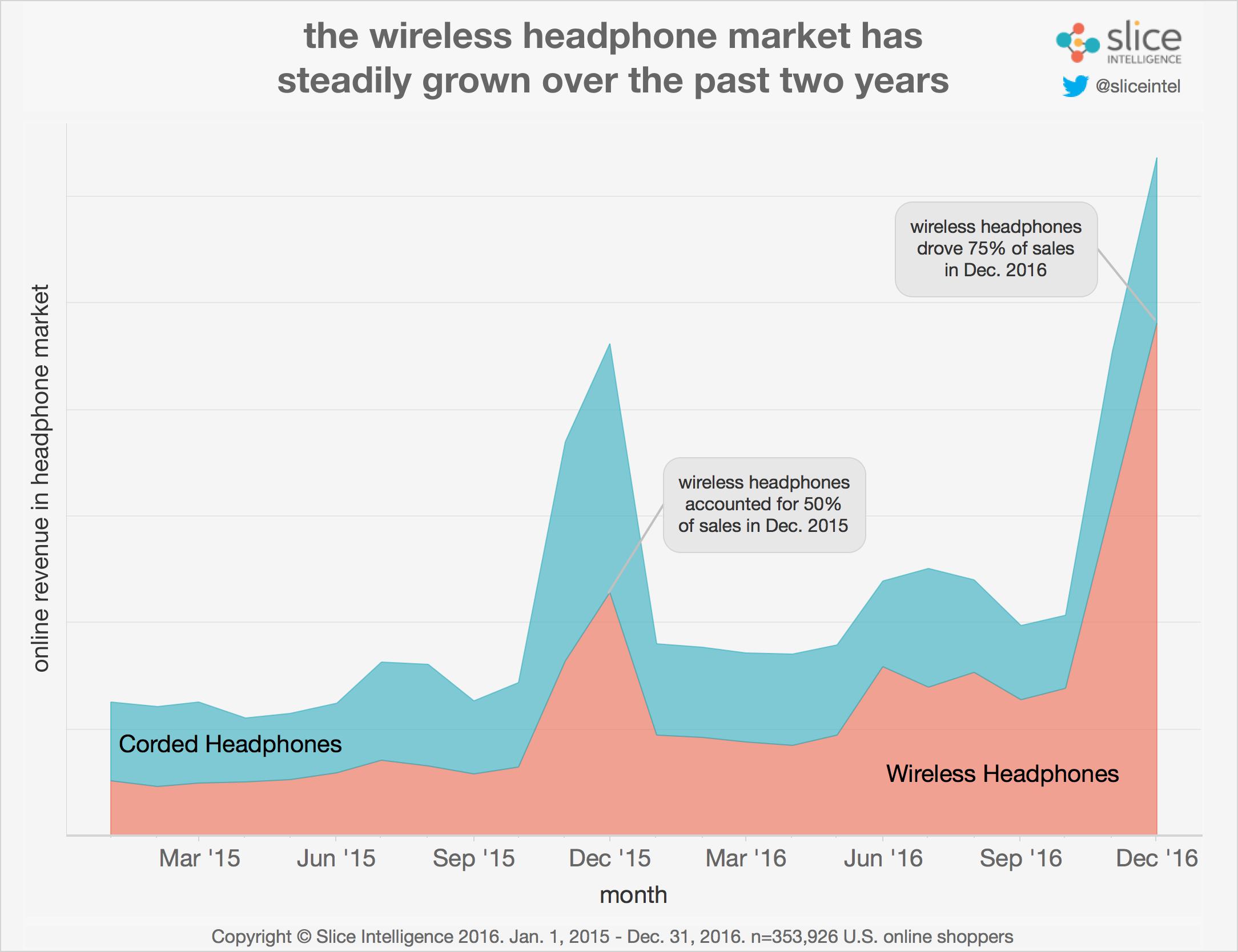
According to a recent study by Slice Intelligence, 75% of all headphones sold in December were of the wireless variety. Notably, December was the month Apple’s wireless AirPods became available. Slice noted that on the day of the AirPod launch, spending on headphones grew ten times greater than the pre-holiday average for 2016, calling it “the largest single day of online headphone spending last year.”
While taking questions at the New York Stock Exchange a couple days after Christmas, Tim Cook said the AirPods had been “a runaway success” and that Apple is “making them just as fast as we can” in order to meet demand. Cook’s response combined with Slice’s study suggests that despite the backlash Apple received for removing the traditional headphone jack from its iPhone 7, consumers — as evidenced by their spending — have changed their tune.
Slice's numbers explains why Samsung Electronics may possibly follow Apple’s lead. Multiple reports claim the South Korean-based tech giant is going to remove the headphone jack from the Galaxy S8, which is due to launch later this year. SamMobile, a tech blog devoted to Samsung, in December used the term "we can exclusively confirm" that the standard 3.5 mm headphone jack won't make it in Samsung's next flagship device.
But it wasn’t all AirPods. Slice noted that the wireless headphone sales surge in December was led by Beats — another Apple product, which had dominated the wireless headphone market since arriving on the scene. Some 25% of all wireless headphone sales since January 2015 came from Beats, Slice said. The report added that “roughly 32% of wireless headphones sales over Cyber Weekend were on Beats.”
But AirPods are gaining ground. Slice noted that the product has been the top wireless device sold since its launch, gaining some 26% of wireless headphone spending. In other words, Apple likely dominated the wireless headphone market this holiday season. And with the company recently boasting about the strength of its App Store, which broke sales records on New Year’s day, Apple is poised to have a strong first quarter earnings report in a few weeks. That’s assuming Slice’s numbers accurately reflect consumer’s shopping habits.
To be sure, Slice says its measurement reflects comprehensive shopping behavior across multiple devices, over time which is key in an increasingly omnichannel retail world. It uses data from a panel of over 4.4 million online shoppers, using e-receipts instead of a browser, app or software installed by the end-user.
Source: investopedia










