NEWS

You can Scan German ID Cards in iOS 13; Expect Many Other Countries to Follow

06/18/2019

2968

You can Scan German ID Cards in iOS 13; Expect Many Other Countries to Follow


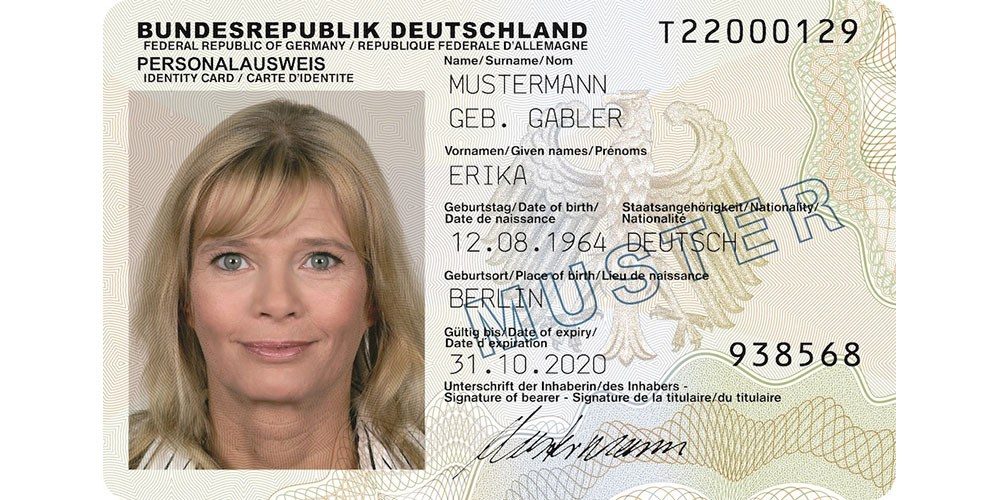
The Federal Ministry of the Interior has announced that it will be possible to scan German ID cards with an iPhone running iOS 13.


This follows earlier news that iPhones will be able to scan the NFC chips in Japanese ID cards and British passports …


Apple originally locked the NFC reader in iPhones so that it only supported the data format for contactless payment cards, limiting use to Apple Pay. With iOS 13, Apple is removing that restriction, so that iPhones fitted with the chip will have the technical ability to read any NFC chip.


Apple still needs to approve apps on a case-by-case basis, but the existing precedents mean we can expect it to approve all official government apps for passports and ID cards. Any country that wants to be able to offer this capability to its citizens will be able to do so.


Macerkopf reported the news from Germany, noting that this will make it easier for German citizens to verify their identity online, as well as using the virtual card at airports.


iPhone users will of course be able to choose whether or not to use the app.


How many people will choose to scan German ID cards will be interesting to see. There is a very strong privacy culture in the country, with many wary of leaving an electronic trail. It’s why cash remains so popular in the country as Bloomberg noted last year.


Source: 9to5mac

Windows
Mac OS
iOS
Linux
3uTools
Win 64-bit For this device
V9.01 2025-12-27
Download
Win 32-bit For this device
V9.01 2025-12-27
Download
3uTools
Intel Chip How to Identify Chip Type
V9.01 2025-12-31
Download
Apple Silicon
V9.01 2025-12-31
Download
How to Identify Chip Type
1.  Click the Apple icon in the top-left corner of the screen and select About This Mac.
2.  Check the Processor or Chip field to determine if it is "Intel" or "Apple".
Please use the 3uTools PC client to install the iOS client:
1、 Install either the Windows or Mac version of 3uTools on your computer
2、 Open the PC client and connect your device to the computer via USB cable
3、 After the connection is successful, wait for the computer to automatically install the mobile app for the device, or locate “Install Mobile App” on the computer and manually click to install.
3uTools
deb file
V3.01 2025-11-20
Download
rpm file
V3.01 2025-11-20
Download
Windows
Windows
iOS
iOS
Android
Android
TV
TV
3uAirPlayer
Win 64-bit For this device
V6.0.2 2025-11-19
Download
Win 32-bit For this device
V6.0.2 2025-11-19
Download
iOS Device Mirroring (No App Required)
1、 Install 3uAirPlayer on the Windows PC
2、 Open Control Center and select Screen Mirroring
3、 From the list, choose your PC to start mirroring
4、 Or connect your iOS device to the PC via USB to begin mirroring
Scan to get "3uAirPlayer" App
3uAirPlayer TV V1.0.18
2025-11-28
TV System Requirements: Android 7.0 or later
Download the TV installation package, copy it to a USB drive, insert it into your TV or set-top box, then select the file from the home screen to install.