NEWS

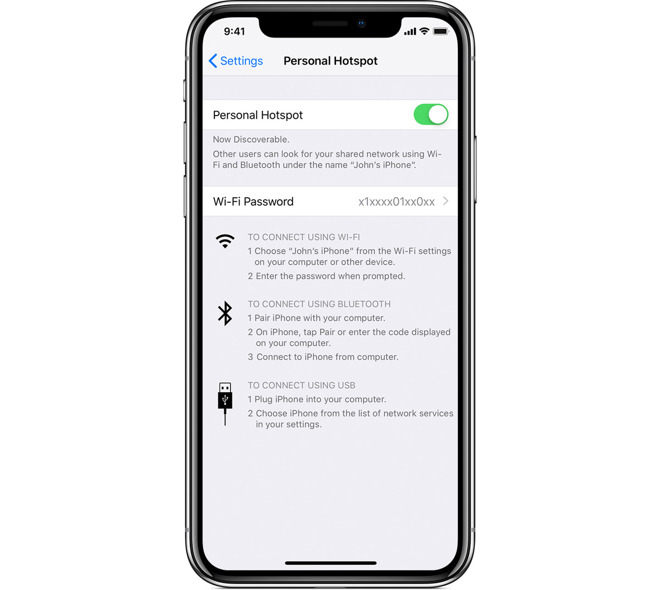
iPhone 'Personal Hotspot' Tech Violates Networking Patent, Lawsuit Claims

04/26/2019

2637

iPhone 'Personal Hotspot' Tech Violates Networking Patent, Lawsuit Claims


The U.S. patent in question is No. 7,593,374, "Multi-to-multi point ad-hoc wireless data transfer protocol," according to a complaint submitted with the U.S. District Court for the Northern District of California on Thursday. 

The IP details a method of setting up and managing an ad-hoc network between multiple devices. Importantly, the patent incorporates steps for organizing multiple nodes within the said network, including a controlling, or coordinating, a node that WiNet claims are akin to a Wi-Fi-serving hotspot device. 

WiNet says that its predecessor offered to sell the patent to Apple through an agent in 2014 but was ignored.

WiNet is seeking a jury trial, with the ultimate goal of "a fair and reasonable royalty," "treble damages," and pre- and post-judgment interest "at the maximum rate allowed by law."

The '374 patent dates back to May 2005, when it was granted to a Chinese company called M-LABS, Ltd. in August 2005. That firm is now listed as a shared assignee.

The patent became available for license or sale in December 2009. WiLab and/or M-LABS were repeatedly late with maintenance fees however, to the point that the patent lapsed toward the end of 2017. Sometime after it appears to have been revived.

Neither WiNet nor M-LABS has much if any presence online, suggesting they could be patent "trolls" with no commercial products. Given its track record, Apple will likely try to have the case dismissed or the patent ruled invalid.


Source: Appleinsider

Windows
Mac OS
iOS
Linux
3uTools
Win 64-bit For this device
V9.01 2025-12-27
Download
Win 32-bit For this device
V9.01 2025-12-27
Download
3uTools
Intel Chip How to Identify Chip Type
V9.01 2025-12-31
Download
Apple Silicon
V9.01 2025-12-31
Download
How to Identify Chip Type
1.  Click the Apple icon in the top-left corner of the screen and select About This Mac.
2.  Check the Processor or Chip field to determine if it is "Intel" or "Apple".
Please use the 3uTools PC client to install the iOS client:
1、 Install either the Windows or Mac version of 3uTools on your computer
2、 Open the PC client and connect your device to the computer via USB cable
3、 After the connection is successful, wait for the computer to automatically install the mobile app for the device, or locate “Install Mobile App” on the computer and manually click to install.
3uTools
deb file
V3.01 2025-11-20
Download
rpm file
V3.01 2025-11-20
Download
Windows
Windows
iOS
iOS
Android
Android
TV
TV
3uAirPlayer
Win 64-bit For this device
V6.0.2 2025-11-19
Download
Win 32-bit For this device
V6.0.2 2025-11-19
Download
iOS Device Mirroring (No App Required)
1、 Install 3uAirPlayer on the Windows PC
2、 Open Control Center and select Screen Mirroring
3、 From the list, choose your PC to start mirroring
4、 Or connect your iOS device to the PC via USB to begin mirroring
Scan to get "3uAirPlayer" App
3uAirPlayer TV V1.0.18
2025-11-28
TV System Requirements: Android 7.0 or later
Download the TV installation package, copy it to a USB drive, insert it into your TV or set-top box, then select the file from the home screen to install.