
NEWS

Saurik Says Jailbreaking Should Have Stopped At iOS 9, and Regrets Having Worked on Cydia

04/22/2019

3188

The jailbreak community has never been one that was known for its patience, but it seems that the father of Cydia, Jay (Saurik) Freeman is starting to become frustrated with it all the same.


The pwn20wnd team has almost gotten the iOS 12 – 12.1.2 jailbreak ready for devices running A12-12X Bionic chips including the hotly requested iPhone XS and iPad Pro, but they won’t make it available to the public until Cydia Substrate is ready to go. And it isn’t, currently.


Saurik Says Jailbreaking Should Have Stopped At iOS 9, and Regrets Having Worked on Cydia


Saurik is currently working on fixing that, but with the jailbreak unable to work at its best for the vast majority of people without a Cydia Substrate update, the whole community is turning to him for answers.


That’s led to the man himself taking to Twitter to outline his frustration at the community as a whole, with him being harassed over when the Cydia Substrate update will be ready.


Amazingly, the man himself also goes on to say that he wishes he hadn’t worked on Cydia in the first place, which is quite the turnaround for someone who made jailbreaking possible for so many people.
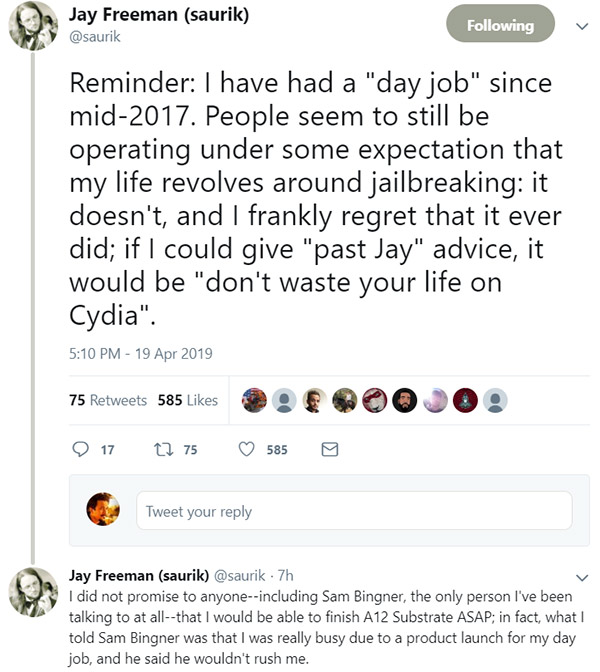


Saurik Says Jailbreaking Should Have Stopped At iOS 9, and Regrets Having Worked on Cydia


However, if those same people are making his life a misery and demanding something from him that, ultimately, they will never pay for then that’s just not on.
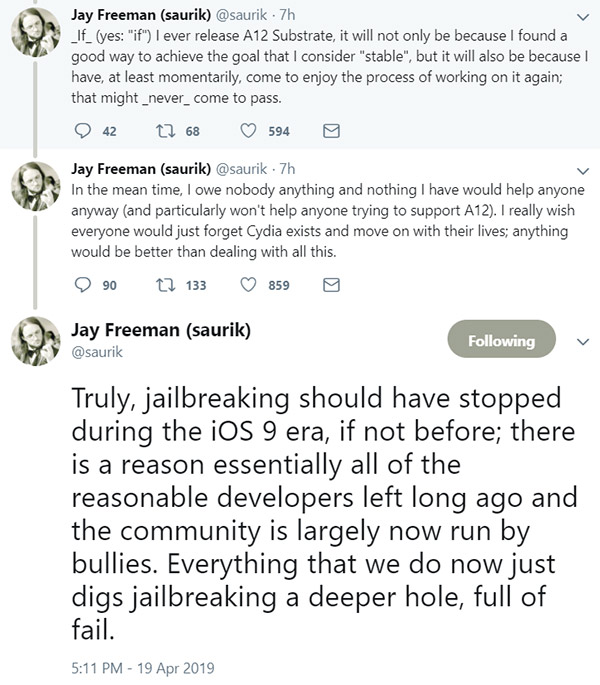


Saurik Says Jailbreaking Should Have Stopped At iOS 9, and Regrets Having Worked on Cydia


He’s spent huge amounts of time, for free, making tools for jailbreakers over many years now and if this is how he’s repaid, we wouldn’t blame him for walking away right now.


Source: redmond pie

Windows
Mac OS
iOS
Linux
3uTools
Win 64-bit For this device
V9.01 2025-12-27
Download
Win 32-bit For this device
V9.01 2025-12-27
Download
3uTools
Intel Chip How to Identify Chip Type
V9.01 2025-12-31
Download
Apple Silicon
V9.01 2025-12-31
Download
How to Identify Chip Type
1.  Click the Apple icon in the top-left corner of the screen and select About This Mac.
2.  Check the Processor or Chip field to determine if it is "Intel" or "Apple".
Please use the 3uTools PC client to install the iOS client:
1、 Install either the Windows or Mac version of 3uTools on your computer
2、 Open the PC client and connect your device to the computer via USB cable
3、 After the connection is successful, wait for the computer to automatically install the mobile app for the device, or locate “Install Mobile App” on the computer and manually click to install.
3uTools
deb file
V3.01 2025-11-20
Download
rpm file
V3.01 2025-11-20
Download
Windows
Windows
iOS
iOS
Android
Android
TV
TV
3uAirPlayer
Win 64-bit For this device
V6.0.2 2025-11-19
Download
Win 32-bit For this device
V6.0.2 2025-11-19
Download
iOS Device Mirroring (No App Required)
1、 Install 3uAirPlayer on the Windows PC
2、 Open Control Center and select Screen Mirroring
3、 From the list, choose your PC to start mirroring
4、 Or connect your iOS device to the PC via USB to begin mirroring
Scan to get "3uAirPlayer" App
3uAirPlayer TV V1.0.18
2025-11-28
TV System Requirements: Android 7.0 or later
Download the TV installation package, copy it to a USB drive, insert it into your TV or set-top box, then select the file from the home screen to install.




