 NEWS
NEWS
Ford, Toyo Prevent Apple and Google from Taking Over the in-car Experience
 01/05/2017
 3890
3890
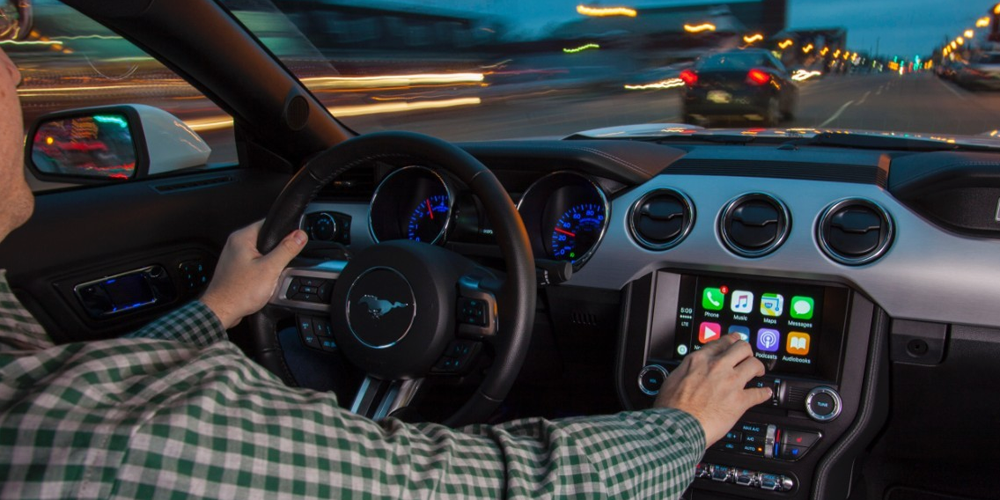
A report from Bloomberg today takes note that Ford and Toyota have joined forces with four other automakers and some electronics suppliers to form the SmartDeviceLink Consortium. The alliance has shared its main goal of creating more choice for connecting smartphones with vehicles, which in turn could create some friction with Apple, Google, and their visions for integrating and controlling the user interface inside of cars.
The history of this consortium started about six years ago as Ford and Toyota shared some concerns with how Apple and Google could take over the the in-dash entertainment system along with safety and security features.
Toyota first agreed to collaborate with Ford on car telematics systems in 2011. The automakers worry that if CarPlay and Android Auto establish themselves as must-have options, the influence of Apple and Google over the industry will grow.
The other automakers that have recently joined include, Mazda, PSA Group, Subaru (Fuji Heavy Industries Ltd.), Suzuki, and Peugeot (PSA Group). All of these manufacturers currently offer CarPlay on at least some 2016-2017 models or have committed to being a partner for upcoming models, while Ford includes the option for CarPlay on all of its 2017 models. Notably, Toyota and Mazda don’t yet offer CarPlay at all.
Toyota has resisted offering Apple’s CarPlay and Google’s Android Auto in its vehicles, citing concern that doing so would diminish safety and security.
In their joint statement, Toyota and Ford provided a little more detail about their concerns, noting that "by enlarging the consortium, the automakers hope to maintain control over how much access infotainment apps have to vehicle data."
There are multiple choices for aftermarket CarPlay options, but it seems they are becoming more and more difficult to retro-fit into newer vehicles. It will be interesting to see how this consortium will effect the future of Apple integration with vehicles in the years to come, especially with Apple’s own vehicle timeline supposedly still several years away.
Source: 9TO5Mac










