 NEWS
NEWS
iPhone 6 Exchange Offer Reduces Apple Smartphone's Price to Rs. 9,990
 01/05/2017
 4724
4724
An ongoing Flipkart iPhone 6 exchange offer that brings down the price of the smartphone's 16GB Space Grey to as low as Rs. 9,990. The Flipkart iPhone 6 offer provides up to Rs. 22,000 discount on the 16GB Space Grey variant, making it possible to buy the device under Rs. 10,000 when one includes the Rs. 5,000 flat discount being offered alongside.
The Flipkart iPhone 6 exchange offer is accompanied with an extra 5 percent instant discount on Axis Bank Buzz Credit Cards as well. As we mentioned, e-commerce site is offering a flat Rs. 5,000 off (13 percent) on the iPhone 6 Space Grey 16GB variant, and is selling it for Rs. 31,990. The company is also touting an additional Rs. 2,000 off on regular exchange value under the Flipkart iPhone 6 exchange offer.
Flipkart's iPhone 6 offer provides up to a maximum of Rs. 22,000 discount on exchange of old phones. This discount varies depending on the model, but we discovered that exchanging the iPhone 6s garners the maximum discount (Rs. 22,000). However, it is unlikely that anyone would exchange their functional iPhone 6s unit with 3D Touch for a two-year-old iPhone 6 that has been outdated for quite some time.
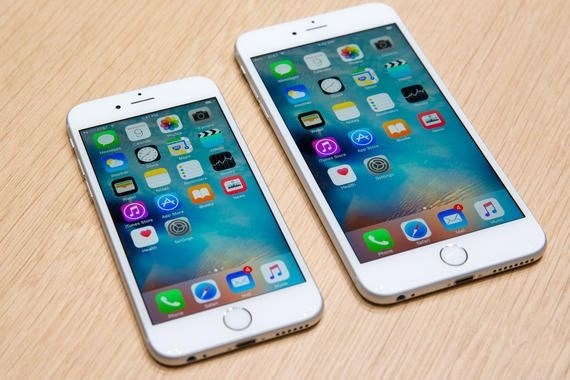
Other models, such as Moto X Play, Xiaomi Redmi Mi 4, OnePlus One, and Asus ZenFone 2, get discounts of Rs. 4,000 to Rs. 6,000 as part of the Flipkart iPhone 6 exchange offer.
The iPhone 6 16GB Silver variant has not got the Rs. 5,000 price cut, and is available for Rs. 36,990. However, the exchange offer is applicable offering a maximum of up to Rs. 20,000 discount. The iPhone 6 was launched in 2015, while the latest phone from Apple is the iPhone 7. Flipkart is offering an exchange discount of up to Rs. 20,000 on all of iPhone 7 and iPhone 7 Plus models.
The big highlights of the iPhone 7 are that the base variant has been bumped up to 32GB, the physical press of the Home Button and the 3.5mm audio jack have been removed. The larger iPhone 7 Plus also introduced a dual camera setup for the first time.
Source: gadgets










