
NEWS

New Apple Watch to Launch in Fall 2017 With Improved Battery Life

01/04/2017

3994


Apple's third-generation Apple Watch is expected to be unveiled in the third quarter of 2017 and will focus on improving battery life and overall performance, according to a new report out of China. 


On Tuesday, the Chinese-language Economic Daily News (EDN) claimed the next iteration of the wearable device will be manufactured by Taiwan-based Quanta, which was also responsible for the production of Apple's first and second-generation smartwatch. 


Citing market watchers with knowledge of Quanta's plans, the paper said improving battery life is the manufacturer's "main task", but beside general performance improvements, the device's other hardware would not see much change. Quanta declined to comment on the report, calling it "market speculation". 
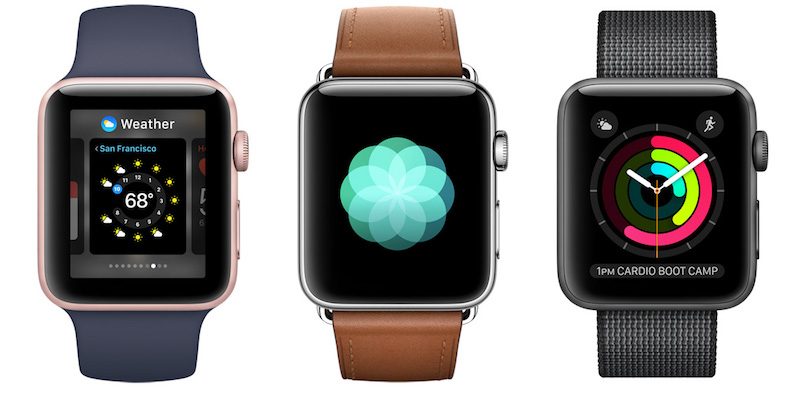

New Apple Watch to Launch in Fall 2017 With Improved Battery Life


The report also narrows down Apple's rumored ambitions for the third-generation device, with previous reports suggesting it could introduce the first significant design changes for the timepiece, such as more advanced sensors that Apple was not able to include in the first and second-generation models. 


Filed patents by Apple show other possibilities for future versions of Apple Watch, including the ability to determine a user's identity through their heart rate and unique cardio rhythms. Future models could also potentially integrate haptic feedback into Apple Watch bands, freeing up internal space for other components and allowing for a thinner.


Source: macrumors

Windows
Mac OS
iOS
Linux
3uTools
Win 64-bit For this device
V9.0 2025-11-11
Download
Win 32-bit For this device
V9.0 2025-11-11
Download
3uTools
Intel Chip How to Identify Chip Type
V9.0 2025-12-02
Download
Apple Chip
V9.0 2025-12-02
Download
How to Identify Chip Type
1.  Click the Apple icon in the top-left corner of the screen and select About This Mac.
2.  Check the Processor or Chip field to determine if it is "Intel" or "Apple".
Please use the 3uTools PC client to install the iOS client:
1、 Install either the Windows or Mac version of 3uTools on your computer
2、 Open the PC client and connect your device to the computer via USB cable
3、 After the connection is successful, wait for the computer to automatically install the mobile app for the device, or locate “Install Mobile App” on the computer and manually click to install.
3uTools
deb file
V3.01 2025-11-20
Download
rpm file
V3.01 2025-11-20
Download
Windows
Windows
iOS
iOS
Android
Android
TV
TV
3uAirPlayer
Win 64-bit For this device
V6.0.2 2025-11-19
Download
Win 32-bit For this device
V6.0.2 2025-11-19
Download
iOS Device Mirroring (No App Required)
1、 Install 3uAirPlayer on the Windows PC
2、 Open Control Center and select Screen Mirroring
3、 From the list, choose your PC to start mirroring
4、 Or connect your iOS device to the PC via USB to begin mirroring
Scan to get "3uAirPlayer" App
3uAirPlayer TV V1.0.18
2025-11-28
TV System Requirements: Android 7.0 or later
Download the TV installation package, copy it to a USB drive, insert it into your TV or set-top box, then select the file from the home screen to install.




