 NEWS
NEWS
Apple Sued By Parents Who Claim FaceTime Caused The Tragic Death Of Their Daughter
 12/30/2016
 3901
3901
This is a very complicated and upsetting case.
On Friday, James and Bethany Modisette formally sued Apple over the tragic death of their 5-year-old daughter Moriah on Christmas Eve in 2014.
The family was driving on an interstate in Dallas when another car slammed into their vehicle, severely injuring Moriah and their other daughter Isabella. Unfortunately, Moriah did not survive the injuries of the wreck and later died at the hospital.
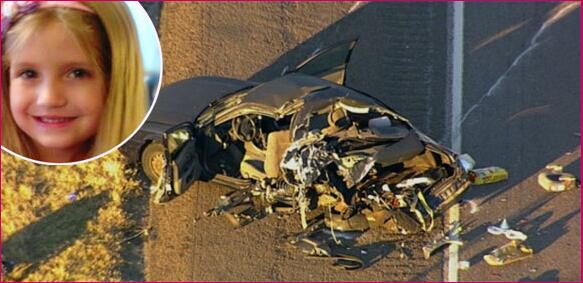
According to police, driver Garrett Willhelm was using FaceTime when the horrible incident occurred. Traffic had slowed down right before the crash, and it's presumed the offending driver wasn't paying attention which caused him to collide with the Modisette's vehicle.
What's even more concerning is, FaceTime was still live when officers inspected the phone minutes after the crash.
The Modisettes believe Apple should have put measures in place to ensure the app is safe, pointing out in their suit that Apple has had the technology to track moving phones — and shut down at high speeds — for years:
"Defendant Apple Inc. has had the technology to prevent these events, and the Modisettes' injuries, specifically since at least Dec. 12, 2008, when it filed an application with the U.S. Patent Office for a ‘driver handheld computing device lock-out'."
They had the technology but didn't put it in place? Even Pokemon Go shuts down when you're driving; it seems like a no-brainer to install a similar safety feature in FaceTime.
So, do YOU think Apple is at fault here?
Source: perezhilton










