 NEWS
NEWS
Woman Says Water-resistant iPhone Helped Save her Life after Rough Waters Capsized her Boat in Japan
 12/17/2018
 2861
2861
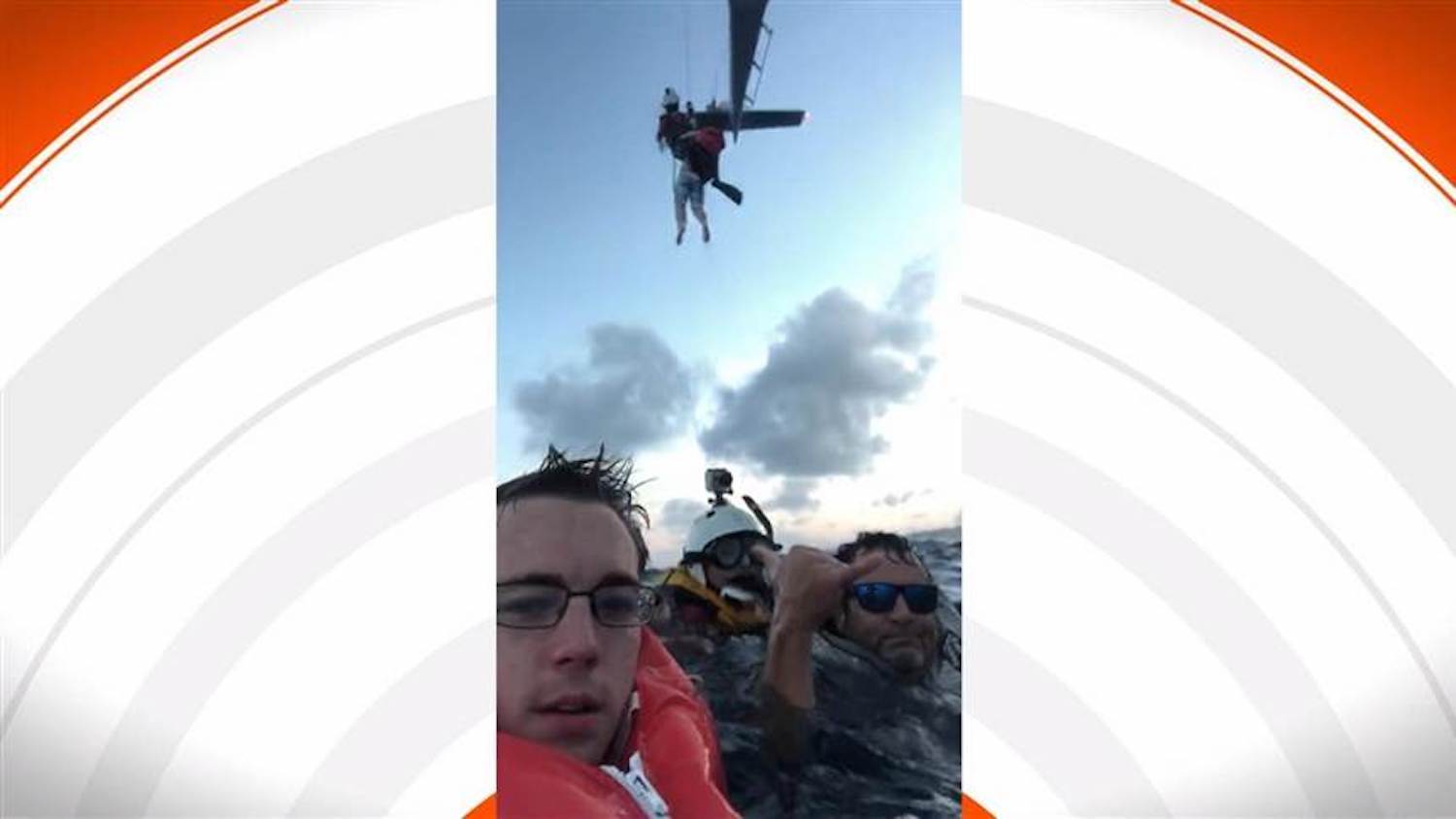
We often hear stories of the Apple Watch saving people’s lives, but this time it’s someone’s iPhone receiving the life-saving credit. While on a trip to Japan, Rachel Neal and her friends chartered a boat to visit an island off the coast of Okinawa. When the boat capsized due to rough water, however, Neal and her friends were forced to jump overboard.
Neal explained to The Today Show that she keeps a “go bag” with her at all times, and in that go bag she had her and her friends’ iPhones. After they jumped overboard, she quickly got into the go bag to check the iPhones to call for help. Her boyfriend’s phone was already water damaged, but her iPhone was not.
She was then able to use her iPhone to call emergency services in Japan, and the Japanese coast guard came to rescue her and her friends roughly 90 minutes later.
Speaking to The Today Show, Neal explained:
"Having a go bag is like second nature for me. I have one in my car, I have one in my house, I have one when I travel. We had our go bag, we put our life vest on, and I literally turned grabbed it, and just jumped. We pulled out his, his had too much water damage and didn’t work. We pulled out mine, despite the fact that it had water, it worked."
It’s unclear which iPhone model Neal uses, but given that she calls it “water-resistant” it has to be an iPhone 7 or newer. The iPhone 7 was the first water-resistant iPhone, rated IP67 for submergence of 1 meter for up to 30 minutes.
After emergency services had been contacted, Neal and her friends were able to use her iPhone to capture some pretty stunning video, including footage of the coast guard lifting people out of the water. Apple CEO Tim Cook took to Twitter this morning to share Neal’s story, calling it “remarkable” and saying that “we are glad you’re all safe.”
Watch the full video below and let us know what you think down in the comments.
Remarkable story — we are glad you’re all safe. https://t.co/ppSVttHcAV
— Tim Cook (@tim_cook) December 15, 2018
Source: 9to5mac










