 NEWS
NEWS
A 6-Year-Old Girl Orders $250 Worth Of Pokémon Items by Touch ID
 12/28/2016
 4511
4511
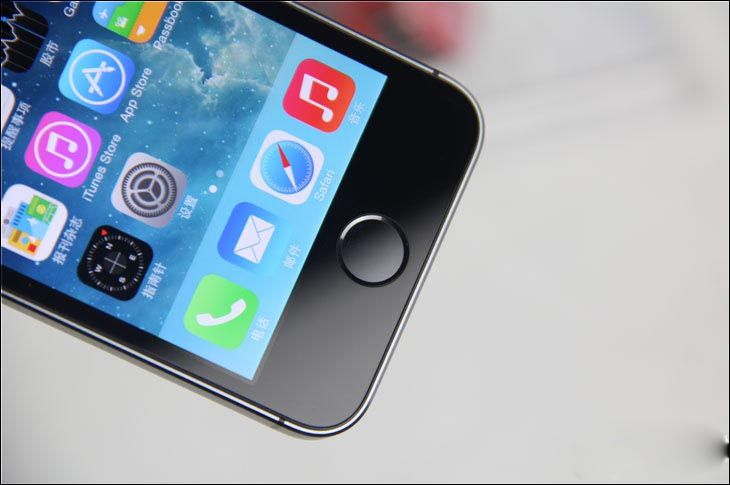
A woman in Little Rock, Arkansas was greeted with an Amazon bill she didn't incur upon waking up from a short nap.
Bethany Howell had apparently retreated to her couch to doze off. That's when Ashlynd, her 6-year old daughter, took her thumb and used it to gain access to her iPhone.
Ashlynd, upon unlocking the smartphone, went gung-ho, splurging $250 on Pokémon merchandise via the Amazon app.
A 6-Year Old's Shopping Spree
Little did Howell know that she was $250 less richer when she woke from her nap. Howell assumed that her account had been the victim of a hack, after noticing 13 different order confirmations she herself didn't authorize, though it didn't take a second before it dawned on her that the spree was her daughter's handiwork.
Fortunately, Howell was able to reverse four of the orders, though Ashlynd didn't show any repentance whatsoever. In fact, she was proud that she placed those orders all by herself, which is quite an achievement for a 6-year old.
Sure, the incident is quite a cutesy addition to a trove of anecdotes Howell would tell her child when she grows up, but the incident suggests that fingerprint-based security protection isn't as infallible as they're purported to be. Wait for the victim to doze off and you've got yourself an instant key.
As it stands, it's still a better option to protect a device with a passcode lock, should fingerprint-based unlocking mechanisms be circumvented by ill-intent folks, let alone a child.
Touch ID
Touch ID is Apple's fancy branding for the fingerprint scanner housed on its devices. It was first found on the iPhone 5s, which was released in 2013. Apple has since introduced the second-generation Touch ID beginning with the iPhone 6s, and later with the new MacBook Pro models.
Touch ID allows owners to unlock their devices, execute purchases from a number of digital stores, such as iTunes Store, App Store, and more. It can also be a way to authenticate Apple Pay transactions. Apple claims that fingerprints are stored in a secure enclave on the Apple Pay and later chips, instead of being stored in the cloud.
Hopefully, mainstream security technology progresses enough to the point where smartphones can support an unbreachable voice-activated unlocking mechanism. How distant our world from that prospect remains to be seen, but needless to say that even with fingerprint-based access, users should still be mindful of their
Source: Tech Times










