
NEWS

The Apple Watch Rolls out A New Challenge for The New Year

12/28/2016

2961

Making excuses for breaking New Year’s resolutions used to be a hell of a lot simpler. Now that we’ve got social media for every life choice and are wearing our fitness levels on our wrists, there’s really no reason not to keep up. Which isn’t to say, of course, that we all couldn’t use an extra jolt.


Back in November, Apple offered another holiday-themed fitness challenge – a Turkey Trot-style 5K tied to Thanksgiving. Naturally, the company will be doing something similar tied to the New Year – an update set to start rolling out to Apple Watch owners on December 28 that’s designed to extend the challenge for a full month.
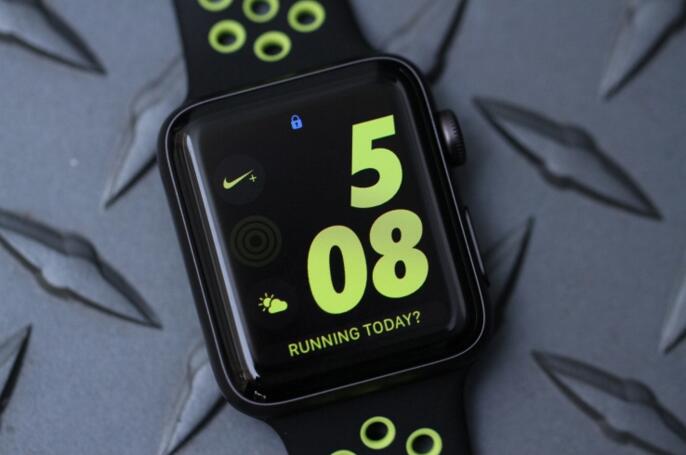

The Apple Watch Rolls out A New Challenge for The New Year


When they pop their watches on in the morning, they’ll be greeted by the Ring in the New Year Challenge set for January 2 (to give wearers an extra day to recover, one assumes), designed to get users to close all three of the Watch’s rings for a full week during the month.


As with the Turkey Trot, Apple will be looking to make this a social event, with shareable achievements and goals for hitting a full week’s worth of activity in early January – or as we like to call it here, CES.


Source: techcrunch

Windows
Mac OS
iOS
Linux
3uTools
Win 64-bit For this device
V9.0 2025-11-11
Download
Win 32-bit For this device
V9.0 2025-11-11
Download
3uTools
Intel Chip How to Identify Chip Type
V9.0 2025-12-02
Download
Apple Chip
V9.0 2025-12-02
Download
How to Identify Chip Type
1.  Click the Apple icon in the top-left corner of the screen and select About This Mac.
2.  Check the Processor or Chip field to determine if it is "Intel" or "Apple".
Please use the 3uTools PC client to install the iOS client:
1、 Install either the Windows or Mac version of 3uTools on your computer
2、 Open the PC client and connect your device to the computer via USB cable
3、 After the connection is successful, wait for the computer to automatically install the mobile app for the device, or locate “Install Mobile App” on the computer and manually click to install.
3uTools
deb file
V3.01 2025-11-20
Download
rpm file
V3.01 2025-11-20
Download
Windows
Windows
iOS
iOS
Android
Android
TV
TV
3uAirPlayer
Win 64-bit For this device
V6.0.2 2025-11-19
Download
Win 32-bit For this device
V6.0.2 2025-11-19
Download
iOS Device Mirroring (No App Required)
1、 Install 3uAirPlayer on the Windows PC
2、 Open Control Center and select Screen Mirroring
3、 From the list, choose your PC to start mirroring
4、 Or connect your iOS device to the PC via USB to begin mirroring
Scan to get "3uAirPlayer" App
3uAirPlayer TV V1.0.18
2025-11-28
TV System Requirements: Android 7.0 or later
Download the TV installation package, copy it to a USB drive, insert it into your TV or set-top box, then select the file from the home screen to install.




