
NEWS

Apple launches iTunes Boxing Day sales

12/26/2016

3357

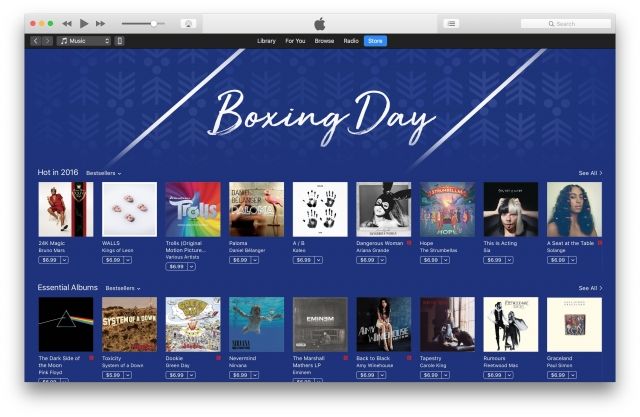
Continuing in the tradition they’ve started years ago, Apple has once again launched its iTunes Boxing Day sale with discounts on a multitude of albums across the Canadian and UK iTunes stores.


The sale is listed as a banner at the top of iTunes, and will likely be available through next Monday the 26th, Boxing Day. Though not recognized as a major holiday in the United States, Boxing Day offers retailers an opportunity to offer Black Friday-like sales.
Apple launches iTunes Boxing Day sales


Like last year, album discounts in the Canadian iTunes Stores are focused on a few select categories: Hot in 2016, Essential Albums, Musique francophone, and Discovery Artists. Normally priced at $9.99, the albums are instead priced as low as $5.99.

Apple launches iTunes Boxing Day sales


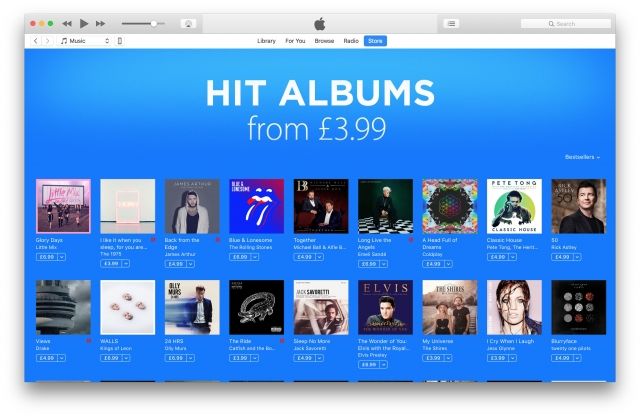
Within the UK iTunes store, Apple’s banner doesn’t list the sale as “Boxing Day”, but simply as “Hit Albums”. Starting off as low as £3.99, the collection contains a list of popular albums from 2016. Amongst the collection are albums like The 1975’s “I like it when you sleep, for you are so beautiful yet so unaware of it“, Sia’s “This is Acting“, and Glass Animals’ “How to be a human being“. Stretch your holiday money further by picking up a $100 iTunes Gift Card, for only $85 with email delivery.


Source: 9to5mac


Windows
Mac OS
iOS
Linux
3uTools
Win 64-bit For this device
V9.0 2025-11-11
Download
Win 32-bit For this device
V9.0 2025-11-11
Download
3uTools
Intel Chip How to Identify Chip Type
V9.0 2025-12-02
Download
Apple Chip
V9.0 2025-12-02
Download
How to Identify Chip Type
1.  Click the Apple icon in the top-left corner of the screen and select About This Mac.
2.  Check the Processor or Chip field to determine if it is "Intel" or "Apple".
Please use the 3uTools PC client to install the iOS client:
1、 Install either the Windows or Mac version of 3uTools on your computer
2、 Open the PC client and connect your device to the computer via USB cable
3、 After the connection is successful, wait for the computer to automatically install the mobile app for the device, or locate “Install Mobile App” on the computer and manually click to install.
3uTools
deb file
V3.01 2025-11-20
Download
rpm file
V3.01 2025-11-20
Download
Windows
Windows
iOS
iOS
Android
Android
TV
TV
3uAirPlayer
Win 64-bit For this device
V6.0.2 2025-11-19
Download
Win 32-bit For this device
V6.0.2 2025-11-19
Download
iOS Device Mirroring (No App Required)
1、 Install 3uAirPlayer on the Windows PC
2、 Open Control Center and select Screen Mirroring
3、 From the list, choose your PC to start mirroring
4、 Or connect your iOS device to the PC via USB to begin mirroring
Scan to get "3uAirPlayer" App
3uAirPlayer TV V1.0.18
2025-11-28
TV System Requirements: Android 7.0 or later
Download the TV installation package, copy it to a USB drive, insert it into your TV or set-top box, then select the file from the home screen to install.




