 NEWS
NEWS
What Will Apple Call the 2018 iPhones?
 08/22/2018
 2963
2963
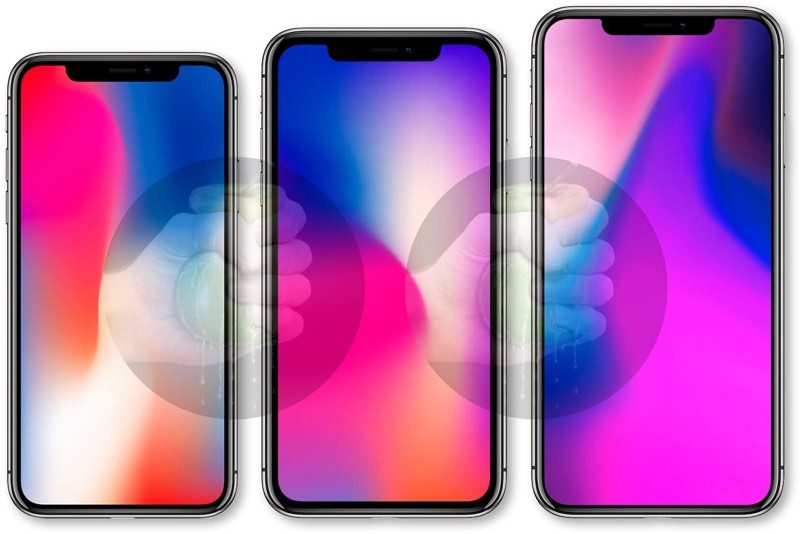
Until last year, the naming convention for the next iPhone was quite predictable. However, with the launch of the iPhone X to mark the 10th anniversary, it has made it a lot more difficult to predict what Apple will call its 2018 iPhones.
The Options
Here are some of the names that Apple could call the 2018 iPhones.
1. iPhone X (2018), iPhone X Plus, iPhone 9
2. iPhone X2, iPhone X2 Plus, iPhone 9
3. iPhone XS, iPhone XS Plus, iPhone 9
4. iPhone XI, iPhone XI Plus, iPhone 9
5. 5.8-inch iPhone, 6.5-inch iPhone, 6.1-inch iPhone
6. 5.8-inch iPhone Pro (2018), 6.5-inch iPhone Pro (2018), 6.1-inch iPhone (2018)
Apple is widely expected to launch three iPhone models this year as well. But unlike last year, where it launched only one flagship model, the iPhone X, this year Apple is expected to launch two flagship models: a 5.8-inch iPhone model with OLED screen, the successor or next generation iPhone X and a bigger 6.5-inch iPhone model with OLED, the Plus version of the next generation iPhone X. In addition to the iPhone X models, Apple may also launch a cheaper 6.1-inch iPhone with LCD screen.
Here a quick look at the new features and improvements we can expect in the 2018 iPhone models:
2018 iPhone X Features:
Same design as existing iPhone X
Improved Face ID with faster unlock times
Faster internals with more RAM
Improved dual-camera setup
Improved battery life
Fast charging
Estimated price ~$899
2018 iPhone X Plus Features:
Same design as iPhone X
Bigger display
Face ID
Faster internals with more RAM (4GB)
Improved dual-camera setup
Will offer better battery life over iPhone X
Fast charging
Estimated price ~$999
2018 LCD iPhone Features:
Same design as iPhone X with a few compromises
Slightly inferior build quality and thicker surrounding bezels
Face ID
3GB RAM
Single camera at the rear
Dual-SIM functionality in limited markets
Estimated price ~$600-700
Based on the marginal improvements, they should ideally be called iPhone XS, iPhone XS Plus, and iPhone 8s, but it would be difficult to pronounce them. Ken Segall, Apple’s former advisor and creator of the iconic Think Different campaign, had said that using “S” in the model number sends a “weak message” telling potential consumers to hold off till the next major update. He wished Apple never created a “4S.”
Apple is not going to continue using Roman numerals. Though some people call it the iPhone X with the letter X, it was a good idea to mark the 10th anniversary of the iPhone. But it wouldn’t sound good to continue using it.
Apple is also probably tempted to just call them the iPhone, just like it did with the iPad a few years back but the 6.1-inch LCD iPhone model makes it tricky as Apple would probably like to promote the OLED iPhone models as the flagship and premium models. Unless Apple opts for a radically different naming convention and calls them 5.8-inch iPhone Pro (2018), 6.5-inch iPhone Pro (2018), 6.1-inch iPhone (2018).
Apple could go for option 2 (iPhone X2, iPhone X2 Plus, iPhone 9). It will at least solve the problem for the next 10 years. But it would mean that it would have to pronounce ‘X’ as a letter rather than the roman numeral.
So to sum up, option 6 (5.8-inch iPhone Pro (2018), 6.5-inch iPhone Pro (2018), 6.1-inch iPhone (2018)) makes the most sense as Apple won’t need to worry about naming conventions going forward.
Source: iphonehacks










