
NEWS

Apple Offering Refurbished Series 1 and Series 2 Apple Watch Models

12/21/2016

4099

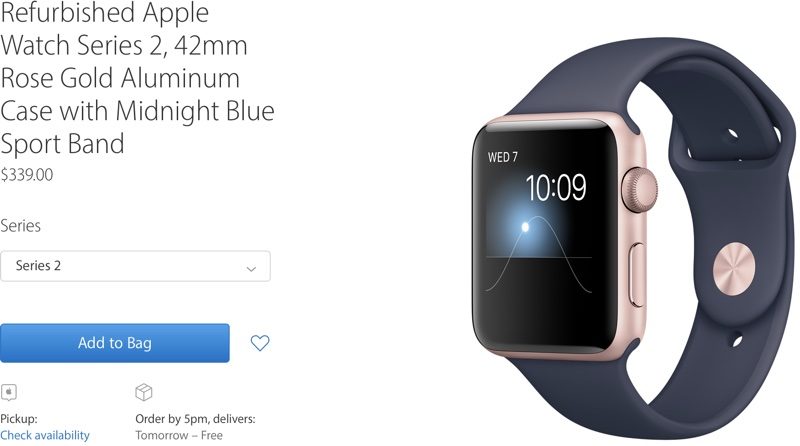
Apple today updated its online store for refurbished products, introducing refurbished Apple Watch models for the first time since the Apple Watch was released in the spring of 2015. 

The Apple Watch refurbished section includes both Apple Watch Series 1 and Series 2 models at 14 to 16 percent off depending on configuration. No original Apple Watch models are included. 


Both aluminum and stainless steel Apple Watch models are included, in 38 and 42mm size options. All Apple Watches listed in the store feature Sport bands in a variety of colors. 

Apple Offering Refurbished Series 1 and Series 2 Apple Watch Models


Aluminum Apple Watch models start at $229 for the 38mm version ($40 off), while 38mm stainless steel Apple Watch models start at $469 ($80 off). 

Refurbished stock varies on a day-by-day basis according to the models that Apple has on hand, and supplies can potentially go quickly. Refurbished stock is refreshed on a regular basis, however. 

All of Apple's refurbished Apple Watch models include magnetic charging cables and a full one-year warranty, just like non-refurbished products. Series 2 models ship with a power adapter, while Series 1 models do not.


Source: macrumor

Windows
Mac OS
iOS
Linux
3uTools
Win 64-bit For this device
V9.0 2025-11-11
Download
Win 32-bit For this device
V9.0 2025-11-11
Download
3uTools
Intel Chip How to Identify Chip Type
V9.0 2025-12-02
Download
Apple Chip
V9.0 2025-12-02
Download
How to Identify Chip Type
1.  Click the Apple icon in the top-left corner of the screen and select About This Mac.
2.  Check the Processor or Chip field to determine if it is "Intel" or "Apple".
Please use the 3uTools PC client to install the iOS client:
1、 Install either the Windows or Mac version of 3uTools on your computer
2、 Open the PC client and connect your device to the computer via USB cable
3、 After the connection is successful, wait for the computer to automatically install the mobile app for the device, or locate “Install Mobile App” on the computer and manually click to install.
3uTools
deb file
V3.01 2025-11-20
Download
rpm file
V3.01 2025-11-20
Download
Windows
Windows
iOS
iOS
Android
Android
TV
TV
3uAirPlayer
Win 64-bit For this device
V6.0.2 2025-11-19
Download
Win 32-bit For this device
V6.0.2 2025-11-19
Download
iOS Device Mirroring (No App Required)
1、 Install 3uAirPlayer on the Windows PC
2、 Open Control Center and select Screen Mirroring
3、 From the list, choose your PC to start mirroring
4、 Or connect your iOS device to the PC via USB to begin mirroring
Scan to get "3uAirPlayer" App
3uAirPlayer TV V1.0.18
2025-11-28
TV System Requirements: Android 7.0 or later
Download the TV installation package, copy it to a USB drive, insert it into your TV or set-top box, then select the file from the home screen to install.




