 NEWS
NEWS
Apple Gives Retail Employees T-shirt, Keepsake Credo for Holidays
 12/19/2016
 3932
3932
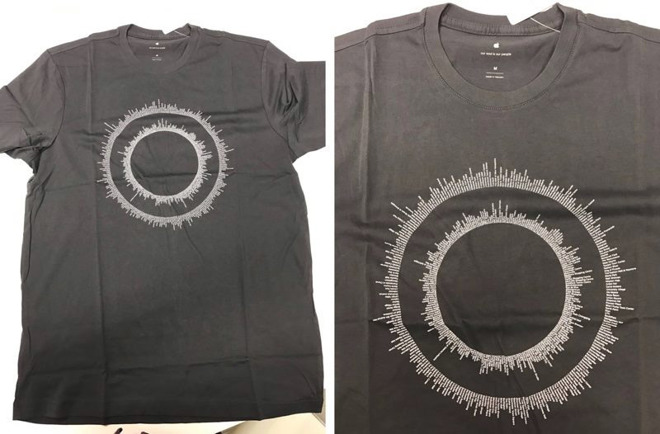
Apple on Friday presented its retail workforce with the usual annual holiday gift, this year consisting of a special edition gray T-shirt and keepsake card onto which the company's corporate credo is printed.
On the front of the tee are two concentric circles made up of what looks to be a list of Apple's global brick-and-mortar store network, reports MacRumors.
Alongside the shirts, employees around the world received a copy of Apple's new six-stanza corporate credo printed on heavy card stock paper. The keepsake letter comes in its own protective envelope, itself emblazoned with an Apple logo.
The holiday gift giving exercise has become somewhat of a tradition at Apple. Last year, employees received a pair of urBeats headphones and a 9-month subscription to Apple Music, while previous holiday bonuses include Incase backpacks, sport bottles, blankets and other paraphernalia.
Apple is known to hold its retail workforce in high esteem, but the company was recently hit with a series of class-action lawsuits alleging mistreatment that resulted in lost wages. In 2009, for example, a group of California retail workers filed a class-action lawsuit arguing time spent complying with anti-theft measures, namely employee bag checks, is compensable under the Fair Labor Standards Act. A federal judge dismissed that case last year.
More recently, Apple this week was saddled with a $2 million penalty as part of a separate class-action suit that accused the company of running afoul of California's labor laws. Specifically, plaintiffs alleged Apple failed to compensate workers for missed meal and rest periods, furnish accurate itemized wage statements and pay out ending employment wages.
Source: appleinsider










