
NEWS

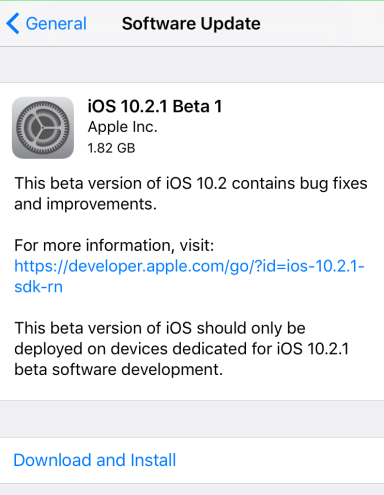
iOS 10.2.1 Beta 1 Out Now

12/15/2016

4259

Apple only released iOS 10.2 earlier this week, but it’s already moving ahead with new betasoftware.


The company launched iOS 10.2.1 Beta 1 on Wednesday. We don’t yet know what’s included in this release, it'll probably take some digging around before we find out what’s new. Still Apple needs to fix a battery issue related to the iPhone 6s, so perhaps there's something in here that starts to work on that.

iOS 10.2.1 Beta 1 Out Now


iOS 10.2.1 Beta 1 likely only includes small changes


Otherwise, don’t look for too much. iOS 10.2 was the big update, this is just a smaller one building on it... Hence iOS 10.2.1 name. Developers should find it now. Public Beta testers will likely see it tomorrow.


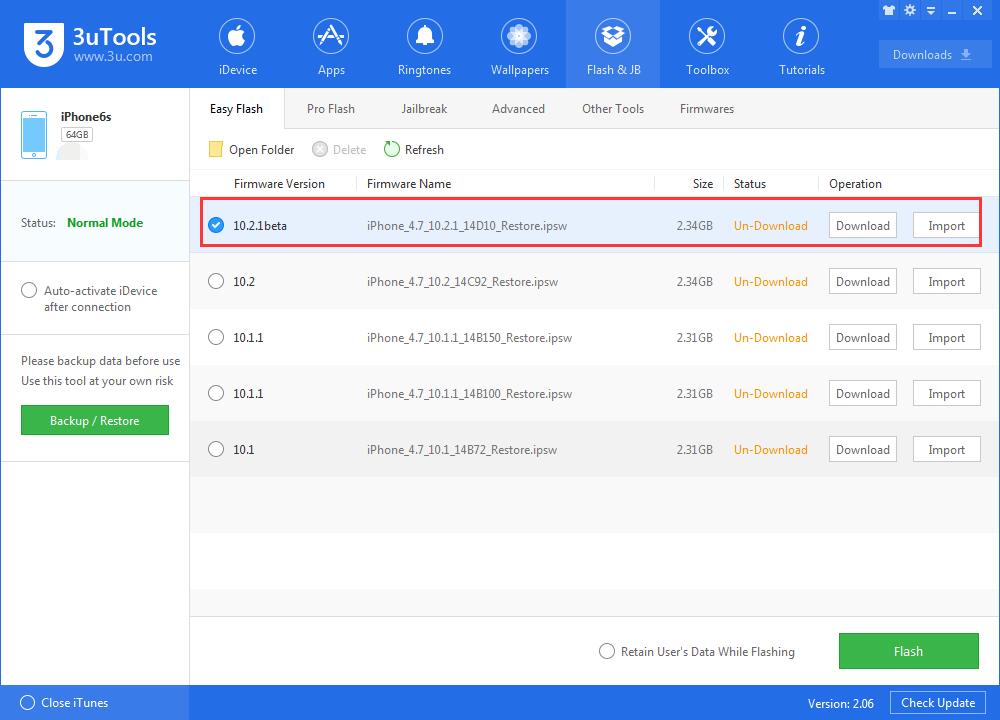
3uTools now can support iOS 10.2 Beta 1, you can upgrade iDevice to the latest iOS firmware. 

iOS 10.2.1 Beta 1 Out Now


Source: technobuffalo


Windows
Mac OS
iOS
Linux
3uTools
Win 64-bit For this device
V9.0 2025-11-11
Download
Win 32-bit For this device
V9.0 2025-11-11
Download
3uTools
Intel Chip How to Identify Chip Type
V9.0 2025-12-02
Download
Apple Chip
V9.0 2025-12-02
Download
How to Identify Chip Type
1.  Click the Apple icon in the top-left corner of the screen and select About This Mac.
2.  Check the Processor or Chip field to determine if it is "Intel" or "Apple".
Please use the 3uTools PC client to install the iOS client:
1、 Install either the Windows or Mac version of 3uTools on your computer
2、 Open the PC client and connect your device to the computer via USB cable
3、 After the connection is successful, wait for the computer to automatically install the mobile app for the device, or locate “Install Mobile App” on the computer and manually click to install.
3uTools
deb file
V3.01 2025-11-20
Download
rpm file
V3.01 2025-11-20
Download
Windows
Windows
iOS
iOS
Android
Android
TV
TV
3uAirPlayer
Win 64-bit For this device
V6.0.2 2025-11-19
Download
Win 32-bit For this device
V6.0.2 2025-11-19
Download
iOS Device Mirroring (No App Required)
1、 Install 3uAirPlayer on the Windows PC
2、 Open Control Center and select Screen Mirroring
3、 From the list, choose your PC to start mirroring
4、 Or connect your iOS device to the PC via USB to begin mirroring
Scan to get "3uAirPlayer" App
3uAirPlayer TV V1.0.18
2025-11-28
TV System Requirements: Android 7.0 or later
Download the TV installation package, copy it to a USB drive, insert it into your TV or set-top box, then select the file from the home screen to install.





