
NEWS

AirPods Are Now Up for Sale on Apple’s Site

12/14/2016

4708

Apple knew it was going to take something big to help cushion the blow of its decision to drop the headphone jack from the new iPhone. For the company, the answer arrived in the form of AirPods, wireless Bluetooth versions of its EarPods built around the new W1 chip.


At the time, the headphones were slated to arrive the following month, but, well, the company clearly still had a lot of tweaking to do, admitting toward the end of October that it would need some time “before AirPods are ready for our customers.” The company wouldn’t divulge the source of the required tweaking, but various reports have since highlighted some combination of software/hardware problems.
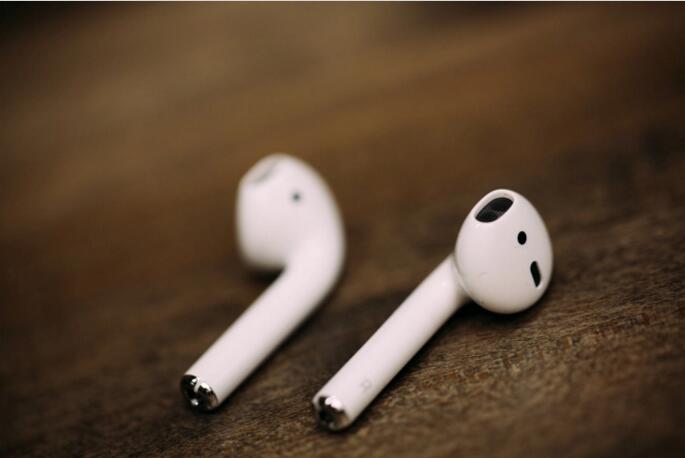

AirPods Are Now Up for Sale on Apple’s Site


Looks like the little buds are now officially available through Apple’s site, priced, as expected, at $159. Apple’s certainly cutting it close here (in the States at least), the delivery date is listed as just before Christmas (and, for that matter, Hanukkah) — Wednesday, December 21.


Our own Matthew Panzarino apent some quality time with the headphones back in September, just after they were unveiled in San Francisco, and was generally impressed with what with he saw/heard.


Source: techrunch


Windows
Mac OS
iOS
Linux
3uTools
Win 64-bit For this device
V9.0 2025-11-11
Download
Win 32-bit For this device
V9.0 2025-11-11
Download
3uTools
Intel Chip How to Identify Chip Type
V9.0 2025-12-02
Download
Apple Chip
V9.0 2025-12-02
Download
How to Identify Chip Type
1.  Click the Apple icon in the top-left corner of the screen and select About This Mac.
2.  Check the Processor or Chip field to determine if it is "Intel" or "Apple".
Please use the 3uTools PC client to install the iOS client:
1、 Install either the Windows or Mac version of 3uTools on your computer
2、 Open the PC client and connect your device to the computer via USB cable
3、 After the connection is successful, wait for the computer to automatically install the mobile app for the device, or locate “Install Mobile App” on the computer and manually click to install.
3uTools
deb file
V3.01 2025-11-20
Download
rpm file
V3.01 2025-11-20
Download
Windows
Windows
iOS
iOS
Android
Android
TV
TV
3uAirPlayer
Win 64-bit For this device
V6.0.2 2025-11-19
Download
Win 32-bit For this device
V6.0.2 2025-11-19
Download
iOS Device Mirroring (No App Required)
1、 Install 3uAirPlayer on the Windows PC
2、 Open Control Center and select Screen Mirroring
3、 From the list, choose your PC to start mirroring
4、 Or connect your iOS device to the PC via USB to begin mirroring
Scan to get "3uAirPlayer" App
3uAirPlayer TV V1.0.18
2025-11-28
TV System Requirements: Android 7.0 or later
Download the TV installation package, copy it to a USB drive, insert it into your TV or set-top box, then select the file from the home screen to install.




