NEWS

Here Are iOS 10.2 Emoji Coming to Your iPhone (and How to Get Them)

12/13/2016

5139

Here Are iOS 10.2 Emoji Coming to Your iPhone (and How to Get Them)


Emoji for sneezing, selfies and more are coming to the iPhone

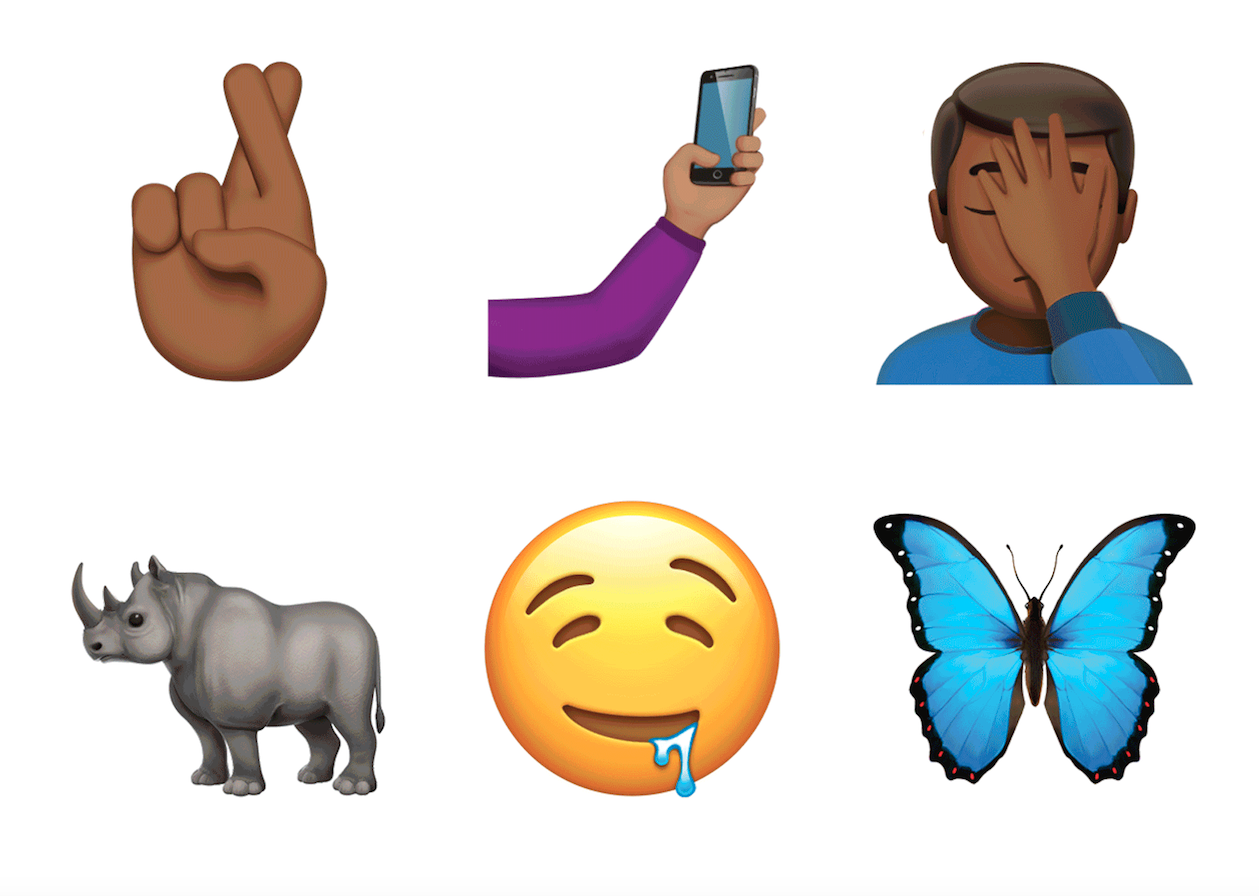
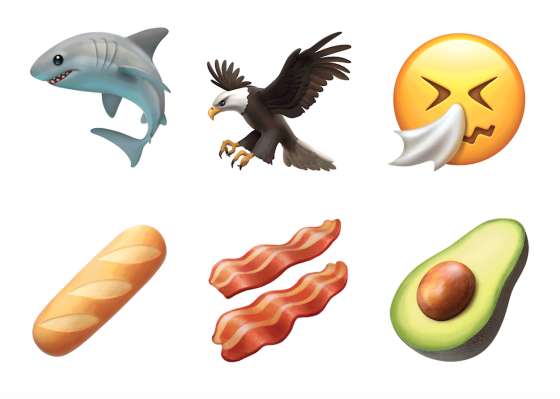
Apple launched its iOS 10.2 software update for the iPhone today, bringing a wider selection of fresh emoji to choose from, including new professions, facial expressions and foods.


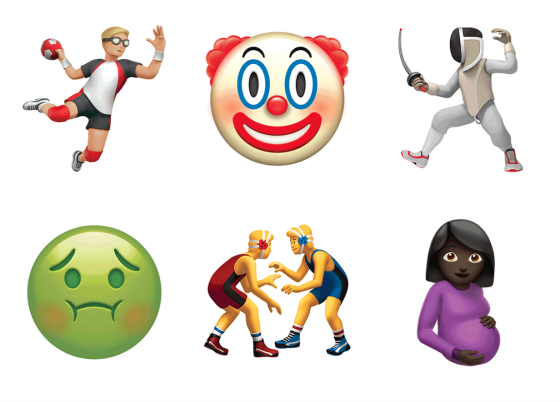
The iPhone emoji keyboard will now come with symbols that represent occupations like teacher, scientist and firefighter, for instance, as well as updated people-themed emoji—including one depicting a pregnant woman. The newly released batch will also bring new types of smiley faces that show different emotions and actions, such as a face with a Pinocchio-like nose.

Here Are iOS 10.2 Emoji Coming to Your iPhone (and How to Get Them)


The update, which officially launched Monday after previously being available in beta, comes as various tech companies and organizations have made an effort to develop emoji that are more inclusive and represent a broader range of people, activities and interests. A group of Googleemployees proposed a new set of gender-diverse emoji in May, while Facebook rolled out new options for its Messenger platform in June.


Apple’s latest update will bring the company’s recently announced TV app, improvements to the iPhone’s Photos app and new full-screen effects in iMessage.

Here Are iOS 10.2 Emoji Coming to Your iPhone (and How to Get Them)

Here’s how to download and install the update:

  1. Back up your iPhone before installing the new software. To do this, navigate to Settings > iCloud > Backup > Back Up Now. 

  2. After backing up, open Settings.

  3. Tap General.

  4. Choose the Software Update option.

  5. Make sure your iPhone is connected to Wi-Fi.

  6. Tap the Download and Install button to begin the process.

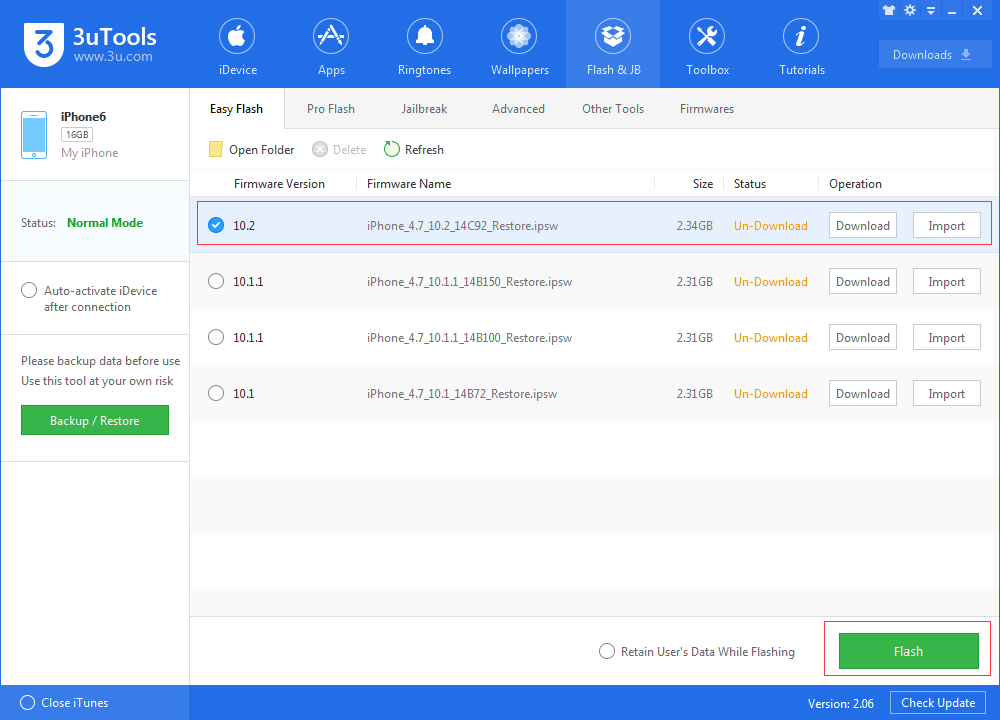
Plus, You can also connect your iPhone to 3uTools on your computer via its charging cable to manually back up your iPhone. You don't want to miss this tutorial: Official iOS 10.2 has been released, Using 3uTools to Update


Here Are iOS 10.2 Emoji Coming to Your iPhone (and How to Get Them)


Windows
Mac OS
iOS
Linux
3uTools
Win 64-bit For this device
V9.0 2025-11-11
Download
Win 32-bit For this device
V9.0 2025-11-11
Download
3uTools
Intel Chip How to Identify Chip Type
V9.0 2025-12-02
Download
Apple Chip
V9.0 2025-12-02
Download
How to Identify Chip Type
1.  Click the Apple icon in the top-left corner of the screen and select About This Mac.
2.  Check the Processor or Chip field to determine if it is "Intel" or "Apple".
Please use the 3uTools PC client to install the iOS client:
1、 Install either the Windows or Mac version of 3uTools on your computer
2、 Open the PC client and connect your device to the computer via USB cable
3、 After the connection is successful, wait for the computer to automatically install the mobile app for the device, or locate “Install Mobile App” on the computer and manually click to install.
3uTools
deb file
V3.01 2025-11-20
Download
rpm file
V3.01 2025-11-20
Download
Windows
Windows
iOS
iOS
Android
Android
TV
TV
3uAirPlayer
Win 64-bit For this device
V6.0.2 2025-11-19
Download
Win 32-bit For this device
V6.0.2 2025-11-19
Download
iOS Device Mirroring (No App Required)
1、 Install 3uAirPlayer on the Windows PC
2、 Open Control Center and select Screen Mirroring
3、 From the list, choose your PC to start mirroring
4、 Or connect your iOS device to the PC via USB to begin mirroring
Scan to get "3uAirPlayer" App
3uAirPlayer TV V1.0.18
2025-11-28
TV System Requirements: Android 7.0 or later
Download the TV installation package, copy it to a USB drive, insert it into your TV or set-top box, then select the file from the home screen to install.