 NEWS
NEWS
Apple's Support Site Now Lets Customers Schedule Repairs at Apple Authorized Providers
 12/07/2016
 5761
5761
Apple recently made a quiet update to it's Apple Support sit, introducing a new feature that allows customers to find and schedule repairs for iPhones, Macs, and iPads from Apple Authorized Service Providers.
When troubleshooting a product, choosing "Bring in for Repair" after going through Apple's support prompts now brings up all repair centers near a customer, including Apple's own retail stores and retail locations where customers can get repairs from Apple Authorized Service Providers.
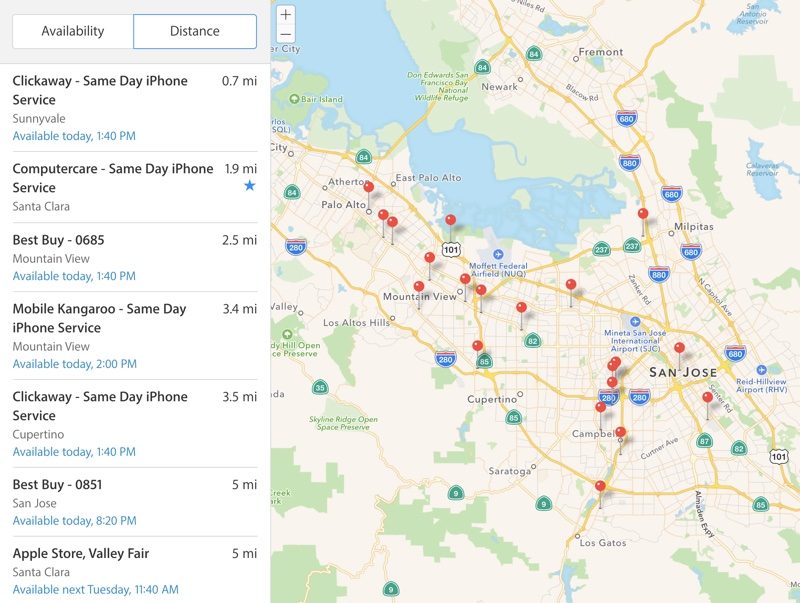
In addition to including all nearby Apple Authorized Service Providers, the new repair site also lists availability, so customers can find the fastest repairs and get same-day service in many locations. There's even an option to book a repair right from the site.
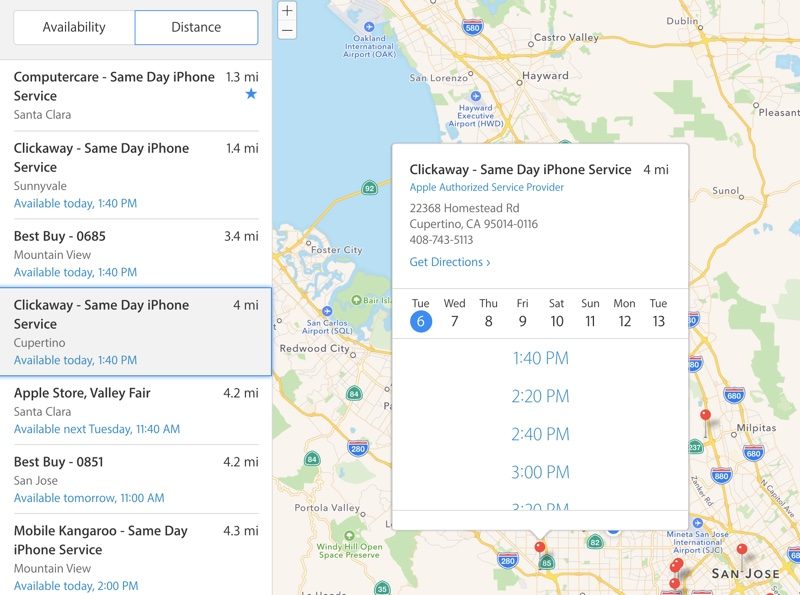
Most of the time, getting a repair appointment at an Apple Store's Genius Bar requires a wait of several days to a week, while Apple Authorized Service Providers have much more open availability.
In the San Francisco Bay Area, for example, local Apple Store do not have repair appointments until next week, but third-party repair shops like Best Buy, Clickaway, Mobile Kangaroo, and Computercare have appointments today or tomorrow.
Apple Authorized Service Providers have been officially authorized by Apple to perform repairs on Apple devices. Both AppleCare repairs and out-of-warranty repair services are available, but many customers may not be aware of local options outside of an Apple Store.
Apple's new focus on third-party service providers may provide some much-needed relief for Apple retail stores that are unable to keep up with repair requests and it will ensure customers are able to get faster service.
Source: Macrumor










