 NEWS
NEWS
Apple Addresses iPhone 6S Battery Problems
 12/06/2016
 4881
4881
Good news iPhone 6S owners with battery woes: Apple has finally issued a statement to explain those unexpected battery shutdowns.
Bad news (at least for non-Chinese 6S owners): It appears that the statement is only visible on its Chinese language website.
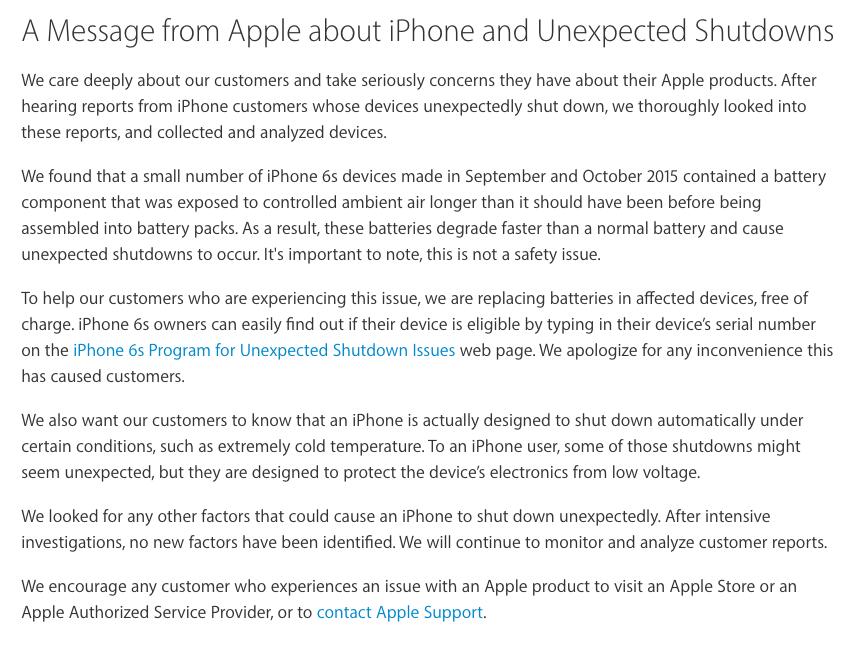
Turns out, the malfunctioning iPhones have batteries that degrade faster than normal because they were "exposed to controlled ambient air longer than [they] should have been before being assembled into battery packs," Apple said in the statement, once again highlighting that this wasn't a safety concern.
Up until now, Apple had only admitted that "a very small number" of 6S devices that were manufactured between September and October 2015 may unexpectedly shut down and assured users that the shutdowns weren't "a safety issue." The company launched a free replacement program for affected customers.
After the range of serial numbers of the models in question was released to the public, Apple updated the replacement program's page with a serial number checking tool to make it easier for consumers to see if their phone might be affected.
But the actual cause of the shutdowns had remained a mystery — until the statement appeared on the Chinese site. Business Insider spotted the release.
An English text version of the statement was included in the release. You can read it below in full.
Now that the cause for the shutdowns has come to light, hopefully the statement will be visible for all Apple customers —not just those accessing the Chinese language site.
Source: mashable










