
NEWS

T-Mobile Offers latest promotion, buy one iPhone, get one free

01/11/2018

2594

T-Mobile has announced its latest promotion, buy one iPhone, get one free. This latest offer is available with the purchase of any two iPhone X, 8, or 7 devices.
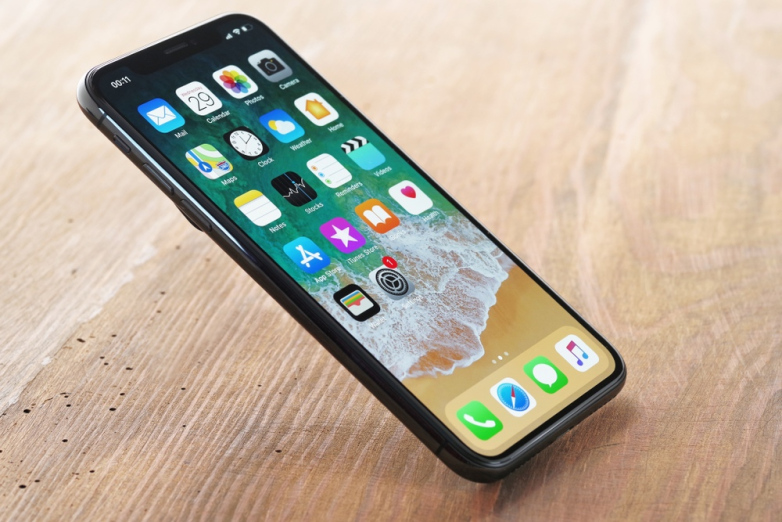
 

T-Mobile Offers latest promotion, buy one iPhone, get one free

In a press release today, T-Mobile touted some of its accomplishments from 2017 and shared its excitement for 2018 including this deal.


The new BOGO deal is available with twelve eligible smartphones, including the iPhone X, 8, and 7, and is open to new and existing customers starting this Friday, January 12th.


T-Mobile is pitching the deal as get a free iPhone 8 with the purchase of another eligible iPhone. However, users will receive the same $700 prepaid MasterCard with any combination of eligible iPhone purchases.


There is a little bit of work involved to claim your $700, but it looks like a solid deal if T-Mobile service is a good option for you.


Here are the fine details:


  • Buy two iPhones – Choose from the eligible phones above. Trade-in and port-in required.

  • Port in your number – Once you receive your new phones, call 1-800-937-8997 to transfer your number.

  • Trade in an eligible phone – Complete within 20 days of receiving your new devices.

  • Complete rebate form online – Enter promo code ’18Q1APLBOGO’ within 30 days of purchase.


Source: 9to5mac

Windows
Mac OS
iOS
Linux
3uTools
Win 64-bit For this device
V9.01 2025-12-27
Download
Win 32-bit For this device
V9.01 2025-12-27
Download
3uTools
Intel Chip How to Identify Chip Type
V9.01 2025-12-31
Download
Apple Silicon
V9.01 2025-12-31
Download
How to Identify Chip Type
1.  Click the Apple icon in the top-left corner of the screen and select About This Mac.
2.  Check the Processor or Chip field to determine if it is "Intel" or "Apple".
Please use the 3uTools PC client to install the iOS client:
1、 Install either the Windows or Mac version of 3uTools on your computer
2、 Open the PC client and connect your device to the computer via USB cable
3、 After the connection is successful, wait for the computer to automatically install the mobile app for the device, or locate “Install Mobile App” on the computer and manually click to install.
3uTools
deb file
V3.01 2025-11-20
Download
rpm file
V3.01 2025-11-20
Download
Windows
Windows
iOS
iOS
Android
Android
TV
TV
3uAirPlayer
Win 64-bit For this device
V6.0.2 2025-11-19
Download
Win 32-bit For this device
V6.0.2 2025-11-19
Download
iOS Device Mirroring (No App Required)
1、 Install 3uAirPlayer on the Windows PC
2、 Open Control Center and select Screen Mirroring
3、 From the list, choose your PC to start mirroring
4、 Or connect your iOS device to the PC via USB to begin mirroring
Scan to get "3uAirPlayer" App
3uAirPlayer TV V1.0.18
2025-11-28
TV System Requirements: Android 7.0 or later
Download the TV installation package, copy it to a USB drive, insert it into your TV or set-top box, then select the file from the home screen to install.




