
NEWS

Apple Is Testing Several Prototypes for Next Year’s iPhone

11/29/2016

4173

Apple’s next iPhone could come with a major new feature, according to a report.


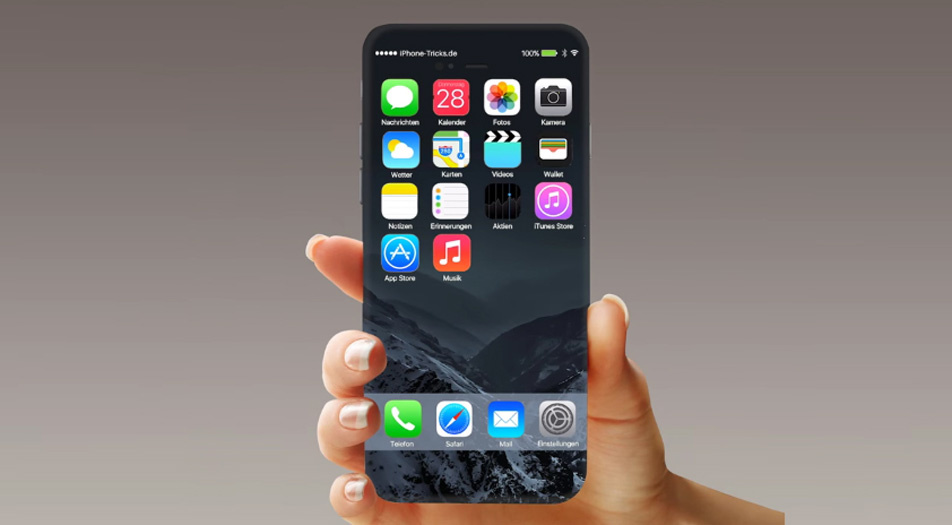
Apple is testing an iPhone with organic light-emitting diode (OLED) display technology that could allow for a curved screen, The Wall Street Journal is reporting, citing sources. The report says the OLED model would be in addition to traditional liquid crystal display (LCD) versions that Apple would also release.


Apple Is Testing Several Prototypes for Next Year’s iPhone


Overall, Apple is working on “more than 10” distinct iPhone prototypes, according to the Journal.


Get Data Sheet, Fortune’s technology newsletter


Next year’s iPhone could be a major update over the current model, the iPhone 7. Next year marks the 10th anniversary for the iPhone, and both analysts and market researchers believe Apple wants to offer at least one model that delivers many of the innovations competitors like Samsung have offered for the last few years.

Apple Is Testing Several Prototypes for Next Year’s iPhone


Samsung, for instance, has made a curved OLED-based screen with its Galaxy S “edge” line. The ill-fated Galaxy Note 7 Samsung released this year and subsequently discontinued because some caught fire or exploded also had a curved screen.


Apple AAPL has been criticized in the last several months for not offering many of the innovations its competitors have. Those complaints reached a crescendo in September when Apple unveiled an iPhone 7 that looked strikingly similar to last year’s iPhone 6s. It also lacked a headphone port, which elicited intense criticism. Still, the iPhone 7 is among the biggest selling smartphones available.


Next year, though, Apple may want to make a bigger splash.


Windows
Mac OS
iOS
Linux
3uTools
Win 64-bit For this device
V9.0 2025-11-11
Download
Win 32-bit For this device
V9.0 2025-11-11
Download
3uTools
Intel Chip How to Identify Chip Type
V9.0 2025-12-02
Download
Apple Chip
V9.0 2025-12-02
Download
How to Identify Chip Type
1.  Click the Apple icon in the top-left corner of the screen and select About This Mac.
2.  Check the Processor or Chip field to determine if it is "Intel" or "Apple".
Please use the 3uTools PC client to install the iOS client:
1、 Install either the Windows or Mac version of 3uTools on your computer
2、 Open the PC client and connect your device to the computer via USB cable
3、 After the connection is successful, wait for the computer to automatically install the mobile app for the device, or locate “Install Mobile App” on the computer and manually click to install.
3uTools
deb file
V3.01 2025-11-20
Download
rpm file
V3.01 2025-11-20
Download
Windows
Windows
iOS
iOS
Android
Android
TV
TV
3uAirPlayer
Win 64-bit For this device
V6.0.2 2025-11-19
Download
Win 32-bit For this device
V6.0.2 2025-11-19
Download
iOS Device Mirroring (No App Required)
1、 Install 3uAirPlayer on the Windows PC
2、 Open Control Center and select Screen Mirroring
3、 From the list, choose your PC to start mirroring
4、 Or connect your iOS device to the PC via USB to begin mirroring
Scan to get "3uAirPlayer" App
3uAirPlayer TV V1.0.18
2025-11-28
TV System Requirements: Android 7.0 or later
Download the TV installation package, copy it to a USB drive, insert it into your TV or set-top box, then select the file from the home screen to install.




