NEWS

Apple Delays Launch of Wireless AirPod Headphones

11/15/2016

3547

Apple Delays Launch of Wireless AirPod Headphones


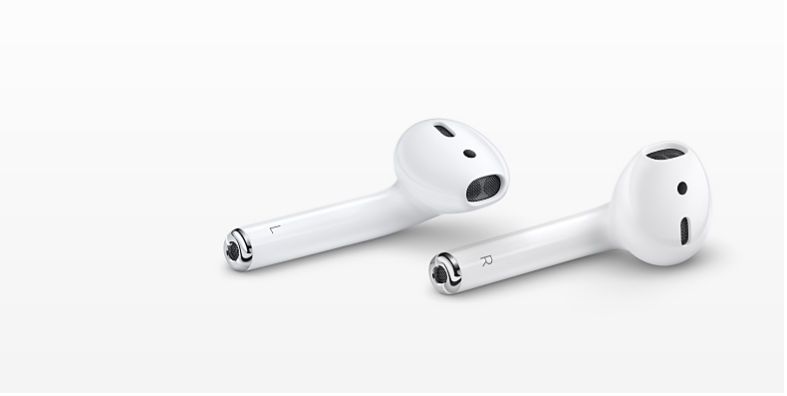
In September, along with the reveal of the headphone jack-free iPhone 7, Apple announced the release of new wireless earbuds called AirPods. At the time, Apple said they would start shipping in late October. That timing has now come and gone, and it isn’t yet clear when, exactly, the AirPods will arrive. 


At the end of October, an Apple spokesperson told TechCrunch, “We don’t believe in shipping a product before it’s ready, and we need a little more time before AirPods are ready for our customers.” More recently, in a November 11 research note obtained by Pitchfork (originally reported by MacRumors), Barclays analysts wrote, citing Asian supply chain sources, “We did hear that the AirPods should finally start production in December but units are fairly small at 10-15M to start.”


As of this post, the AirPods aren’t listed on Apple’s holiday shopping guide, and a product listing simply says the AirPods are “currently unavailable.” 


An Apple spokesperson contacted by Pitchfork declined to comment beyond the statement from the end of October.


Windows
Mac OS
iOS
Linux
3uTools
Win 64-bit For this device
V9.0 2025-11-11
Download
Win 32-bit For this device
V9.0 2025-11-11
Download
3uTools
Intel Chip How to Identify Chip Type
V9.0 2025-12-02
Download
Apple Silicon
V9.0 2025-12-02
Download
How to Identify Chip Type
1.  Click the Apple icon in the top-left corner of the screen and select About This Mac.
2.  Check the Processor or Chip field to determine if it is "Intel" or "Apple".
Please use the 3uTools PC client to install the iOS client:
1、 Install either the Windows or Mac version of 3uTools on your computer
2、 Open the PC client and connect your device to the computer via USB cable
3、 After the connection is successful, wait for the computer to automatically install the mobile app for the device, or locate “Install Mobile App” on the computer and manually click to install.
3uTools
deb file
V3.01 2025-11-20
Download
rpm file
V3.01 2025-11-20
Download
Windows
Windows
iOS
iOS
Android
Android
TV
TV
3uAirPlayer
Win 64-bit For this device
V6.0.2 2025-11-19
Download
Win 32-bit For this device
V6.0.2 2025-11-19
Download
iOS Device Mirroring (No App Required)
1、 Install 3uAirPlayer on the Windows PC
2、 Open Control Center and select Screen Mirroring
3、 From the list, choose your PC to start mirroring
4、 Or connect your iOS device to the PC via USB to begin mirroring
Scan to get "3uAirPlayer" App
3uAirPlayer TV V1.0.18
2025-11-28
TV System Requirements: Android 7.0 or later
Download the TV installation package, copy it to a USB drive, insert it into your TV or set-top box, then select the file from the home screen to install.